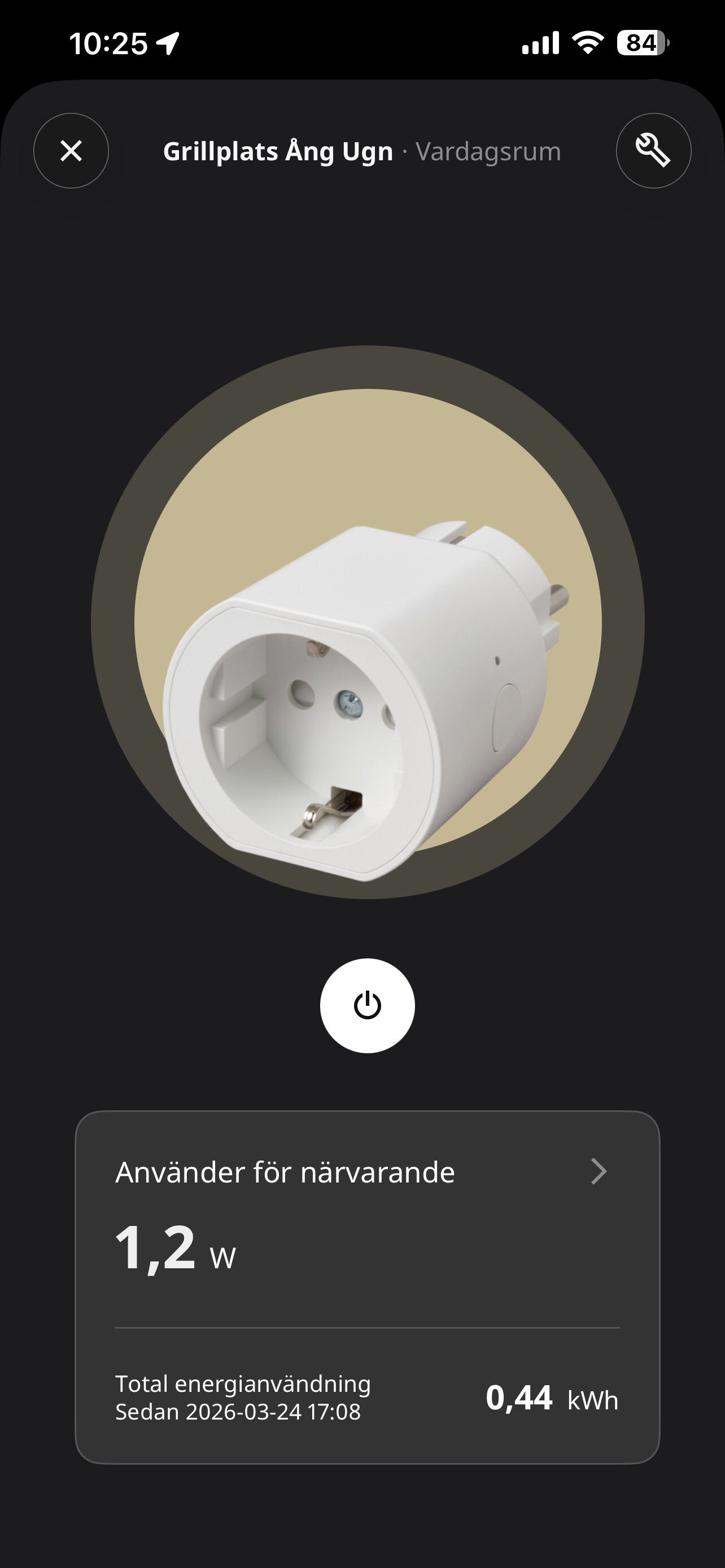
I also could not pair a Grillplats plug with Homey Pro.
I have Ikea Dirigera, which is set up as a Matter bridge, I prefer pairing the Grillplats plug with Homey Pro.
I’ve tried rebooting the router, Dirigera, Homey Pro to no avail. Even placing the Grillplats plug, Homey Pro, and my Android phone right next to each other during pairing didn’t help. I must say, treading this Matter over Thread path has been anything but smooth.
Well finally I managed to include my 2 plugs in Homey !
What I did was buying the Dirigera hub so I could see what fw the plug had and it’s fw: 1.4.6 and the Dirigera fw 2.934 with Matter control version 1.0
NOW the interesting thing…..
When I had included the plug and looked into the Dirigera I had a new Matter Code !! ??
If I used that new matter code I could use the Homey include new product technologies Matter direct and include it to my Homey!!
I have also switched of my Dirigera and it’s working but….
The power consumption compared with Ikea Dirigera is 300% difference on one plug and 2000% on the other plug!
I’m thinking about to go back to IKEA with this piece of !!
That makes sense. When you add the plug to the Dirigera Hub, you’re connecting the plug to the thread network, let’s call it MyThread. The Dirigera Hub is also adding the device to the IKEA fabric, let’s call it IkeaFabric.
Now, the plug can be controlled by the hub that’s the owner of the IkeaFabric on the MyThread network, your Dirigera Hub.
You can share the plug with other hubs on the MyThread network. To do so, you don’t have to reset the plug. You have to ask the Dirigera Hub for a new Matter code. Using this code you can share the plug with Homey. This is called multi-admin.
When adding the plug to Homey, the plug is still on the MyThread network. But Homey is adding the plug to it’s own Homey fabric. Let’s call it HomeyFabric.
Now, the plug can be controlled by the hub that’s the owner of the IkeaFabric on the MyThread network, your Dirigera Hub, and the plug can be controlled by the hub that’s the owner of the HomeyFabric, your Homey.
Because your plug is known in both fabrics, it can be controlled by both hubs. If you remove the plug from a fabric, that hub can no longer control it. Even if the plug is still connected to the MyThread network.
A thread network can consist of multiple fabrics.
A fabric can consist of multiple devices.
Devices can be part of multiple fabrics.
I have the same problem. Homey Matter support sucks. I have problem with ANY Matter device: Sonoff, IKEA, Eve and so on. If you by any chance succeed in pairing they will disconnect soon and you have to start again
I have the complete opposite experience. I have several Ikea matter devices and I could simply not get them to connect to Ikea’s own Dirigera hub. However, connecting to the Homey Pro was flawless.
Seems like there are a lot of factors in play and the experience differs for everyone.
For anyone still having problems, I can confirm that connecting via android option through homey matter setup up works. You just need to have your phone connected to 2,4GHz wifi and your phone needs to be touching the grillplats socket.
I was surprised that this matter plug shows energy consumption, unlike Eve matter-thread plug that I have.
Is there a FAQ or Homey web page that explains the differences/advantages/disadvantages of paring a Matter device via Homey Pro vs the cell phone?
In fact, as soon as the Grillplats plug is reset, my Android phone detects it and offers to pair it but I have been swiping it away because I have been pairing other Matter devices via Homey Pro.
I haven’t seen a FAQ about this, but the Android route is simply a “fallback” to make the initial handshake easier. Once the pairing is complete, the device communicates locally with your Homey Pro just like a direct connection would.
My phone also offered to connect the plug immediately, but it offers to connect it to Google Home.
From what I am able to gather about how the processes work and from the available documentations for homey, ios and android:
Direct (via Homey Pro)
Homey handles everything using its own Bluetooth. The device needs to be near Homey Pro (not your phone) for the initial BLE connection — your phone just orchestrates remotely. The device ends up on Homey’s fabric only, on Homey’s Thread network. Single fabric, simple, reliable. Homey built this themselves specifically to avoid depending on Apple/Google.
Platform (via iOS/Android system dialogs)
The OS takes over BLE, PASE, and network credential provisioning. The device needs to be near your phone, since the OS uses the phone’s Bluetooth for the initial pairing. Two things change compared to direct: which Thread network the device joins, and which fabrics it ends up on.
iOS: Apple always commissions to the Apple Home fabric first, then opens a window for Homey to add its fabric. You always get two fabrics. For Thread devices, iOS provisions credentials from its system-level Thread credential store — whichever network it considers preferred, which can include Homey’s Thread network.
Android: Google Play Services commissions to a “Local Android fabric” first, then can chain to Homey’s fabric and optionally the Google Home fabric. The device joins whatever Thread network Android considers preferred, which may or may not be Homey’s depending on credential registration.
When to use which
Direct is the clear default — especially if Homey is your only border router. Single fabric, no dependencies, guaranteed to use Homey’s Thread mesh.
Platform makes sense if you want the device visible in Apple Home or Google Home, or if you have multiple border routers and want the OS to broker a shared Thread network. But it adds fabrics, adds failure points (the multi-admin handoff is known to be flaky on iOS), and adds complexity for what may be little practical benefit if Homey is your primary controller.
That said from my experience both don’t work 100% of the time and often simply restarting all involved devices (Homey, Phone and Matter device) will make the process suddenly work.
This is a great breakdown, but based on my experience with a Pixel 8 Pro phone, there’s a nuance regarding the ‘Platform’ (Android) method:
Single Fabric is possible via Android: Even though I used the Android system dialog to pair, my ‘Matter devices’ list in Google settings shows 0. Since I don’t use the Google Home app, Android acted only as a temporary commissioner.
No Multi-Admin bloat: It used the phone’s superior Bluetooth to handle the handshake and then ‘handed’ the device over to Homey completely. The device ended up on a single fabric (Homey only), debunking the idea that the platform method always adds a second permanent layer or extra resource drain.
Best of both worlds: In my case, using the OS dialog provided the reliability of the phone’s BLE connection without the complexity of a multi-admin setup.
So, while ‘Direct’ is the theoretical default, the ‘Platform’ route on Android can actually result in a clean, single-fabric setup if you don’t have a Google Home ‘home’ active."
I have to correct my previous observation. I checked Homey’s Developer Tools for my IKEA plug, and even though my Android settings showed 0 devices, the plug actually had two fabrics:
Index 1: Google (Vendor 0x6006)
Index 2: Homey (Vendor 0x143c)
So you were right. The Android system dialog does reserve a fabric for itself even if you don’t use the Google Home app. It seems Android acts as a ‘silent’ controller in the background.
I just manually deleted the Google fabric (Index 1) via Homey’s Developer Tools, and the devices still work perfectly with Homey. This confirms that while the Android setup is convenient for its BLE connection, ‘Direct’ (or manual cleanup) is indeed the only way to keep it strictly single-fabric!
After multiple retries and resets, i was finally able to link the Grillsplats(Firmware 1.4.6) to Homey Pro(2023) via Android.
However when comparing the power draw with the previous inspellning plug, the new Grillplats seems to report a 300% power increase from a single socket?
I’m experiencing similar issues with the IKEA Grillplats sockets. I’m unable to add them, either via Homey or Apple HomeKit. Homey is my only Thread border router, so I didn’t expect it to work through Apple HomeKit anyway.
When I try to add a socket via the iOS app, I go to “New Device” (+) → Matter → “Connect via Homey,” scan the QR code, and then nothing happens. It gets stuck on the “searching for devices” screen for a couple of minutes, and finally gives the message “Unable to find device”. The distance between the socket and Homey is approximately 40 cm.
The socket is in pairing mode, as indicated by the slowly pulsating white LED. I’m running the latest Homey Pro (early 2023) software version 13.1.0.
I’m not sure if this is relevant, but adding the IKEA Bilresa button worked flawlessly using the same protocols / method.
Can anyone help me? I’d prefer not to buy an IKEA bridge just to update the firmware. Oh, and I don’t own any Android devices.
Than i did connect via iOS in the homey matter setup than it worked.
Zigbee and Matter Over Thread: The Grillplats supports both Zigbee and Matter over Thread. You can switch between modes by pressing the on-off button 4 times for Matter and 8 times for Zigbee.
I received the IKEA GrillPlats connectors today, and had difficulty installing them on Homey, either via direct Matter or via Android. When I see the discussion in this forum it’s like 50% of users have a perfect experience, and 50% have the worst experience possible.
Then someone said ‘‘have the mobile really close to the connector”. On that remark I started to check the NFC setting on my phone. Since it is advised to switch it off if you don’t need it I always have it switched off.
Switching the NFC connectivity to ‘ON’ made all the difference!
I notice that the power consumption was off from the beginning but have not have time to investigate it. But on the night of 31st mars something happens and it shows more realistic values after that. For an example my growlight. Anyone else notice this?
 !!
!!