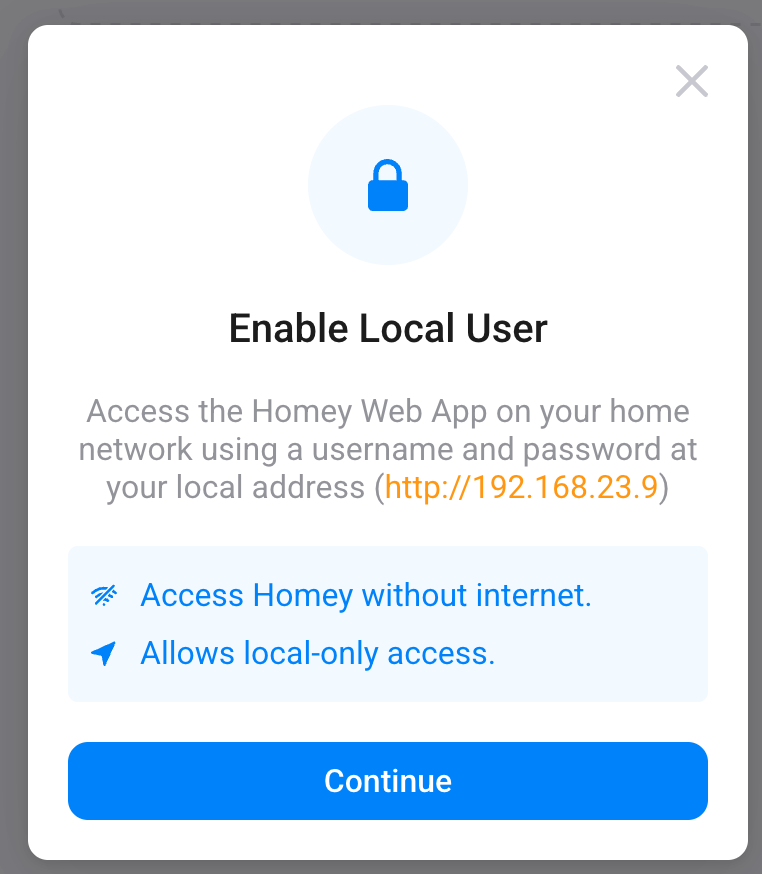
Since it uses a local user, it doesn’t need to update an access token through Homey’s cloud periodically.
It does mean that there might be differences between the cloud-based web app and the local web app, since the latter will (presumably) only be updated with new firmware updates.
Also, it still depends on certain online resources, like Google Fonts, which means that when functioning fully offline you may run into rendering issues.
And unless the mobile app also gets support for local users, it will still require periodic cloud communications. Since there’s a (growing) mismatch between features being exclusively available through either the mobile app or the web app, it’s not making life a lot easier.
Thanks for the info. Indeed it would make sense if the mobile app also allows such local connection. And the cloud connection for cases in which you are not at home/not connected to the home network.
I did not see any mentions on local users in the release notes of the new version of the mobile app, which was also released today. Maybe that’s something for a next version (or not, adding to the increasing difference between the apps, as you mentioned).
It’s a great news. I was waiting for a long for this feature. It should be done this way from the beginning. I remember when I bought Homey Pro, connected it and started looking in manual how to open local dashboard through the internet browser, there was huge “WTF!?“ in my thoughts when I found out that I need to login through external website.
Yes indeed a WTF moment for user with a Homey (Early 2018) model !
This feature could easily be used on these devices as well imo.
Another feature they do not implement in the old Homey !
Yes yes many will start and say you should buy a new one or things like this is not maintainable etc… I do not care
But still it feels shitty being such a long member and user, would be cool if they still give the old model some love.
Since there’s a (growing) mismatch between features being exclusively available through either the mobile app or the web app, it’s not making life a lot easier.
Maybe, but its a start to making some user’s lives easier (or to the very least give them even more trust in their automation) so guess its a give and take
Maybe something can be figured out in the current logic that will lead to a breaktrough and straighten everything out between web/app/local .. never know when a spark of insight arrives.
You can use both HTTP and HTTPS to connect to your Homey locally, but both use a different address syntax, where x.x.x.x is your Homey’s local IP address:
was able to set local user on my other account… and can manage local users username and password from the other acccount, but cant withdraw it from the owner account?
Well… Saying “another WTF moment” is way too much drama I think
As a happy user of 2 Pro 2019’s, knowing and gotten used to it’s limitations, I think we now should finally get the point they don’t release major new stuff for it anylonger.
I mean the “new” (non-beta) model was released over 2 years ago…
Does your 2018 €800 phone still get new (free) features?
.
Enlighten us please, you seem to know more than others?
Of course I’d really like to use Pro 2019’s local-only as well.
First of all, the certificate, “domestic” Homey must get from outside once ever 3 months ( Let’s Encrypt one). Not sure, how it’s provided - probably from Homey’s home connection, as this is wildcard cert over all homeys in homeylocal.com
Second thing is simpler, but requires little preparation in home network. The DNS name is still from “outside” DNS SOA ns1.athom.nl. So, if You’re in “only LAN working” mode - the name not resolves unless there is set masquerading for this name in local LAN’s DNS server (quite easy to do with for example dnsmasq). Not a big security issue (khmm, publishing local IP in DNS requests) - but nice to know/pro-act before “LAN only” situation.
Yeah, for “plain” http - there is no certificate(renewal) required. AND if the numeric ( or locally defined) name) is in use, then also external nameserver is cut out.
Another question, how proffessional the “plain” http seems - ok, inside of local network
It may not look professional, but HTTPS for local servers requires external DNS servers, external certificates that need to be downloaded periodically, and having external DNS servers resolving to local IP addresses is known to cause issues with DNS rebinding protection. Plus it’s often a reason why people are getting a “Homey offline” error in their app while it’s not really offline.
Which all make Homey not look very professional at all.
True that, Peter, on the other hand, the design is from 2015/2016. I’m only trying to be realistic, which smart device gets free new features after 3 years?
OK, I just realise I don’t care missing out on the new features for the 2023 and newer models, that would influence my view on this matter.
But, except for local access, there’s good or better alternatives, for me at least.
And, y’know, perhaps it’s technically no problem to enable local access @ pre 2023 Homeys.
Just request it at Athom and who knows…