[HowTo] Location and Presence (Owntracks)

Why did you put fancy quotes around a number in a URL? Or is it just in the error message?
And did you add https:// in front of the URL?

Can you please point out which part of the howto below is unclear to you?
Not meant as judging, but as an offer to help you out.

The fancy quotes are only here in the text. I also added https://.
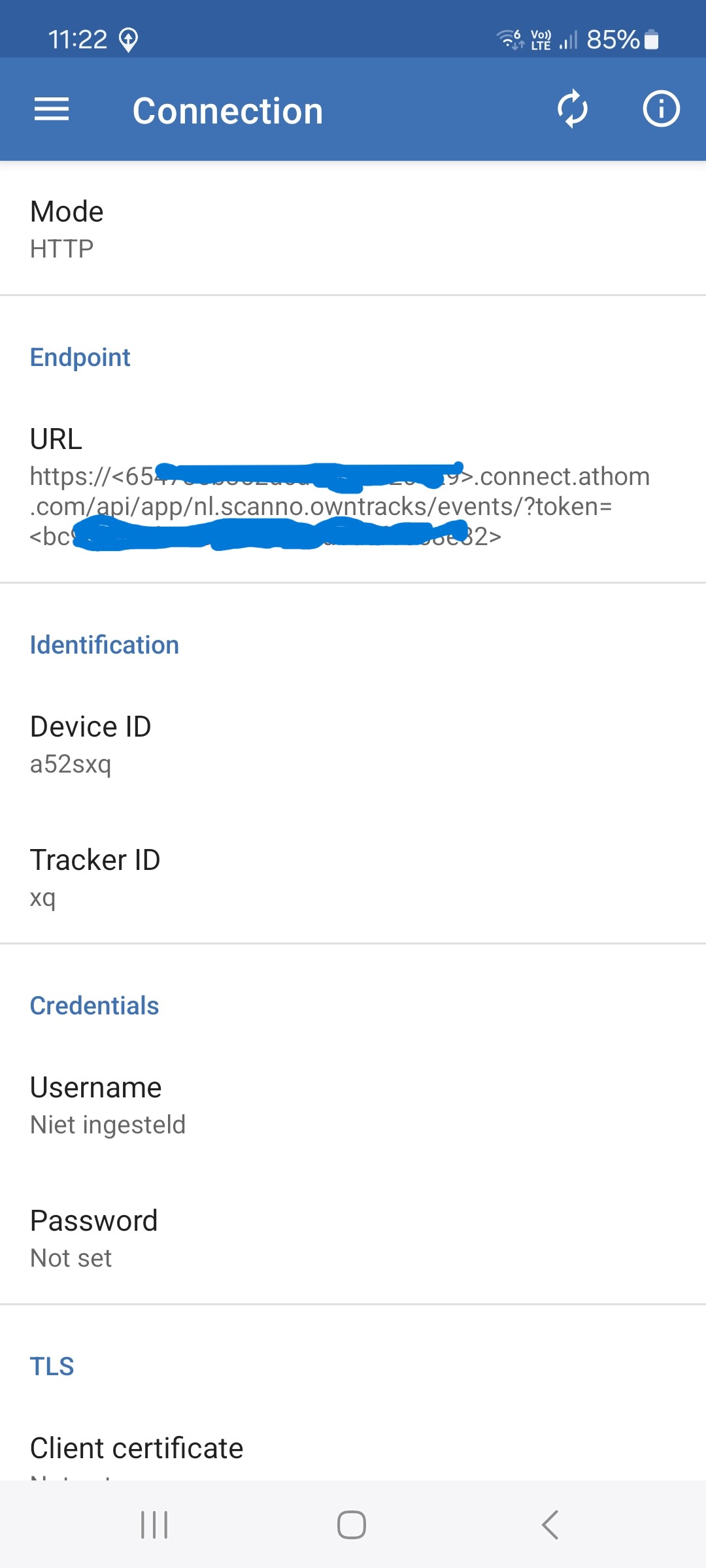
Herewith a screenshot of Connection from Owntracks

And a screenshot from the error on my phone:

I als changed the URL in Owntracks - preferences - connection to the following with no result: still the same error message:

Any idea to solve my problem?


Lose all < > symbols! Only the Homey ID should be entered between https:// and .connect.ath… and, the token should be the exact token, not with added < >
like:
https://62xxxxxxxxxxxxxxxxxx.connect.athom.com/api/app/nl.scanno.owntracks/events/f8xxxxxxxxxxxxxxxxxxxxxxxxx

.

This URL is formatted correctly.
But, where did you enter the URL as well?
Because you wrote “I als(o) changed…”

Hi Peter, thanks for your help!

I deleted en reinstalled the apps, reconfigured everything and it is OK now: I have the values for Lon, Lat and Rad in Geofences.

1 Like

Hi Peter,

I made a flow to test location but it does not work.
However, Owntracks on my phone is telling me that I am at Home, but Homey not.
What did I wrong?

You should use the THEN-card ‘Patrick is at home’ after the owntracktrigger:

1 Like

Hi,

Sorry if this is a stupid question. But how do I copy the user token? I can see a string of tekst but no way to copy it. For now I used OCR to get it but I always get a 404 in the OwnTrack app. Do I do something wrong?

Thanks!

Hello,

Is this app Still Active ? I See changes on the MTQTT Side. But i now using The HTTP option And only get an error 404.

Can someone help me ?

Still works fine here via https.

problem solved by using Macrodroid

Is it somehow possible to use the coordinates from a divice in a flow?

I see the coordinates in the app settings but i can not find out how to use them in a flow.

The coordinates don’t change, these are pre-defined geofences, and available in flows as trigger- and conditional cards, by the geofence names you defined

Can you elaborate what you’d like to achieve with the actual coordinates

I don’t want to use geofences. I want to know where a device is. In the meantime, I’ve managed to do this with Macrodroid. It works perfectly.

True, Macrodroid is great.
Location & Presence has no “live” GPS coordinates on board.

I would appreciate it very much when you update or remove your post when you solved it yourself.
Now I spent time on your question for nothing :pensive_face::thinking:
Saying ‘Thanks’ is also a small effort, but much appreciated.

Happy navigating.

I’m very grateful for all the help and input from everyone in the Homey community. I’ll edit the post. It wasn’t my intention to put you through unnecessary work. Thanks!

1 Like

Try deleting “?token=” in the url if you followed the original post instructions. So the URL looks like this:
https://.connect.athom.com/api/app/nl.scanno.owntracks/events/