It’s not recommended to use multi-protocol chips though. When you have many zigbee and Matter-over-Thread devices, and you experience performance issues, or unresponsiveness, it’s best to use separate dedicated devices / dongles.
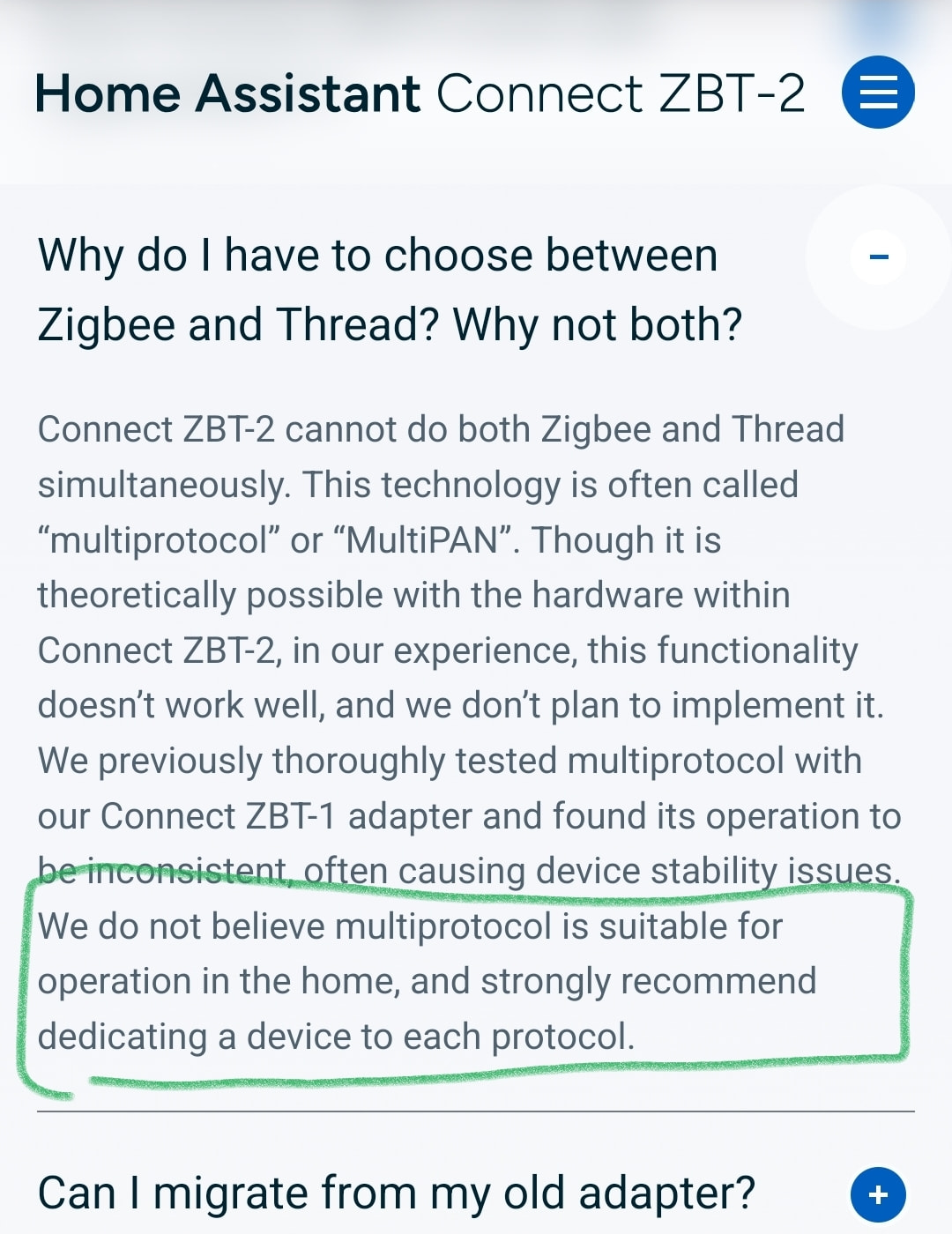
Hidden in plain sight!


But that would destroy Homey Bridge sales 
Nonetheless, (I hope) it’s inevitable at some point support will be added for popular (USB/(W)LAN) Zigbee, Thread and Zwave dongles, like Sonoff and Aeotec.
lifetime as in ‘as long as Athom exists’?
This statement below means, to me, your SHS becomes useless when the online subscription checker seizes to exist:

Or, when one pays the €149,- , will one become owner of the software (if that’s possible at all)?
@Doekse ?

You get a lifetime license to use the software
You’ll need a kayboard which has an “ALT” key to activate the additional menu items.
A BT or USB keyboard connected to your phone / tablet would do (for Android).
Don’t ask why it’s constructed like that 
Probably because Athom thinks it’s “too advanced“ for most users
lol! I knew that trick for devices like lights to turn them on or off instead of giving me the menu. But im glad there’s this simple trick for flows. Since i use the webversion a lot for advanced flows, this is more easy to export the flows and get them on the SHS.
Now the main question remains: how to move the apps over to SHS so the flows that’ll be imported to SHS keep working properly?
I’m curious if someone already tried this?
You just install the related apps to SHS;
The apps’ devices should be added yourself again;
Because the devices will get different ID’s, you can replace the ‘old’ with the ‘new’ devices in your flows, with this super script by Martijn.
→ it works in both API playground & Homeyscript.
So it’s important to save all device ID’s and -names of the Homey Pro on beforehand.
Matter is sometimes very limited in what it can expose because it’s standards-defined (e.g. see the discussion about FP300 over Matter and presence vs. movement). Since the SMHub has zigbee2mqtt, I’d use the Homey zigbee2mqtt app to expose those devices (this is also what I’m currently doing for HA + Z2M → Homey).
@emile and all other Homey fans
I am looking for some advice/ opinions here, as I have just purchased a 2nd HP23 and on the verge of buying a third (large house build on a concrete dam) and tie them all together with Homey link.
I also have a Synology DS1821+ with 32GB internal memory and SSD cache disks. And I have a Homey bridge.
Should I use my Synology NAS as an alternative for this setup rather than buying a third HP23/26?
Or should I go SHS + multiple bridges (perhaps one in any ‘mayor’ room (and retire & sell both my HP23s)?
Were I to decide to sell both my HP23s and replace them by multiple satellites, are there any restrictions?
Will all the satellites serve as one big zwave/zigbee bridges, or will just one serve the network and the others just being repeaters?
Are there any benefit for choosing having multiple pro’s and NAS vs NAS with multiple bridges?
I already thought of:
- Ethernet connections for NAS and HP23 vs WiFi only for bridges.
- having multiple zigbee/zwave networks tied together with HomeyLink, more resources per device as I would segment my devices (200+)
Any thoughts/opinions/suggestions ?
I thinking these scenario:
- Rpi5
- Zigbee dongle (SLZB for example)
- install Docker
- Install homey docker image
- install Z2M docker
- Install Mosquitto broker
- Install Z2M addon in homey
It is working? My biggest problem is that Homey are a bit overpriced….
I’m coming from a very overengineered HA installation, and looking with pretty eyes on Homey SHS. To make it more simple. Time is not what it used to be for me. Homey seems like a platform that have made some decisions for me, that i couldn’t care about in HA.
I have what your setup is describing
A Raspberry Pi 5, with Docker. Right now it is running the following Docker containers:
- Z2M
- MQTT Mosquitto
- Home Assistant
And it has a Zigbee Dongle from Sonoff attached.
I tried the SHS image and installed the Z2M addon and it worked perfectly. Although i get some “10000ms timeout” from the interface but that seems to be a homey thing (i found a lot of posts about it, on original hardware.
It would be much better if they made support for dongles too. Or just SMLIGHT PoE Ethernet based Zigbee devices..
From what I"ve read these are independent devices, and able to send it’s data per MQTT to Homey.
Then you can use the Homey apps Zigbee2mqtt, MQTT Hub virtual device for instance. The latter needing MQTT Client, and there needs to be obe MQTT Broker, either on the SMLight or on Homey.
Ah i see.
It would just be nice they were natively supported, so i didnt have to buy a Homey Bridge if i wanted to ditch Z2M. I feel like its a missing feature for them to support these.
If they did they really had a platform that for many, could be a drop in replacement for HA.
Trust me when I say that you don’t want to ditch Z2M for Homey’s Zigbee.
Sounds interesting, so instead of buying the Homey Bridge, better go on with Z2M and Mosquitto? Right now I use the HA Community App and Imported some of my HA Sensors / Plugs. It’s working so far but I’m planung to get rid of HA or at least manage the Devices direct. I was planing to get the Homey Bridge because I thought it’s more implemented in the System. But I could also think of running the Mosquitto Broker and Zigbee2MQTT as Docker or LXC Containers. Does anyone use it that way? Is it more reliable or what do you guys think? I was using the Homey Pro a while ago, and liked the simplicity of it but now sht SHS ist realy interesting but I have many zigbee devices….
Just consider that the Bridge has a Zigbee chip that’s really outdated and doesn’t support more than about 20 directly connected devices. Then consider that Homey’s Zigbee implementation lacks support for basic Zigbee features like binding and grouping. And lastly consider that Z2M is typically quicker, and better, with (new) device support than Homey is.
Not sure if this is what you meant but I’ve tried something similar. Installed homey-shs as a VM on a Windows based NUC. Then installed on the same NUC Z2M and Mosquitto broker and it works flawless.
I still had HA running, in the end just for Z2M (because I simply like advanced flows too much so I went back to Homey after a short fling with HA), so now I will migrate everything over to this NUC. Nice advantage is also that for most zigbee devices I can get the firmware updates also (besides the fact that is more solid than the Homey zigbee integration).
So far happy about it, not sure yet about the lack of thread which I currently use for my nuki door lock. Maybe via google tv, well, that’s another topic.
