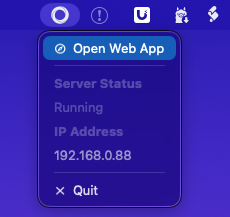
In this thread we can discuss running Homey Self-Hosted Server on Home Assistant OS via Add-ons.
Installation
You can find all info on the GitHub repo I’ve created here
Known Limitations
None at this moment.
In this thread we can discuss running Homey Self-Hosted Server on Home Assistant OS via Add-ons.
You can find all info on the GitHub repo I’ve created here
None at this moment.
Work smoothly on my Mac  no docker to install …
Memory is limited to 4MB?… but the storage is not 
Resources efficient:
If you deploy Homeylink to your (main) device, you gain access to all devices on others’ « Homey » devices, which is very nice for Z-Wave, 433 or Zigbee devices. Matter can be added on severals platforms.
Nice work to the team !
Does this «just» create the server and UI for Homey, and still require a Bridge for devices?
Or does it allow Homey to access already existing devices in HA?
This basically just runs Homey Self-Hosted Server inside of Home Assistant OS. You can connect a Bridge to connect Zigbee/Z-Wave/Bluetooth/433mHz devices to the Self-Hosted Server instance or you can install one of the Home Assistant apps within Homey to get your devices from there
Aha, did not know about the last option but now I know what I am doing tonight.
I love my HA, but this is a great release. Really looking forward to explore Homey more. Kudos! 
my experience with the Home Assistent apps within Homey is a bit of hit and miss.. some things work better, others not at all once you start using more exotic devices.. since my HA is running zigbee2MQTT i think an MQTT client would be more usefull?
Not sure what you’ve been trying, but the Home Assistant community app by Ronny, is rock solid since it’s first release.
And versatile: you can even add multiple entities of different devices to a custom device @ Homey, completely independent. Modifiyng an existing HA device on Homey is possible as well (add/remove/change entities/capabilities)
I had no idea what you’re talking about as I always ended up with every single sensor being available as just 1 sensor and not combined into the 1 device they belonged to.
That is, until i decided to read some manuals  This thing is a freaking beast.
Thanks for pointing that out!
I’ve had some reports of people saying that a reboot of the add-on doesn’t persists their data and makes them needing to set up the whole thing again.
If there are more people dealing with this issue feel free to let me know. Looking into it at the moment!
Yes, i can confirm this issue
Yes same here
To make it a bit more clear… Restarting Homey from within Homey works as expected
Its when you restart the Addon from within Home Assitant that you lose everything
I tried some fixes but nothing seems to work reliably. Send a message to the HA team for some additional information, keep y’all posted!
I’ve just pushed release v0.0.5 of the add-on, which should fix the issue with persistent storage not working. Enjoy the holidays and happy testing!
Looks good, after reboot HA still on  thanks !
too bad that with the update it will lose everything anyway.
it’s only saving AFTER the update is done.
which is to be expected but want to put it out there anyway for the few hopefull ones
Hi Abe,
Because i didn’t pay enough attention while restarting the SHS add-on, which got me v0.0.5: will firmware updates be available by restarting the add-on per H.A. GUI? (I guess not);
Or does it use the generic H.A. add-on update system?
Each time the add-on restarts it automatically downloads updates if they are available.
I will have to have a look at how (it can) integrate with the HA update system. I know that for example unRAID simply notifies the user when it sees an updated image available and prompts to restart and update.