I am currently considering migrating my smart home setup from a deCONZ/ConBee/ioBroker stack to the new Homey Pro 2026. My current environment consists of over 100 Zigbee devices.
The primary driver for this change is stability. My current mesh requires frequent device resets, which has become a significant maintenance burden. While I am drawn to the Homey ecosystem, I’ve seen reports regarding Zigbee overhead issues on the 2023 model when scaling to high device counts.
How does the Homey Pro 2026 handle 100+ Zigbee nodes? Specifically, has anyone experienced latency or mesh dropouts at this scale? Any insights on the hardware’s improved handling of large Zigbee tables would be greatly appreciated.
Just consider that Homey uses a Multi-PAN firmware to run both Zigbee and Thread on the same chip, which is something that other manufacturers have stopped using due to stability issues. 100 devices may work, but I wouldn’t bet on it.
Also, you should probably try to find out where the instability of your current setup comes from. It could be interference, or lack of router devices. Both are things that Homey will not fix.
If you already got a deconz/conbee Zigbee dongle, you might want to check out Zigbee2MQTT.
You need addidional software and evt hardware, but I think it is the most stable setup. And compatible with Homey…
I’m planning to buy the Homey Pro 2026 (including the additional bridge and ethernet adapter) to act as my main controller. My primary goal is to reduce maintenance overhead by removing my current Conbee stick and other external gateways.
However, I keep reading mixed reviews. Is the native Zigbee mesh really that unreliable compared to a Conbee setup? I’m looking for real-world experiences from those who have fully migrated.
Has anyone tried it yet and can tell us how it works? I’d also like to switch from Deconz + iobroker to Homey. But I’m now thinking about getting a Hue bridge after all. I actually stopped using the bridge back then because there was no backup option, and there still isn’t.
The Hue bridge supports Hue devices (obviously) and generic ZigBee smart plugs/lights. If that’s all you use, then the Hue Bridge alone would be fine I guess.
But I would recommend to use both Homey and the Hue Bridge, becaise Homey can connect way more device types and brands (Homey can also connect to the Hue Bridge)
I transitioned from deCONZ and ioBroker as well. Overall, I’m really happy with the move to Homey Pro. While it might not be quite as flexible as ioBroker, pairing Homey with HomeyScript makes it extremely capable. I also love being able to strategically mix in other technologies, like Z-Wave for long-range applications.
For me, the biggest difference has been the setup time. Getting deCONZ and ioBroker running smoothly took me around 100 hours, whereas Homey was completely set up in just 10. A lot of features just work right out of the box. Homey is also handling my fairly large Zigbee network (about 50 devices) surprisingly well, with zero dropouts over the last two months. My Matter network is still a bit unstable, so I’m really hoping for some updates on that front soon.
That being said, I still have ioBroker running in the background to host my web-based Lovelace dashboard, since the native Homey dashboard is strictly app-bound. As for the Hue Bridge, it doesn’t even compare—it’s just too limited in every aspect.
It depends on what you use. If you only use ZigBee lights and smart plugs, and only use it for lighting (because that’s what Hue is miles ahead of compared to every other system IMO), it’s a great system. But you will notice the limitations quickly once you go beyond that.
This is the reason that I use both the Homey and Hue Bridge, the Hue Bridge controls all the lights and Homey runs the Flows and connects all the other devices (and can also connect to the lights via the Hue bridge).
I’ve now got myself a Hue Pro Bridge to test things out and have Homey running as a self-hosted server on a laptop. I have to say that Deconz + iobroker (both running on a nuc via proxmox) worked quite well. With Hue + Homey, I do find it a shame that Homey doesn’t recognise the scenes from the Hue. Or, for example, that I can’t check the status to see if a lamp is dimmed to more or less than 50%.
So does that mean you control most scenes and switch events directly on Hue? That’s possible, of course, for simple applications. But I often like to use a different sequence of scenes when switching, depending on the time of day. Unfortunately, that’s where Hue falls short.
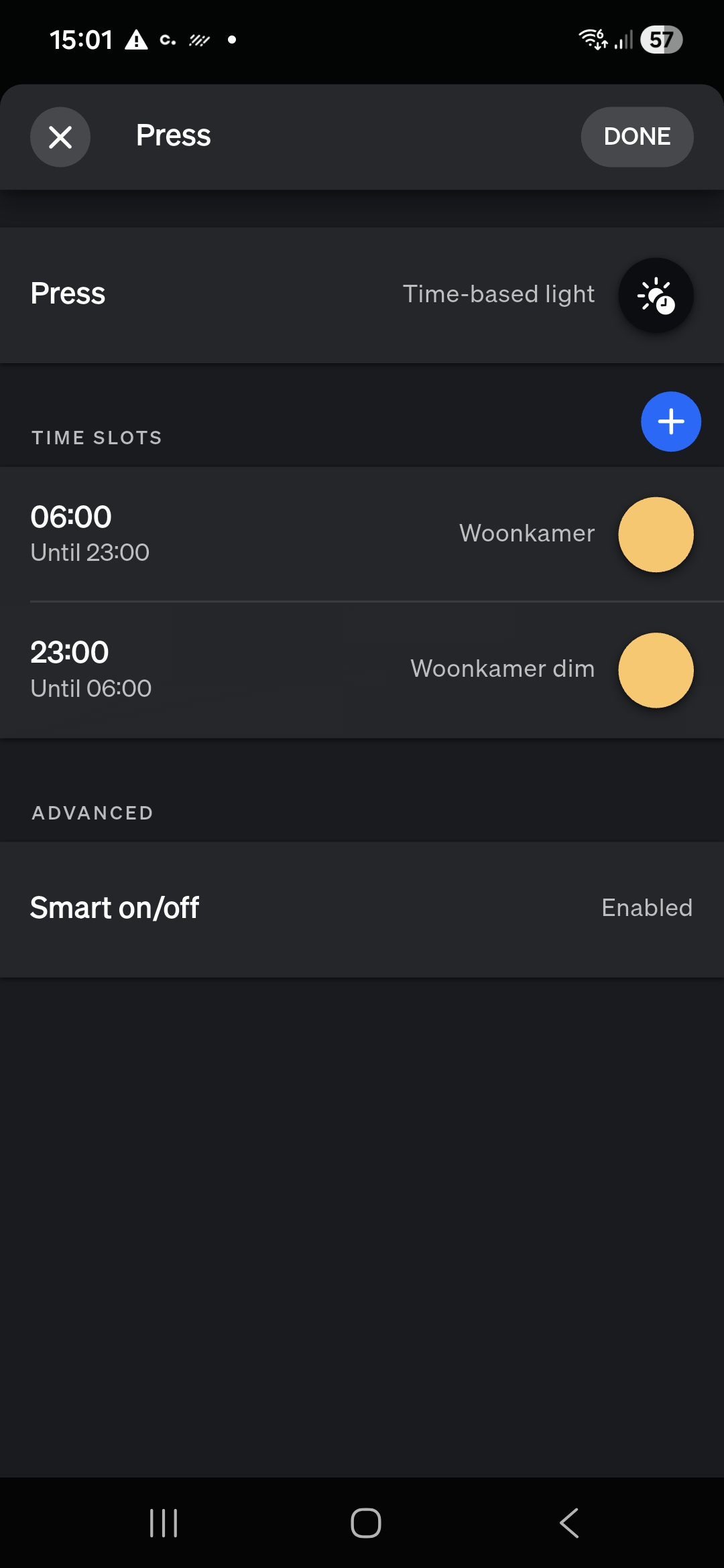
I’m wondering if it would work well if I set the lights and switches to Hue, but create scenes and switch events via Homey.
Go to Settings→Devices→Switches→[your Dimmer Switch] to open the menu.
I prefer to use the Dimmer Switch buttons in Hue natively, since it’s way easier to set up in the Hue app. It is certainly possible in Homey Advanced Flows (I’ve used that back when I still had Tuya lights in the living room), but it’s not easy to build or maintain. I would recommend using the Dimmer Switches in Hue natively.
The problem is, you can’t just say “is Homey zigbee really this and that”, in general. It’s based on user experience, and the willingness to Reading (and understanding) The ‘Fine’ Manuals (zigbee is NOT plug and play, unless you’re lucky), and tuning wifi 2.4GHz signal channels (yours or close neighbour’s networks).
In general people only post complaints. Plus, they never tell if they’re using Thread as well, which can be quite a zigbee killer (read about Multi-PAN below);
So, say there’s 200 complaints, it’s very well possible 50,000 Homey zigbee networks are running fine.
No one knows for real, but we have to keep the reality ratio in mind imho.
Next,
The zigbee 3.0 standard is not a rigid standard like z-wave; Unfortunately manufacturers are allowed to add their own “flavour”. They mainly do that to make you buy their hubs/bridges as well, and ‘force’ you to stick to their brand. Tuya (+ 100s of Tuya-whitelabels) and Aqara are notorious examples of “doing as they please”.
So, the less brands you mix, and avoiding Tuya and Aqara, certainly will have a positive impact on HOMEY zigbee.
The mentioned issues are almost non-existent with zigbee2mqtt, I can fully recommended it.
Most overlooked: this is no guaranteed way to create a stable zigbee network, there’s only best practice guides, like this one.
Thread & zigbee Multi-PAN (like Robert also mentioned):
This “invention” to share the hardware for both similar protocols turned out to be quite a bad idea.
However, Athom decided to just keep it like that @ Pro 2026 (and Pro mini?).
My advice: decide if you want to use zigbee or Thread, to avoid sluggishness, hickups and unresponsiveness.
Keep in mind this effect will be minimal with, say, 10 Matter-over-Thread and 10 zigbee devices, but it can become a pain in the ass when you extend the number of devices on either one protocol.