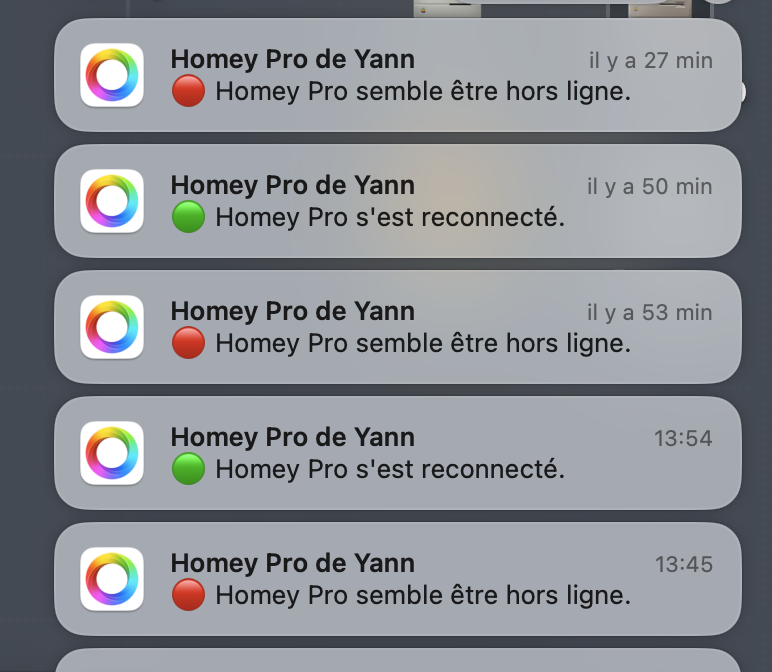
Help Homey PRO 2023 ethernet disconnected

hello my homey pro used to run ok for almost 2 years…

today I just changed few things on my netgear switch - mostly cable management - plug out and in all my connected devices…

I did the same thing last week end and everything was ok…

today not the same at all

my homey connected and disconnected several times…

I have the ethernet dongle, I changed the ethernet cable, the plug on the switch, without ethernet to force wifi… nothing fix the problem…

any idea

thanks

That check mechanism is only as seen from the Athom cloud.

What connections are shown as active @ https://my.homey.app/settings/system/general

I’d connect a laptop/pc to the ethernet cable to see how the network behaves. Is the network connection interrupting or stable?

hi peter

the url response is my homey pro is offline

I tried various ethernet plug that works without any success

I tried the recovery mode, https://support.homey.app/hc/en-us/articles/360012077534-Restarting-Homey-Pro-to-Recovery-Mode

but homey doesn’t ask me anything at all

I tried setup mode https://support.homey.app/hc/en-us/articles/7263241090716-Activating-Setup-Mode-for-Homey-Pro-Early-2023 - but my ring turn red

now the ring is Rotating White and every 2 mn or so I have the red ring for few seconds

looks like something happened and corrupt my backup… factory reset ok, I’m in setup mode like new… factory reset and restoring backup after , HP doesn’t restart properly

When you create a support ticket, it has a possibility to add a Homey system diagnostic report. Maybe Athom can find in the logs what’s going wrong.
You’d create the report as soon as errors occur after reloading the backup.

I’m out of other ideas for now, Yann.

Update firmware and restore older backup ?

Surely they can’t be all corrupted, can they ?

when I reset to factory settings I got a brand new HP..

but the backup I have was made yesterday before the first reset, it is probably corrupted

my fault not to have real backup, I pay a lot today for no previous backup…

My upcoming free-time schedule: crawling on the floor to pair hidden plugs, linking devices across a bunch of different protocols, and rewriting a hundred flows.

Sorry to hear that, definitely not a fun task. If they were Cloud backup with Homey, their support should be able to help you. If they were local backup then no luck I guess… :frowning:

Sorry to heard that, sure is a pain in the A…

Reminder to self to make a USB backup…

thanks Didier & Johan…

the worst in this episode it’s that I’m a computer guy (developer)

I know what’s a backup is … I have a bunch of computers in my house and I take very seriously the backup routine with the help of my 48To Synology…

but as long as I don’t have a problem with a new device I’m to much confident….

I paid it the hard way :wink:

I just subscribe to the Homey backup plan few minutes ago, 10€/Y is nothing in regard of my problems this week end…

1 Like

Totally agree with you on some elements we don’t necessarily think to back up because they’ve always been working. On the bright side, you’ll have a clean setup, and the second time is usually smoother, and we make it more clean with things we have learned from the first configuration :slight_smile:
All the best in your new setup

I’m and IT -Engineer, my motto is “Assumption is the mother of al f*-ups..”

I check every connection and every setup at least twice

Welll, except at home of course :laughing:

So now I don’t just backup ‘when all done’, but on forehand, after installation, and after initial setup, then again when everything is running…

Hello Yan,

I had similar issue’s and you won’t believe it but Homey advised me to change the USB power adapter.

Although it seemed allright they break once in a while….. And it worked out fine. Maybe worth the effort.