
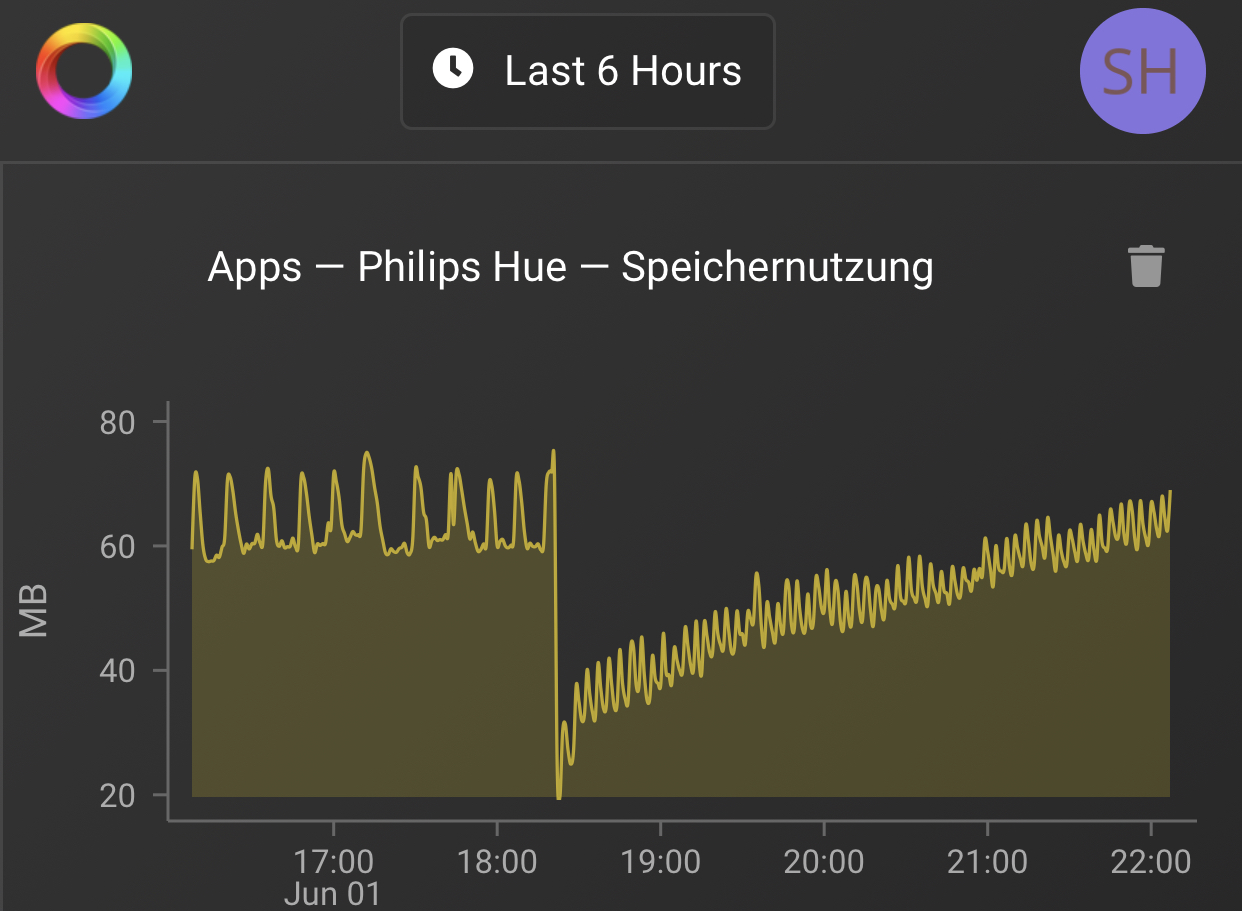

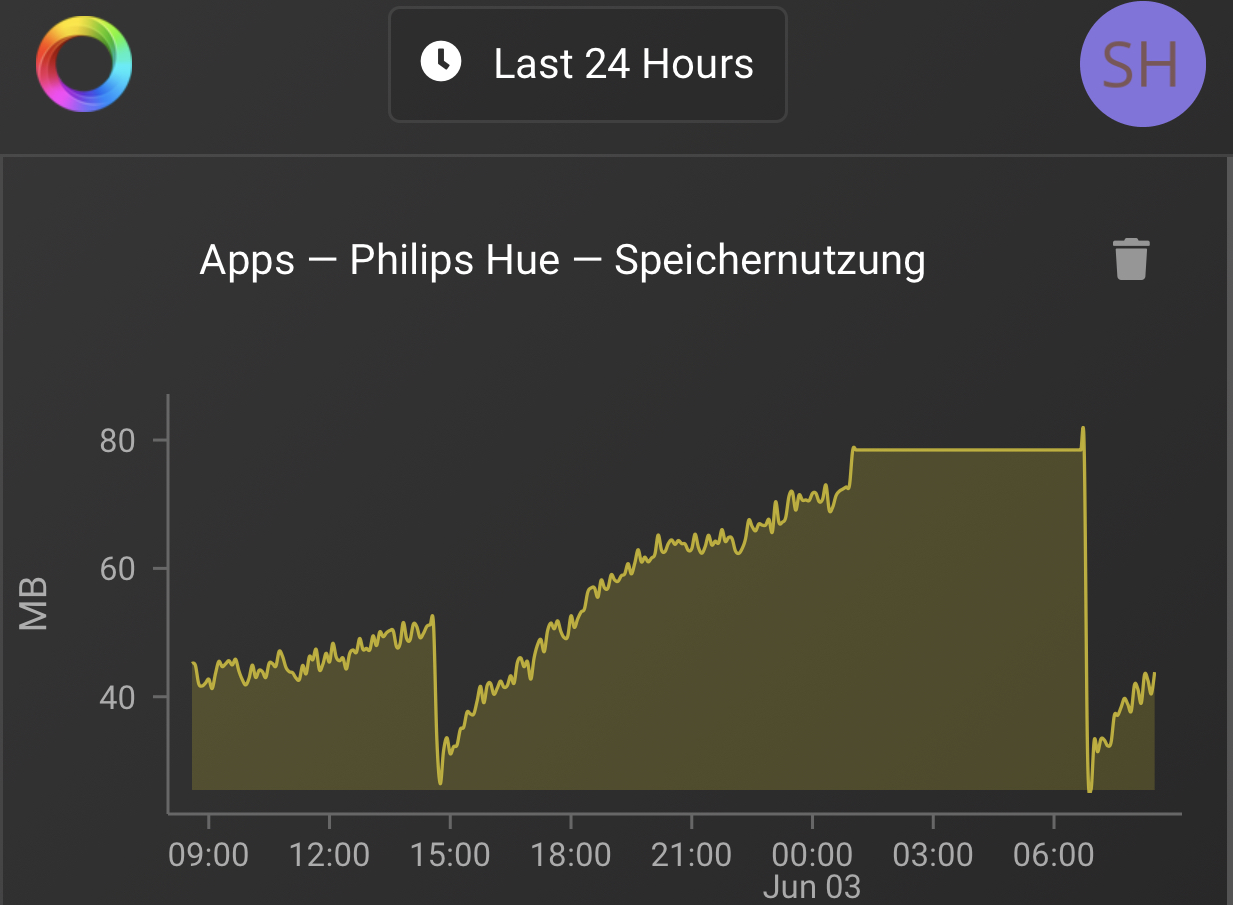
 like a garbage collection
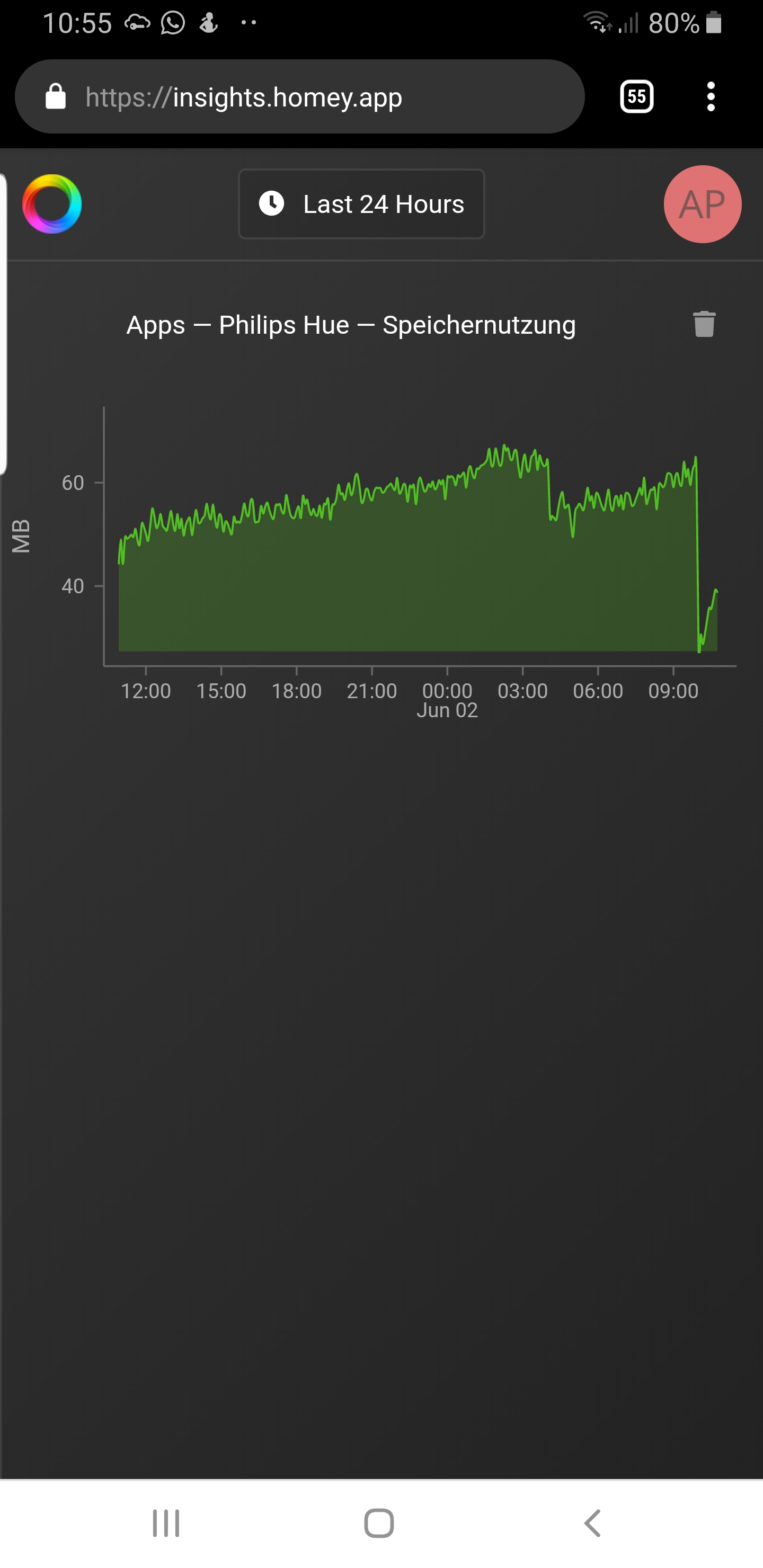
Here is the problem still not solved. Tolhis morning again, all connections lost…
Is the Hue bridge having a fixed IP adress?
Jup


One sensor is working correct for 3 days now. This morninig i connected the seccond one but it won’t by an succes… it worked for a couple of seconds en after that time it won’t refresh the data anymore…
Is it ever gonna be happen that the sensors of hue working correct?
please install 4.0.11 that is now in the beta channel
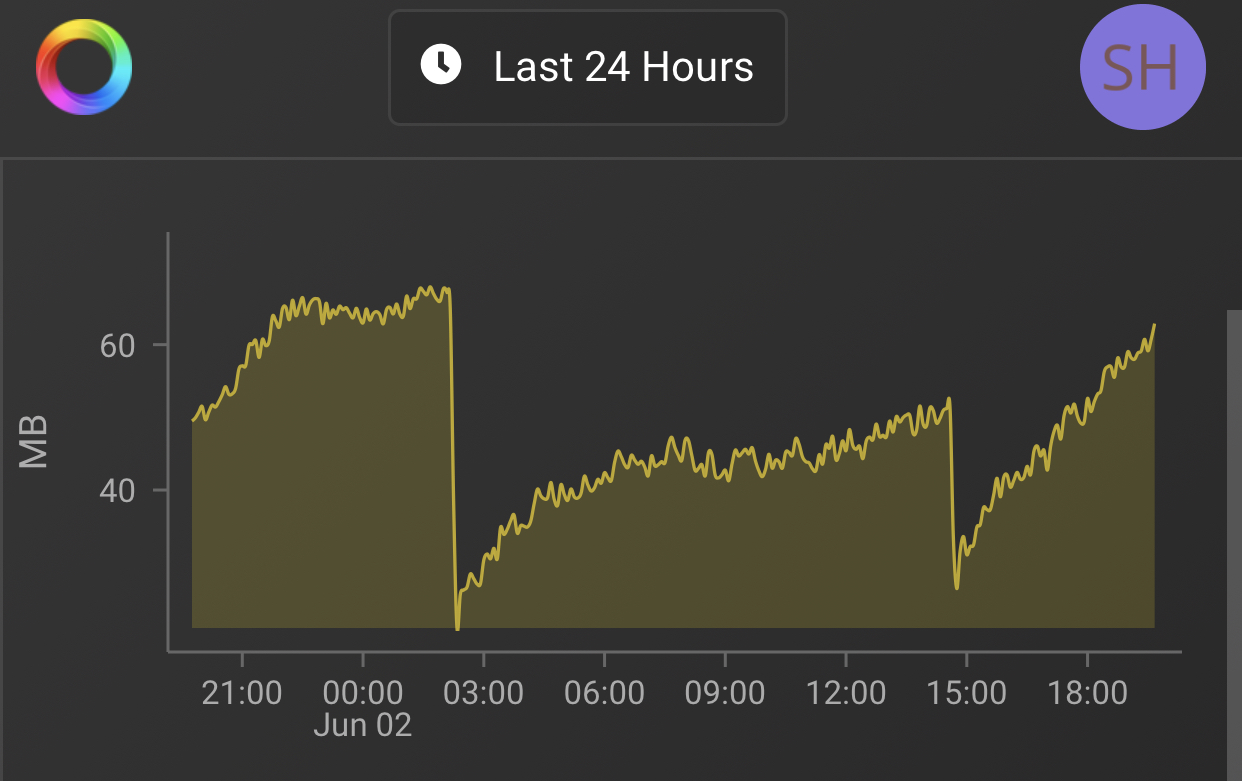
Sorry my fault! Short before 3 p.m. the App was update automatically to 4.0.11
But the restart (2 a.m.) was initiated by the App (4.0.10) itself!
The memory problem is still there with 4.0.11!
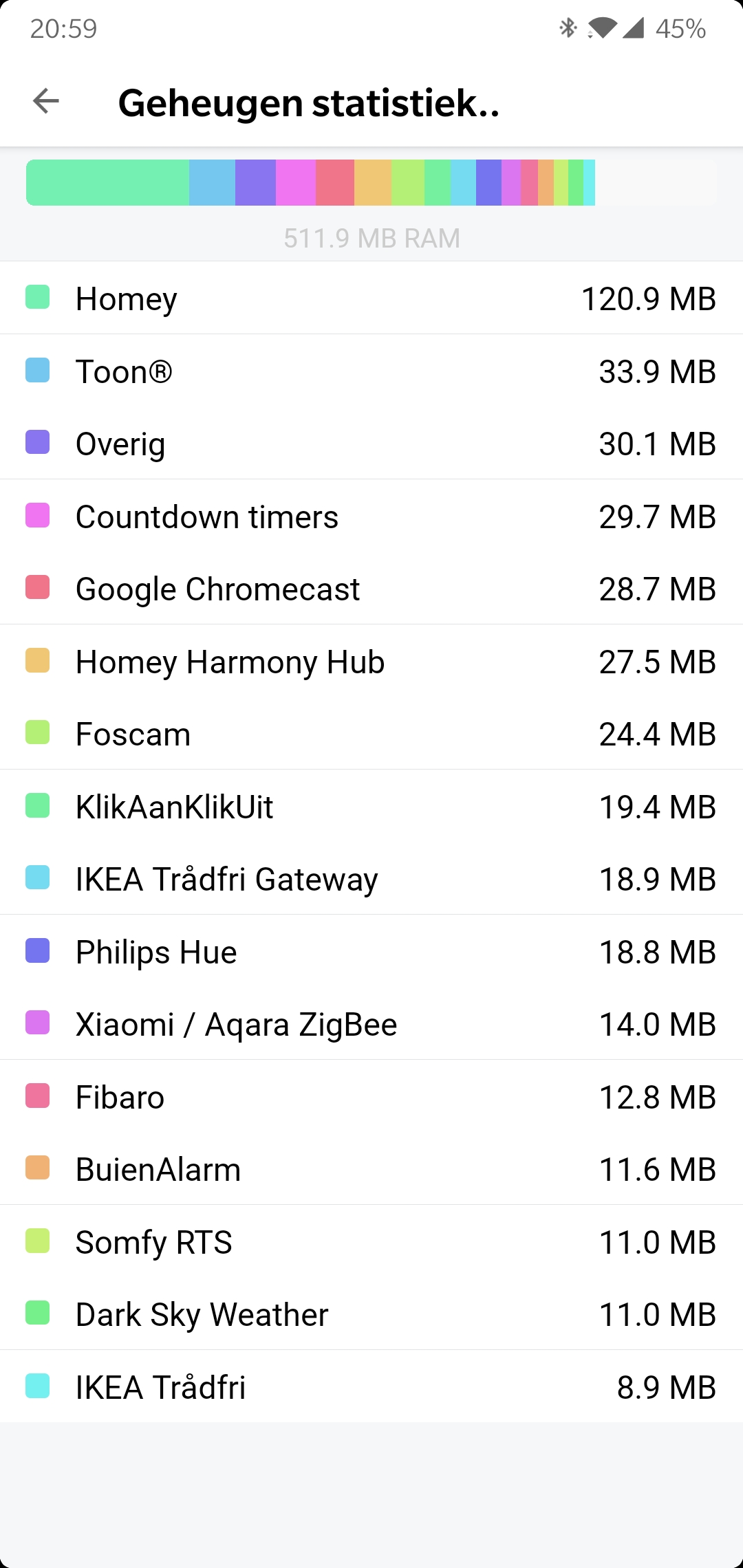

I’m happy for you and for all others who do not have the problem.
Unfortunately that does not help me any further. And I’m not the only one with the memory problem!
I also have to restart Homey every few days because the homey memory usages goes through the ceiling!!
It is going to be highly unlikely that there will be an answer to you problemms here.
The only thing I would do is mail athom or and hope they read in this forum to.
The thing why I posted this screenshot is to make the point that it is more likely to be an isolated problem.
Maybe factory resetting etc would help.

Try running (not installing) the app in CLI, maybe you can see what’s up in the debugger.
After 4 days the hue sensor which was directly connected to homey is stopped working…
Now the sensor is connected back to the bridge…
Any news regarding this topic? I tried to add a hue motion sensor directly to Homey and still have a motion alert for hours. Temperature is also not updating for hours.
No.
