This should be fixed in test now, v1.8.1
We just added option to control authentication requirement as a setting and also flowcards. Would it be a solution to set autentication to “on”, then connect the cable. And set it to “off”. As long as the charger does not automatically start chargin, now it should be possible to run the “start charging” command manually. Would this solve your issue? Not able to test myself unfortunately.
PS: Go2 is added as unique driver.
Should work the same way as Go 1. But for some reason the energy tab is not working as expected. We have an eye on it and hope things change when Homey releases firmware version 12.4.5. The documentations seems to explain that some features are required, and they are not yet available with the latest version 12.4.4. From version 1.8.1 (currently in test) you can add it to the Go2 driver. (It will not be discovarable with Go1 driver anymore)
Hey. That must be a setting on the Easee charger. And I could not find any options from the Tibber API that can disable the power-up. Can the Tibber Homey app disable power-ups? If you can find a way to do it from outside of Tibber apps, we could add it. I do not think it is a way to block others from controling the charger, unless the charge mode is set to something other than “Standard mode”. But again, then Homey can not control it either.
I work on a flowcard to change charge mode. The eco-charge-mode is using spot-prices to charge on lowest prices. Is this what you do with Tibber also?
Thanks. I’m currently on 12.4.5 RC5.
Hello.
If you have Tibber as your electricity provider, you add them as the operator for your charging box. This means that Tibber can start and stop the charging of your car. They have something called Grid Rewards, where you get paid for charging or stopping charging your car to support the power grid. In addition, they plan charging based on your state of charge (SoC) during the cheapest hours.
Easee has a feature that allows you to prevent any operator other than yourself from starting or stopping charging, for example, when you want to charge with solar power during the day, even if the price is high.
EcoMode is not as smart as Tibber. As you know, EcoMode works by you specifying how many miles you drive per day, and it has nothing to do with the actual SoC.
Under installation and permissions, you can find Tibber when you look in the Zaptec portal.
I’m running Homey 12.4.6 using the 1.8.1 Test version of the Zaptec app now
The Go2 was shown as a power meter for a couple of minutes and then dropped from the Energy tab again. It wasn’t shown as a charging station.
Should the evCharger property also be added to the energy object besides applying it as device class? (SDK seems to hint this)
Thanks for the orientation. It seems to be a different integration that Tibber is using with the Zaptec charger. Tibber takes complete control of the charger so that no other apps can use it. Not even Zaptec app itself. There might be a way to do it, but nothing I am aware of. And no attributes on the charger that looks like a switch either, contrary to what I do find in the Easee API. If someone finds a solution we could add it.
Hey. This functionality I added in the next version. Already on the way.
Hello,
The app doesn’t seem to work with the Energy tab.
If I enable the setting “Measure the total energy consumption in the house”, it will show in the Energy tab similar to how my Tibber Pulse is displayed. This gives incorrect info in the graph about import/export since it seems to register charging as import.

Is this due to missing evCharger property that it’s being handled as a powermeter?
I saw that you mentioned that you’re working on a new version, do you have an eta for it?
Thank you in advance!
Yes, we know it did not work until latest firmware was released. And now the SDK also supports ev chargers. Should wait for version 1.9.0 where it is fixed. I do not know when it will be created. The owner is not always available. But I think Imported is the correct group as it is imported from the power grid. Solar power is exported to the grid.
Hey everyone! I had to change my Zaptec Password. How can i change my credentials in my Homey Zaptec App?
Hi! If you install the test version, it should be possible now. Go to the appstore page and add /test to the adress bar url. And in the app, click repair on the device.
Thank you, once again. I can confirm the charger is now visible in the energy tab. (v1.10.1)
Is there a possible to see the charge level of the car? I want to set minimum charge level, before charge to lowest power prices.
Also want to give kudos and a great thanks for this wonderful app that works with pro and #sameie common charging network
Regards
Hey
I’m thinking of buying a Zaptec charger, including the sense sensor. I can see from this thread that some changes have been made to make it work properly. But it also seems to be fixed. Thank you, @philipostli . But what is the current state of the sense sensor? Is it all rainbow and unicorn or is there “something” I need to be mindful of if I buy the sensor?
Hey @philipostli
Since I was not sure whether or not you were able to successfully test this in the meantime, I wanted to share my experience regarding the option to control authentication requirement.
I created a flow where upon connection of a car a variable decides whether or not we have high energy prices (“Hochtarif”) or not.
- In case of high energy prices, I receive a push notification on my mobile device that asks if I want to charge the car despite high energy prices. If I confirm this request, the wallbox should set the authentication requirement to “Not required”, wait for 30 seconds (I added this just in case it would take a couple of seconds until has an effect) and then start charging.
- In case of low energy prices, the wallbox should set the authentication requirement to “Not required”, wait for 30 seconds and then start charging.

However, in neither of these cases the charging starts. I then added timeline notifications in order to see where the process fails. Apparently, the issue I encounter has something to do with the authentication:
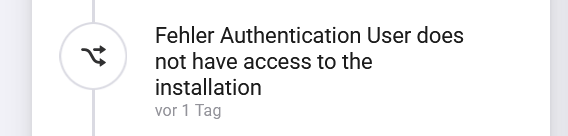
I use the Zaptec Pro wallbox and authentication is set to “On” (since I do not want anyone else in our parking garage to use the wallbox - at least not without my permission  .
.
The version of your app I use is v1.10.2 and I am on a Homey Pro (2023, v12.6.1)
Do you have an idea what could cause this issue?
Thank you very much for your assistance and your efforts.
Hi.
Sounds like you have no access to the charger😅 Are you logged in with the same user in Honey as in the Zaptec app. And are you able to change the requirement in the app?
If you go to the portal in a web browser and look at users and permissions. Do you see what type of role the user have? I have to check, but you need certain role. I have no permission on my own charger, and I get that same message.
Thank you very much for your swift reply, much appreciated!
Kind of a bummer, but I already thought that you might say something like that 
What do you mean if I am logged in with the same user in Homey as in the Zaptec app? Do you mean the proprietary Zaptec mobile app or your Zaptec Homey app? For the Zaptec Homey app there is no such thing as a “login”, or is there?
According to the web portal I have the roles as “user” and “owner”, but since the wallboxes in our parking garage are a managed installation, I do not have the permission to change the authentication requirement in the web portal.
So you think this might be the issue? If so, I would have no other choice as to disable the authentication requirement via the company who manages the installation, right?
