Just re-paired the Phoene with the car and Homey still has a working connection, fingers crossed 
Love that Android Automotive now can be connected.
But I can’t see what I do wrong. In Homey I only see “Distance from Homey”, “Location” and “Engine running”, all other info is blank, “Last value unknown”.
Hope someone can guide me in the right direction.
Seams like Volvo Cars platform is not stable.
- I can lock and unlock from both VC app and Homey app.
- Non of the apps updates location of my car.
- Battery range is updated
I have 1.3.1 version installer and restarted the app.
Anyway, is there anyway to operate the climate, the pre-heater?
I have a petrol based pre-heater (I think its called pre-heater, hopefully you understand).
Does the flows work? I tried “Car came home” with no success.
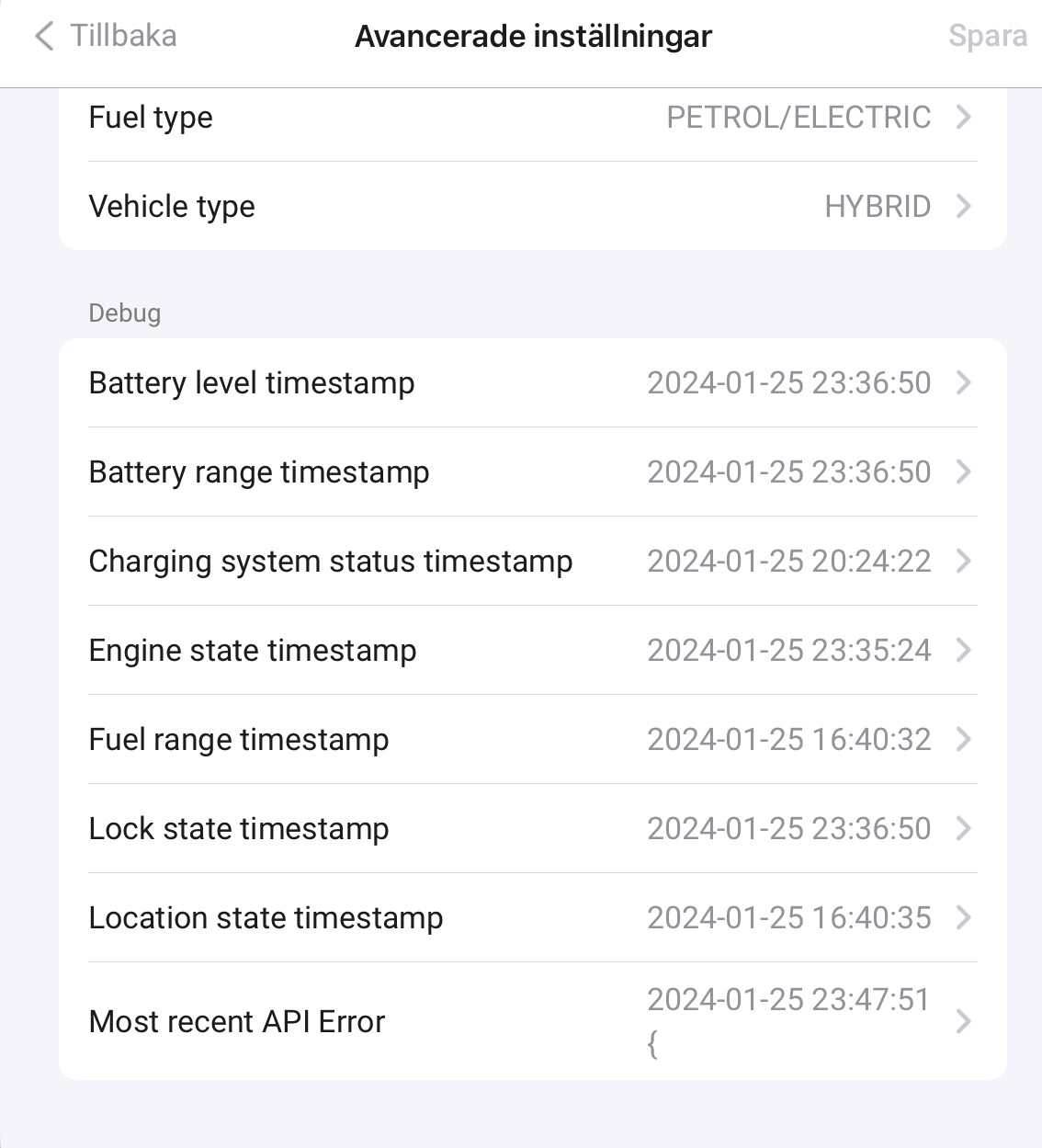
Have an 2023 V90 T6 Recharge (Android) and have just added the car to Homey using this app.
Can lock and unlock the car and it tells the location corectly (10m away from Homey Pro). But can’t se any other info. It doesn’t say what type of car, what fuel, what batterylevel etc.
Have restaret the app a couple of times with no result. I have also made a flow to test start the electric heater and also stop the heater and it works.
Is this just a consequence of Volvos awful connections to the Android cars or do I need to do some adjustments in the settings?
Latest error is:
2024-01-27 08:06:10
{
“status”: 401,
“error”: {
“message”: “Access denied due to invalid VCC-API-KEY. Make sure to provide a valid key for an active application.”
},
“api”: {
“method”: “get”,
“path”: “/connected-vehicle/v2/vehicles/xxxxxxxxxxxxxxxx(maskedvin)/engine-status”,
“httpStatusCode”: 401
}
}
Wonder if i have missed something in the API app on Volvos developer site. Anything more there to be done other than just creating an app and receive VCC API key?
The challenge is that I dont have access to a car with android auto. I only have access to an older hybrid and here I dont see this vcc api key error. Seems like there is a difference.
Will check the HA addon code again if they do something special with the vcc key.
Thank you very much! But nothing more needed to be done in the Volvo developer app than to just create the app and copy the VCC API key to your knowledge? Just so I haven’t missed any steps.
Homey app is updated. I still get error message. Strange.
The update takes time, reason to that can be that if there is no change in data. When loading batter charging status is updated more frequently while other data in not updated.
2024-01-27 18:41:28
{
“status”: 401,
“error”: {
“message”: “Access denied due to invalid VCC-API-KEY. Make sure to provide a valid key for an active application.”
},
“api”: {
“method”: “get”,
“path”: “/connected-vehicle/v2/vehicles/YV1UZBFUDN1899119/doors”,
“httpStatusCode”: 401
}
}
I have tried to add my Connected Vehicle device bat have not been able to connect the car. I’m not sure if got my VCC API key the correct way. Would it be possible to share a guide on how to do this?
2024-01-28 19:00:11
{
“status”: 401,
“error”: {
“message”: “Access denied due to invalid VCC-API-KEY. Make sure to provide a valid key for an active application.”
},
“api”: {
“method”: “post”,
“path”: “/connected-vehicle/v2/vehicles/YV1UZBFUDN1899119/commands/lock”,
“httpStatusCode”: 401
}
}
Repeat lock 3-4 times and the car locks. Same time added error message. Same behavior as earlier.
The latest version adds more validation and should tell you if your Volvo account or the VCC API key is wrong when adding a device.
The 401 Access denied due to invalid VCC-API-KEY appear for the HA users as well.
Seems like Volvo has acknowledged it as a problem on their side, Access denied due to invalid VCC-API-KEY · Issue #8 · volvo-cars/developer-portal-api-samples · GitHub.
A comment from this last Friday
It looks like the issues are related to the API, and not related to the sample code in this repository.
I’ve escalated this internally. You can also contact developer.portal@volvocars.com for more direct help.
I will leave this issue open until we’ve fully investigated the reason for the errors.
Try to add my car with a VCC API Key that I got when I registered an developer account and made an app.
Get 401 error. Help 
My connection seems to be working now. It has started to show all of the info.
It looks like my connection did get better yesterday night.
Hoe kom ik aan een API-sleutel voor een XC60 met Google Automotive?
Kan iemand de procedure daarvoor aanreiken?
How do I connect my Volvo XC60 2022 with google car os?
When I add a device, I choose for the “on-call” option.
Then I am redirected to a Volvo site, where I log-in with my Volvo Account.
When I am logged in, it just says that there are no new devices found. And I can’t change anything else then “close”.
What am I doing wrong?
