No one, really ? Looks like all of sou are running this app without any problem… or no one does.


Send me a DM, we must debug this together if possible?
Blebbens, why so impatient? You’re posting your question on a community forum where many people help others in their free time. If you’d like faster support, you can get paid assistance from several Homey partners. Be kind to each other and respect all the volunteers on this forum.
For most sites you can enter default as site in the settings. Please make a new user for the network integration.
- homey-network for UniFi Network app
- homey-protect for UniFi Protect app
Give both users an strong password
I am always using very strong passwords.
I was planning to use one instead of two user for both apps. I saw the protect app does offer devices for access and protect devices.
Could you tell me, what privileges I have to configure for the users, if I switch to 2 users instead of one, please?
When you want to change settings you must give the user write / admin rights, when you only using it for viewing you are alright with read-only rights. That’s on you, when you want to use all features you must give the users admin rights.
I’ve just sent PM
Hi! First of all, I just want to say how amazing this app is — I really love that the new switch management feature has been added, it’s super useful and looks great! 
I currently have 3 UniFi Ultra switches with 4 APs and 4 cameras: U7 Lite AP, 2× U7 Pro / U6 Mesh, 2× G6 Bullet, G5 Bullet, and G5 Turret Ultra — all managed through a Cloud Gateway Max router (which, as I understand, doesn’t appear in the list and can’t be turned off, which makes sense).
Unfortunately, out of the 3×8 ports, I can only control the power on one port — the one connected to the G5 Turret Ultra — and port 8, which is used for input. However, I can’t turn the whole switch on or off either.
In some cases, especially during a power outage when the system runs on UPS, I’d like to reduce power consumption by turning off some cameras or even access points. Could you please help me figure out what might be wrong or what I’m missing?
Thanks a lot, and keep up the great work — the app keeps getting better and better! 
Also no THEN and AND cards here. Only the IF cards are shown.
how to fix ?
I would like to turn on/off the APˋs blue LEDs depeding on how late it is.
Is there an option for switchin on/off the LEDs ? I did not find such an option.
And, looks like the app has some bugs:
I am trying to switch PoE power using a time schedule. But, this is not working.
I added the switch as a device. It does not show all PoE-Ports, just some of them. For example, I am trying to switch power on port 14, this is where a Access Point is located (with PoE on). This I configured in a flow (port 14). But the added device (=switch) does not recognize this port despite it is a PoE-Port.


The network app does show this messages…

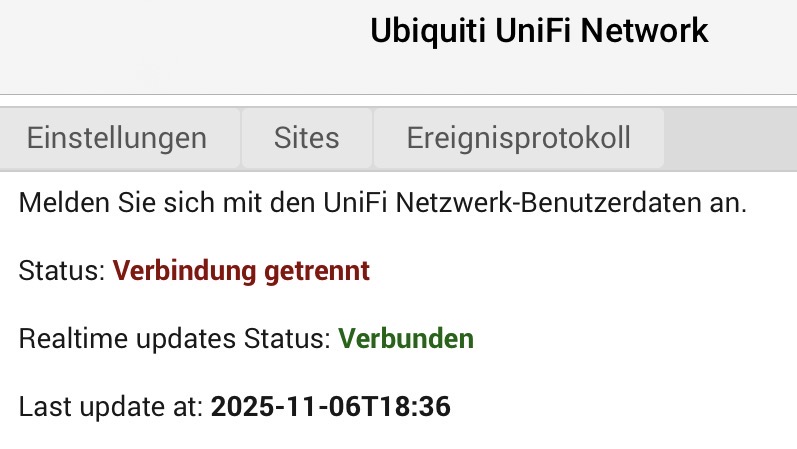
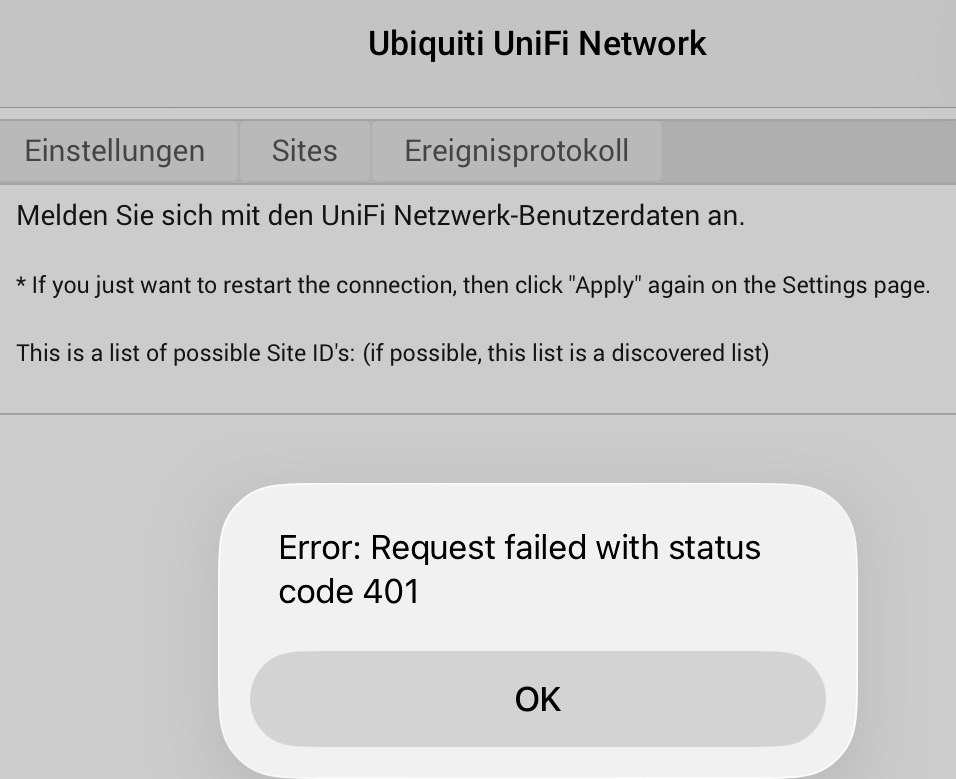
It is such a pity… this is exactly the app I was looking for, but it is not working.
In an other topic you showed me that every user has view access and no admin access. 401 means access denied, give all your homey users full rights to unifi.
With today’s update there’s been a slight improvement — the system now correctly detects that the switch has 8 ports and lists more of them. However, not all ports are shown yet, and I’m not sure about the logic: some ports appear only as “network ports,” while a few of those also show up as PoE ports — but not the ones where I actually have PoE devices connected. It seems somewhat random.
Also, all three switches are currently displayed with the same IP address, even though they each have a unique one in reality.
So it’s definitely progressing, thanks for your work on this! There are just a few remaining issues to iron out.
is it also a fix for the THEN and AND cards not present?
I now have only 1 AND card, the “guest connected” one. And no THEN cards.
Just tested the “guest connected”, but at least for me it doesn’t seem to behave correctly as it triggered a guest connection while there isn’t any. My script posted above from october 17th does seem to work though.
Please help me 
I will look at it shortly, it looks that the library what I use has some bugs. I have now a Ultra switch with POE so can test it.
Thank you
Hi, could also the issue with the AND and THEN cards not present be fixed then?
There is a workaround available, please refer to the script provided by @Takie. My current focus is on stabilizing the switches and PoE functionality. Once that is complete, I may explore implementing guest functionality at a later stage.
