I presume you all are using the test version of the app and also already have checked if the ID from these devices is mentioned as added in the first topic?
That’s a good one! I am running my own development version of the app. I needed to add another switch. Will check if I can add these IDs too.
Edit: yes, this seems to be the culprit. The smart plugs that cannot be added have the same IDs. And the ones that can be added have different IDs. I will add the IDs to my version of the app and try again.
Edit 2: That was it! Thanks, Peter!
As @PetervdK rightfully pointed out, most likely they are not added to the Tuya Zigbee app. Best option is to create your own. Have a look here at how that works: [HOW TO] CLI install method - Tutorials - Homey Community Forum
Then you need to add the codes to the Tuya Zigbee app. I can help you with that.
Hi all, at first I was also running my self modified app forked from Johan_Bentz but couldn’t add all the unknown devices because it needed a totally new JSON script which I couldn’t write because I’m not a programmer.
Now I’m in to this app Universal Tuya Zigbee | Homey
I’ve been helping Dylan to reporting all the error’s and he’s been able to fix and add my Multisensor device Motion Luminance Temperature & Humidity to his ZigBee app version.
It took a while but after a lot of patience he did it.
Good luck and best regards Peter.
Looks really good!
It would be awesome if I could get some help with this!
When you’ve got time, of course. I have installed Node.js on my computer, and after that, I opened the command prompt and ran:
npm install -g homey
After that, I logged in via the web browser, but then… what do I do next?
In the forum of CLI installation guide, they tell you to navigate to the folder you extracted, but how exactly do I do that?
And most importantly, what do I do after that? How can I modify an app like the Tuya Zigbee App?
Thought it would be easier in a PM since we are both Dutch.
If you can help me to improve my app development it will be great full
If you can pm me all the manufacturerid you want to include too.
Best regard.
Hi, i have an white label Tuya zigbee shock/vibration sensor that does not have support
Manufacturer ID: HOBEIAN
Product ID: ZG-102ZM
Device type: enddevice
Do you need any more information?
You mean this app?
Universal Tuya Zigbee | Homey
So far I have added:
_TZ3000_kqvb5akv, TS0001 to com.tuya.zigbee\drivers\switch_2_gang_metering
_TZ3000_ww6drja5 to com.tuya.zigbee\drivers\smartplug
yes this one but a lot of bug it’s only in alpha test.
And it’s in sdk3 not sdk2 like this app and also the new node 22 released this week.
thry to add your devices ont he next version , yes can add more informatiosn
Don’t trust everything your AI tells you, this app is SDKv3, otherwise it wouldn’t even run on HP2023 (which doesn’t support SDKv2 apps).
yes it’s sdk 3, on the app.json source code of johan, does someone know if johan will come back to this app ? Or if homey have finished the integration of tuya zibe devices as annouced on previous podcast ?
Hi, I have a problem, I have 4 blinds controllers. I added them to MyHomea through this app. Manual control works without any problems. But the flow does not work properly. The flow where I selected the blinds in the bedroom controls the blinds in the children’s room and the flow in the living room does not work at all and I do not know what the flow does for the children’s room because the blinds are already closed. (The flows are set exactly the same, only the time when the blinds should be lowered is different.) Does anyone know, please, what could be wrong? Thank you for the tips.
Hi!
I have a Tuya Zigbee Door/Window Sensor that is detected as an unknown device in Homey Pro (2018).
Could you please add support for it?
I just bought eight pieces 
Here are the device details:
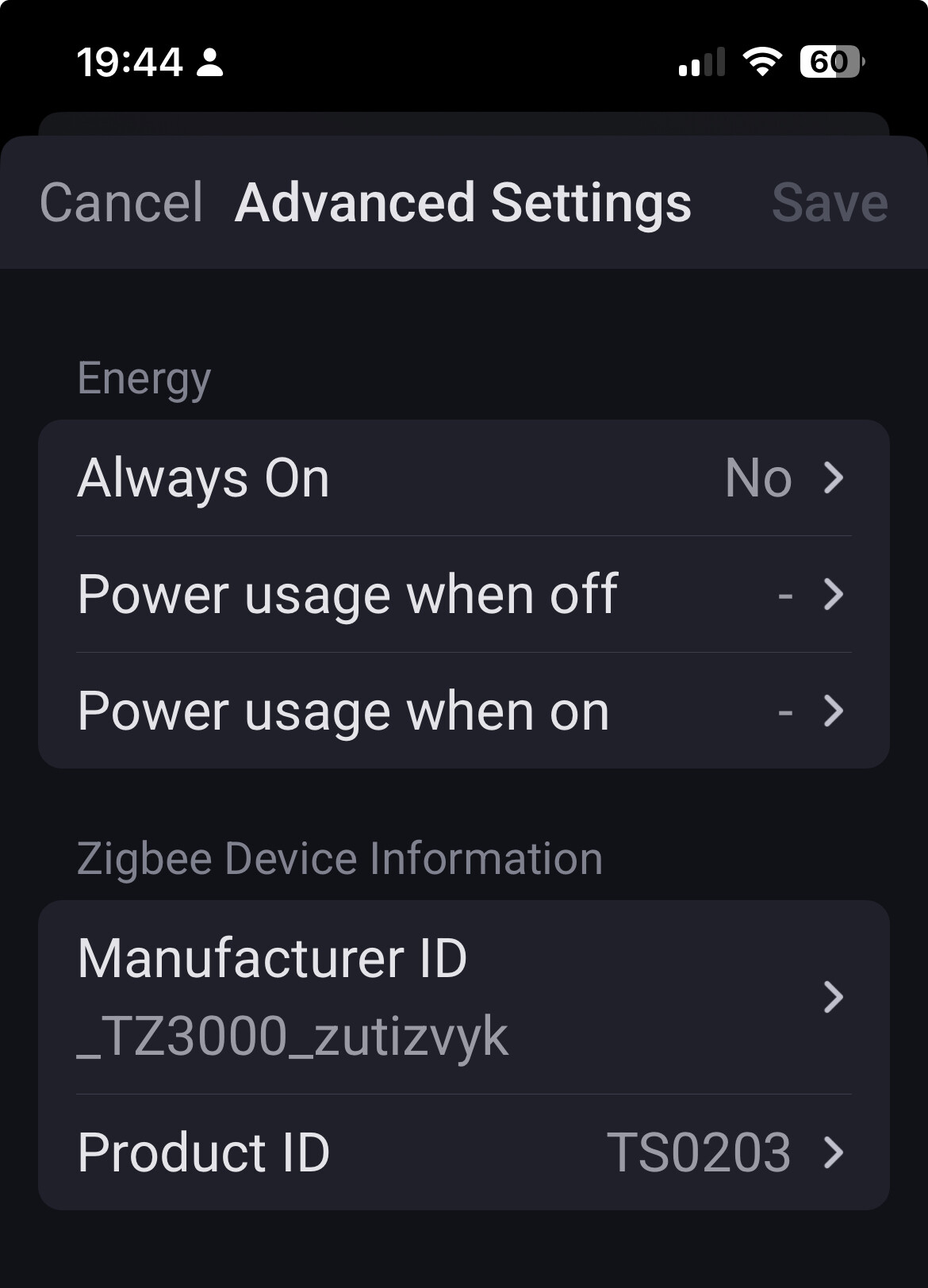
Manufacturer: _TZ3000_zutizvyk
Product ID: TS0203
The device pairs successfully but shows up as a “Generic Zigbee Device”.
Thank you very much for your great work on this app!
You might want to post your question in the dedicated forum topic for the Tuya Zigbee app: [APP][Pro] Tuya Zigbee App. Check the first post over there to request support for unsupported devices.
Or this topic for an alternative app: [APP][Pro] Universal TUYA Zigbee Device App - test (still in development).
If you want/need it right now, your best option is to create a development version of the app and install that on your Homey Pro
Hi!
I’d love to, but unfortunately I haven’t done it yet. 
Is there an open thread where I can find out more?
Thx, Tamas
Hi Roth you’ll find it here: [HOW TO] CLI install method
Regards Peter.
