No, in my humble opinion the Tuya Cloud app users can safely ignore this message from Tuya.
Why?
I followed the link, and logged in >
I don’t have any products according to my account (it’s aimed at device builders using Tuya cloud platform through firmware):
I got my new homey pro yesterday. I was able to link zwave and Philips hue.
I just cant link tuya to homey. In my home assistant i was able to connect with out an issue but with homey it just doesn’t link. On my development page tuya under projects it says my trail version has ended. I cant seem te renew it, devices have been linked in development (cloud)
Since a week I have gotten the code (1010) with Tuya official app. Can’t login Tuya on Homey anymore. I still had a Home Assistant as redundant system where Tuya still works.
Also, can’t connect with the Tuya community app. It says “Permission denied”. I have IOT installed and everything is renewed. It worked for a long time and didn’t change anything.
Because you posted in this topic I’d like to check:
Is your issue really about the ‘official’ app, or the Tuya Cloud community app (this thread)?
Anyways, the ‘official’ app is dead, both Athom founders pubicly expressed their (negative) opinion on Tuya Corp. / Tuya devices, so consider the ‘official’ app abandoned.
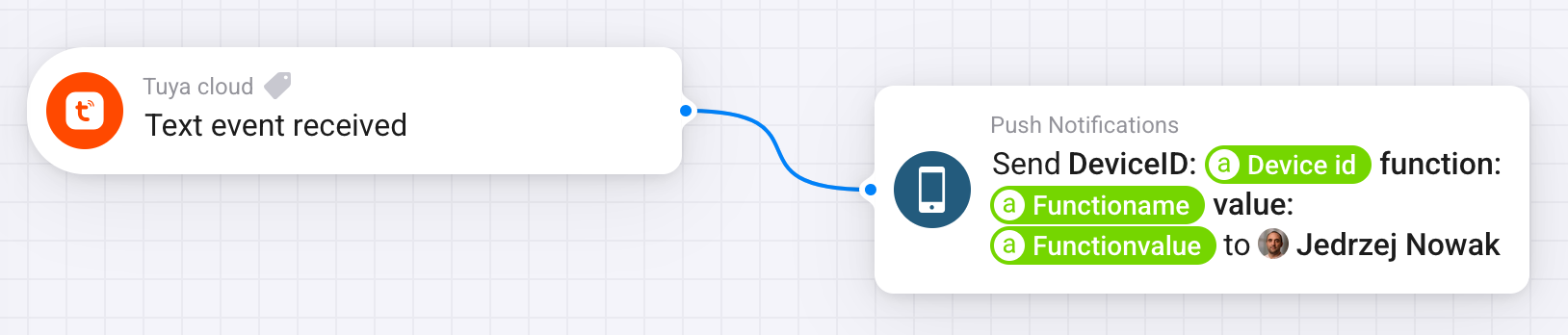
This Tuya Cloud app still works fine, albeit not actively maintained. But you can operate and listen to almost any Tuya device when it’s not supported directly (tap-to-run / RAW commands)
Error 1010 is nothing for users to fix by the way:
It’s a shame that the official app has been abandoned. It now generates the error code 1010: “expired token.” I assume only the developer can fix this, but it seems unlikely that the app will be updated then.
So, it might be best to remove the official app and switch 100% back to the Tuya Cloud app if I am correct right? However, the problem is that I was still using the Tuya Cloud app, and at the same time, it stopped working alongside the official app. Is this a coincidence? This is the error I get with the Tuya Cloud app:
I really don’t know what is going on exactly. It always worked fine, and as I mentioned, Tuya now only works with my HomeAssistant. Same API, same account. I don’t know if it then is a permission issue.
Well, Athom claims that’s not possible, because Tuya blocked new user accounts / adding new devices or such.
I’ve also seen a post from a user here, who showed a Tuya Support reply, stating they stopped the collaboration with the Homey Tuya app. But you can inform with Tuya support yourself as well.
I would if I were you.
This is very likely just coincidental.
Search post # 1 of this topic for error code 1106,
Most probably your 6-month iot trial period is expired. You’d renew it.
Hi, I just tried for the first time to connect Tuya Cloud to my Homey Pro, but I’ve got error code 1106. I know what it mean from the #1 post, but I’m pretty sure that typed data is correct. Do you have some ideas how to fix it?
Thank you for your message. I have reset my password, re-linked my device within the Tuya Developer project, and even created new projects with new APIs. However, nothing seems to work. I have selected the Central Datacenter for my region, The Netherlands, and all API authorizations are still active.
I retried the connection using the same steps in HomeAssistant, and everything works perfectly there. I also removed the official Tuya app and reinstalled the Tuya Cloud app, but still no success. I even retried connecting via My Homey, but it just refuses to connect. Am I missing something?
Edit: I still have Homey version 12.2.1. I will first try updating it to 12.3.0 to see if it fixes a few problems. Maybe connection losses will be fixed aswell.
Some solved this by changing the password for the Tuya Smart/Smartlife phone app, and use those in the Tuya Cloud app settings.
They were also pretty sure the user/pw combo was error free.
So I can login perfectly fine. (the app saves and no errors are returned, when I change the login details or project ids etc then it returns error).
But yet somehow no raw commands are being received and the “add device” always returns “please configure the app first” which maybe the true as the device that I’m trying to add is likely not supported officially.
So I thought I’ll try with raw commands, but the issue is that it does not seem to be working. There are 0 events received
Login & project auth works. Tuya auth scope and app is linked, I can debug the device on Tuya site (Device debugging).
The device is listed in the Devices tab in the project.
Wherever I change something in the Tuya app, I can see it in Device Logs on the Tuya site, but no events in Homey.
When I Configure the Homey app, it saves the credentials fine (when I change them to the wrong ones, I get errors, which is expected, I guess). I also restarted the app.
Not necessarily I guess, but no clue if the app developer expected you to add a supported device first.
But by adding 1 supported device, troubleshooting might be a bit easier.
Did you find the vid I posted here (somewhere). It shows everything step-by-step, albeit targeted to Home Assistant.
I was enrolled into some old type of an account called “Cloud Develop something”. So. wherever you’re having some WEIRD issues with Tuya double check your Subscription type. I needed to delete/clear my suspended services first and then reapply to IoT core I activated it also in 2021.
Without it it seems that access works but you cannot do anything via API, and the Tuya Homey App does not recognize that.


 after these shared opinions :