[APP][Pro] Synology

Is the Homey user member of the Administrators group on your NAS?

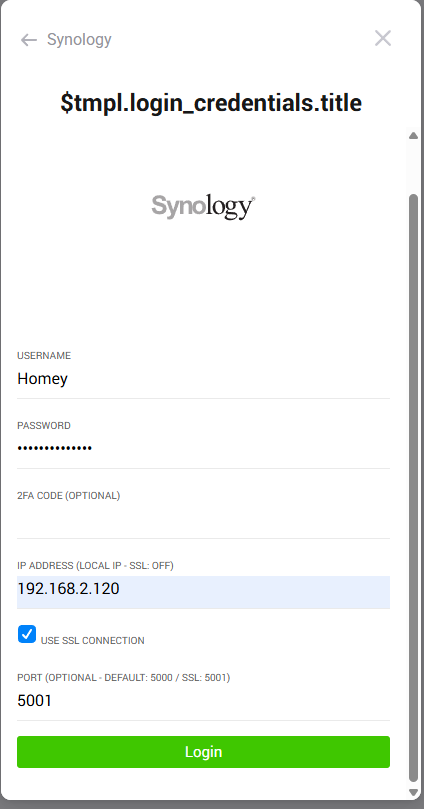
Can you actually access your NAS via HTTP? So if you open a webbrowser and browse to the indicated IP and port, can you access you NAS? Or does it automatically switch to a HTTPS connection (with SSL) and a different port.

1 Like

Homey is user member of the Admin group

When i browse to my NAS it switch to HTTPS.
image

Now i used this settings but the same result.
Timeout after 10000ms

@Dre_Vlag can you send a diagnostic report?

How will i do that?

Some other thoughts:

  • Do you perhaps have the firewall enabled on your NAS with a rule that is blocking access to your Homey?
  • Or maybe the IP-adres of your Homey is on the list of blocked IPs?

To create a diagnostic report on the mobile app goto More tab (three dots) > Apps > Synology > Settings (cog wheel) > Create Diagnostic Report:

1 Like

i guess you mean Synology and not flowChecker?

Flowchecker

5b7d838a-5387-474d-b71f-2a44f35565ba

Synology

7c076da6-62ce-4abc-9ba2-cdced01859b4

1 Like

Yes, sorry my bad :blush:. I updated my post.

1 Like

@Dre_Vlag why are you sending a Flowchecker report? I don’t see how that’s related to this issue?

About the report. Make sure to remove character like ? or & from your password.
The API connects via a url and can’t use these character in a proper way, they will go bad when encoding the password.

@SunBeech for next time :smiley: [APP][Pro] Synology - #3 by martijnpoppen

1 Like

Thanks for pointing that out! That’s indeed much easier to refer to :grinning_face:.
And apologies for the confusion.

1 Like

@martijnpoppen
I had this ? in my password. I have now changed my password to only letters and numbers.
i have try it again but still the same time out

@Dre_Vlag can you send a new report?

195fa0ff-c169-46bc-9319-11105fdc9e67

@Dre_Vlag you’re using different IP’s I see
Make sure it use the same credentials and ip and port which you would use to access DSM
Also make sure homey and synology are in the same local network

Hello,

I have 2 Synology one with dsm 7.1 and one with dsm 7.3, with the 7.1 it’s ok but 7.3 can’t connect to the synology.

Any idea ?

Thanks

@Bruno_ROUY please send a diagnostic report

@Bruno_ROUY got the report but there’s nothing to see
Did you try to reproduce the issue before sending the report?
Otherwise it’s not visible

Hello,

Yes of course, with my other syno in 7.2 all is working with this one in 7.3 i got

And of course i tryed with nossl or ssl

Bruno

Unrelated to your issue, but did you patch it already?
CVE-2025-13392 allows remote attackers to bypass authentication with prior knowledge of the distinguished name (DN).
https://www.synology.com/nl-nl/security/advisory/Synology_SA_25_14

Affected Products

Product Severity Fixed
DSM 7.3 Important Upgrade to 7.3.1-86003-1 or above.
DSM 7.2.2 Important Upgrade to 7.2.2-72806-5 or above.
1 Like

@Bruno_ROUY I don’t see anything related to a login in the report. Please make sure to login and send a new report