Yes, that‘s correct
I don’t know if this is the right place to ask, but I have Ajax cameras that I want to connect.
The configuration seems to be going well and there is some kind of connection, but there is no live image or snapshot image. The only thing that seems to be reported is the camera time.
What else can I try?

It’s possible the camera doesn’t support the snapshot. You could set the log level to Detailed information in the Diagnostics Log in the app settings screen and then restart the app. Once the camera device in Homey has been initialised, go back to the log page and tap on Send Log.
For RTSP, make sure you are using the test version of the ONVIF app and that you have the latest firmware and Homey app. Also you need the Homey 2023.
Unfortunately, I suspected as much…
But thank you for checking. 
Hello everyone, I’ve been using the app for a long time. Everything runs super smoothly, and I’m really impressed – thank you, Adrian.
I noticed that the live images appear upside down when you rotate the image by 180° in the camera settings because it wouldn’t work any other way due to the orientation.
Is anyone else experiencing this issue?
Yeah true
HA does support it, but that’s through Reolink’s own local API, not the standard ONVIF/RTSP side.
So it’s “open” in a Reolink-specific way 
ONVIF discovery still fails, and none of the RTSP endpoints are exposed when the camera sits behind the Hub.
I didn’t personally test with Onvifer or ODM, but several users reported the same issue:
the Hub shows up on the LAN, yet the connection fails with “invalid protocol.”
That matches my own findings with Homey’s ONVIF app and HA’s ONVIF integration — both detect the Hub but can’t connect.
From what I’ve seen, the Home Hub identifies itself as an ONVIF device but doesn’t actually expose the RTSP/ONVIF endpoints.
It only communicates via Reolink’s own API.
The stand-alone cameras, on the other hand, do support ONVIF once enabled under network settings.
I’m running the HA Reolink integration together with RonnyW’s HA community app for Homey — that combo works great for now 
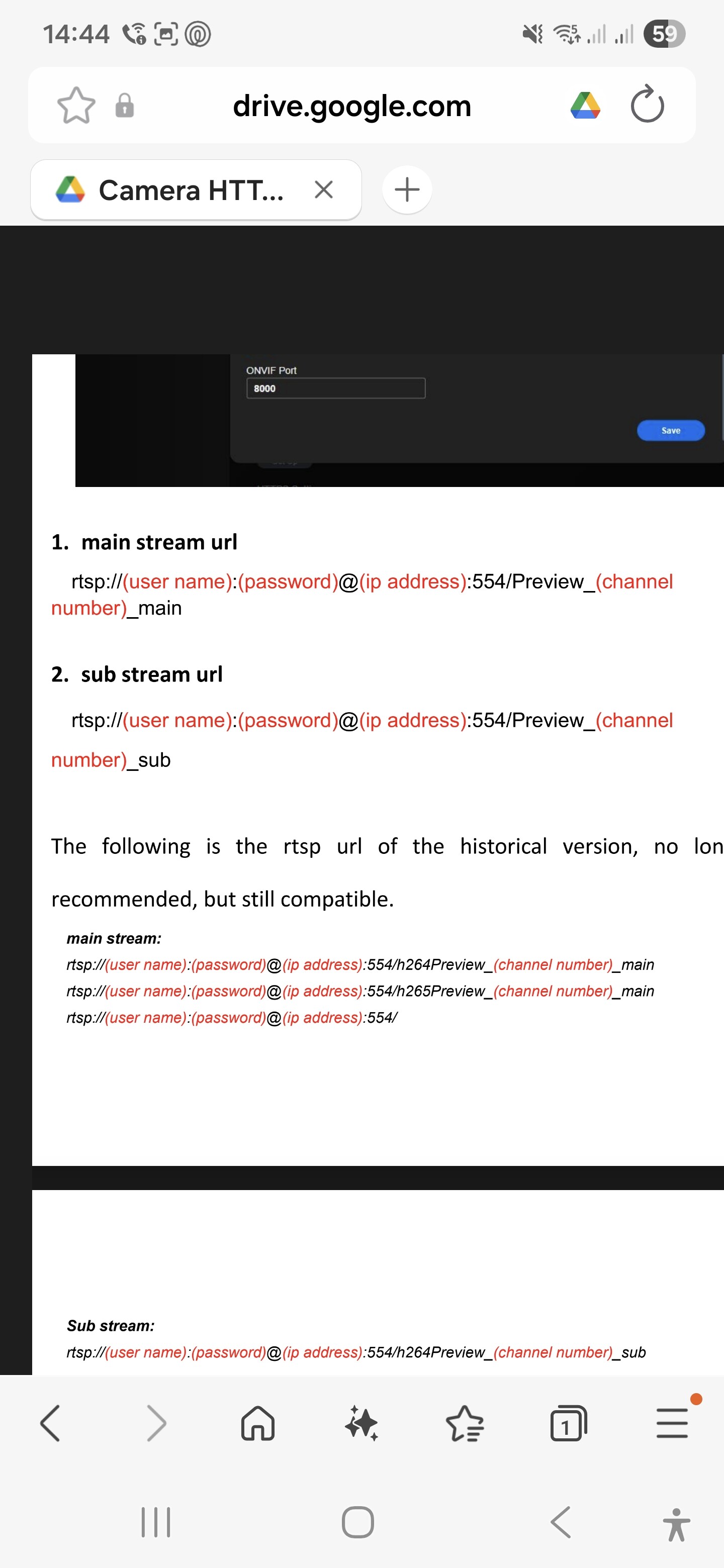
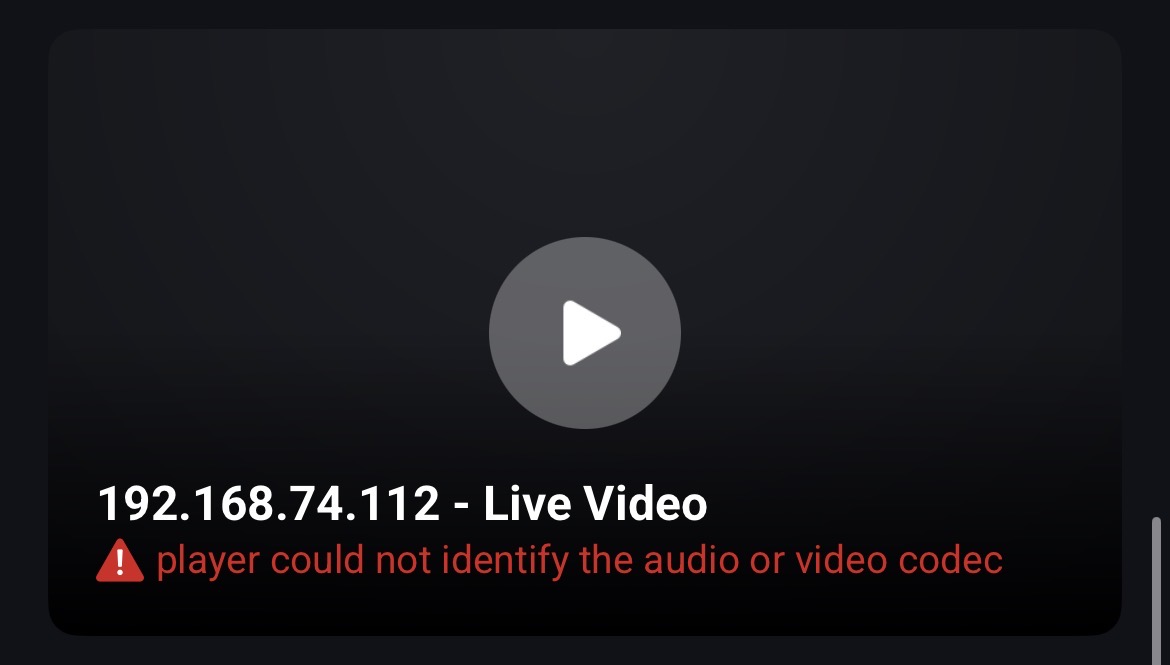
Hi Adrian,
The camera is battery powered (the Reolink Hub is mains powered, however), and the Homey Pro is connected to Wifi. I doubt the homey is the issue though, given that a reboot of the Hub (not the battery camera) solves it automatically. The strange thing is that even when the socket is closed, the onvif snapshot URL is still working (though homey won’t update it anymore). I’ve sent you the log and diagnostics report (bab7cd15-459a-43c9-aef8-ad7a5bb6505e), perhaps this is helpful?
Additionally, when looking in the log when it works, I see that when a snapshot URL is requested it tries different approaches, always twice (no Auth, Basic Auth, Digest Auth). Would it be possible to set the authentication method per device, so it doesn’t try all options?
With kind regards & thanks for your help!
Martijn
Basically, the camera stops responding and then refuses the connection for a while. That points to either a network issue or a problem on Homey or the camera.
Is Homey on WiFi or Ethernet?
The fact that rebooting the camera fixes it for a while would suggest it’s the camera. Is the camera battery operated and could it be going into a power saving mode?
Hi Adrian,
The camera is battery powered (the Reolink Hub is mains powered, however), and the Homey Pro is connected to Wifi. I doubt the homey is the issue though, given that a reboot of the Hub (not the battery camera) solves it automatically. The strange thing is that even when the socket is closed, the onvif snapshot URL is still working (though homey won’t update it anymore). I’ve sent you the log and diagnostics report (bab7cd15-459a-43c9-aef8-ad7a5bb6505e), perhaps this is helpful?
Additionally, when looking in the log when it works, I see that when a snapshot URL is requested it tries different approaches, always twice (no Auth, Basic Auth, Digest Auth). Would it be possible to set the authentication method per device, so it doesn’t try all options?
With kind regards & thanks for your help!
Martijn
All the log shows is Homey is not able to connect and times out. If rebooting the hub fixes the issue, then it is likely the problem is there. It could be that the camera has gone into a low power mode to save battery and rebooting the hub wakes it up.
The app tries each method as most users won’t know what is required, so it tries to be helpful. However, once it finds a method that works it should stick with it unless it fails.
What camera do you have exactly?
To my knowledge, there are no battery-powered cameras that support Onvif…
Or are there?
Sort of: Reolink battery powered cams need to be connected to their Hub
Indeed, I have a Hub-connected battery camera. Thanks for all your help. I’ve now contacted Reolink support and sent them the logs of the Hub. Hopefully this will be resolved.
Hi!
I have a Tapo C220 camera that is currently not supported by the official Tapo app. However, it is a Onvif compatible camera and I assumed I could get the live feed into Homey since they added support for camera streams.
I have tried the community app “Onvif” and managed to successfully add the camera, got all the sensors and what not in there, but I can’t seem to find the actual camera feed.
If I go to Homey dashboards and add the camera widget, Homey says I don’t have any cameras added.
In this podcast they discuss camera streams and the community app “Onvif” in particular as a means to get Onvif-cameras up and running on the Homey.
The Homey Podcast #11 • 15-Minute Electricity Pricing, Camera Streaming, Local Users & More
Any ideas?
Make sure you have the test version of the ONVIF app installed and that your Homey app and firmware are all on the latest. Also, it only works on HP2023.

Nevermind, I found your post for the app and found the test version from there, gonna try it out! 
Edit: With the test version I cannot get past the “add device” step, the camera is simply not found anymore, with the release version it found my camera almost instantly and presented it with it’s local IP. Any ideas?
