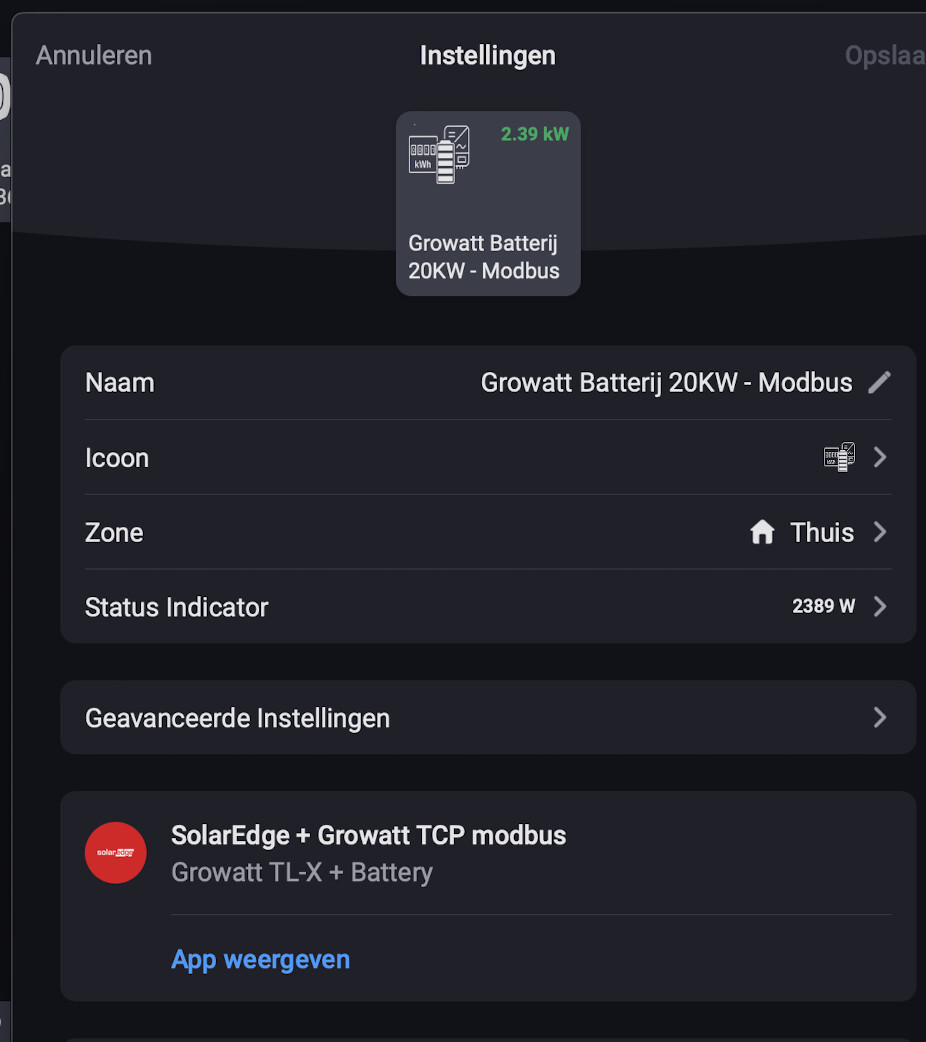
Working now. 
Thx guys.
Working now.
Thx guys.
Make sure the LAN IP address is fixed or by mac reservation in DHCP unchanged.
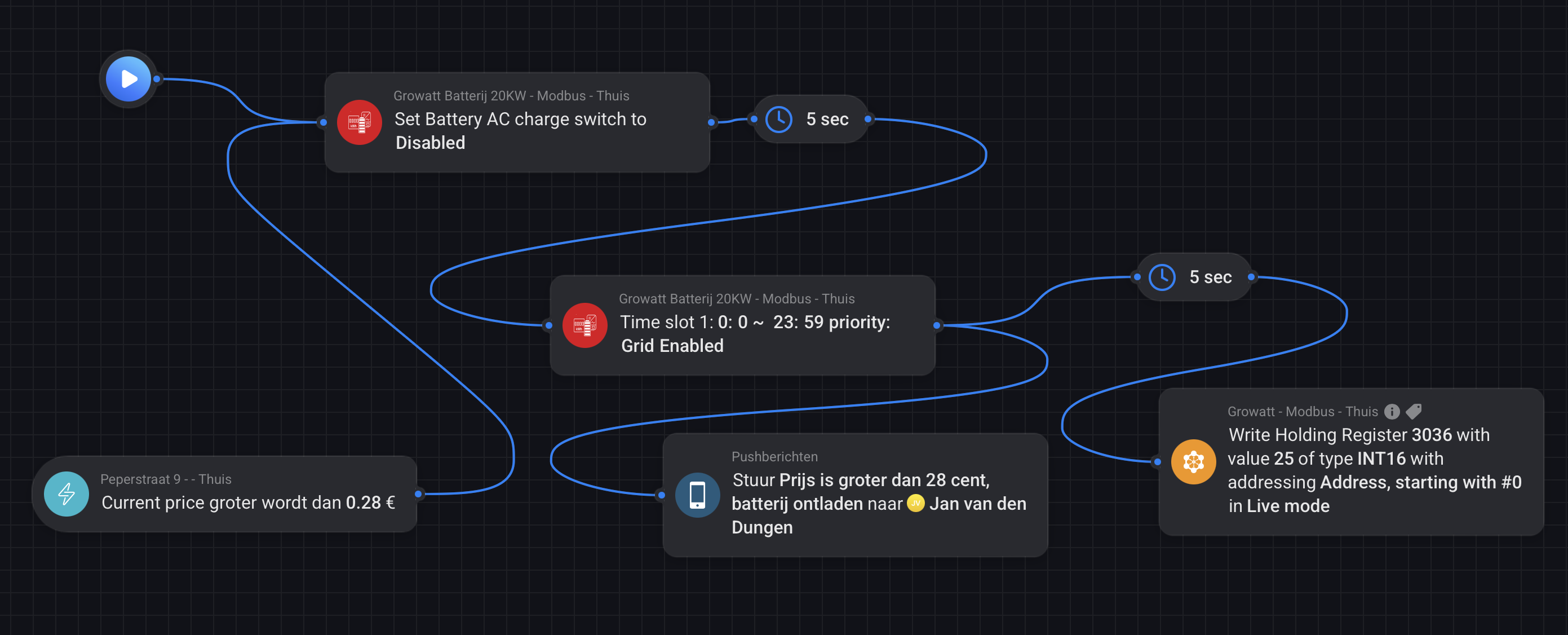
no clue , where did you find 3066? , I don’t have it on my doc.
I got this on a flow action.
      if (type == 'exportlimitpowerrate') {
        // 0 – 100 % with 1 decimal
        // 0 – 1000 as values
        console.log('exportlimitpowerrate value: ' + value);
        if (value >= 0 && value <= 100) {
          const exportlimitpowerratedRes = await client.writeSingleRegister(123, value * 10);
          console.log('exportlimitpowerrate', exportlimitpowerratedRes);
          console.log('exportlimitpowerrate value 2: ' + value * 10);
        } else {
          console.log('exportlimitpowerrate unknown value: ' + value);
        }
      }
found it here in the forum. ([APP][Pro] SolarEdge + Growatt TCP modbus - #1171 by Phil_Bro)
littlebit new on homey, what is a flow action, is this a script?
thanks,
Jan
3036 ah ok . not 3066
yeah you can use the modbus app also. awesome. so are you using this on the plain growatt with no batt or meter?
flow actions , is the action part of a flow. you can have trigger ,which reacts on something, condition to compare something on this device and action which is doing something on the device.
Ah i made a typo with the 3036 sorry. recently I bought and installed a growatt 3PH MID 15KTL3-XH with a 20KW APX battery.
Solar panels and inverter SE17K I already had for a few years. and this has a 3PH meter (that’s not compatible with growatt )  but this set handels the Sun
and a Wallbox charger. so a lott to " flow" 
Recently switched to tiber for the power, works like a charm.
Thanks,
Jan
I’m having trouble getting any data over Modbus via Wi-Fi on my Solaredge SE17K, so I reached out to Solaredge support.
Their response was that support for Modbus over Wi-Fi was removed back in 2022—but I’m not entirely convinced.
Is anyone here successfully using Wi-Fi with a 2024 software version where Modbus data is still working?
was added back, there are some release notes you can check.
wifi has some extra latency and maybe some retries. Do you have some meters added which are doing zigbee and not using a cable?
Huawei Modbus Control Mode Needed:
133 Active power control mode RW UINT16 Address: 47415
1 0: Unlimited (default)
1: DI active scheduling
5: Zero power grid connection
6: Powerlimited grid connection (kW)
7: Powerlimited grid connection (%)
Is there issue with Device Soft - newer Soft not support Modbus Active Power Control mode Write?
Modbus Date 2022-03-29 there is Address 47415
In my region We need Zero export because of the extreme low spot prices.
So Do anyone know what’s up with this Active power control mode: Not possible right now for me.
Dongle Wifi - Soft V200R022C10SPC121
Inverter Sun2000-17KTL-M2 Soft V100R001C00SPC165
Any ideas how to solve this Huawei case?
Hi,
Thanks for this app, I am a happy user.
Since a little while I have a Sigenergy Sigenstor battery with the gateway grid fail-over. Is it possible to expand the app with a new card (if card) which detects the off-grid trigger of the gateway.
I will be able to create a flow then to stop my EV with charging in case of a off-grid situation.
Thank you in advance!
Kind regards,
Not sure why but I’m unable to pull any data from our Huawei SUN2000-6KTL-M1 inverter with a SDongle - the inverters is only available over wifi btw. The modbus is set to unrestricted mode (needed for another gadget we have), if there’s any limitation to the number of modbus connections - or if the app is limited to restricted mode?
I have 2 Huawei inverters at home with Wifi dongles.
V200R022C10SPC121
From Router Ip is static Fixed (reserved for this MAC) Port 502 and Inverter ID 2
Thanks, using static IP for both Homey and inverter, have tried a few inverter ID in the lower end of the range but no luck - presumably, with only one inverter it’s ID 1.
Have you tried port 6607 also?
can you try the test version of this app , I added it a while back
1 thing for sure, s-dongle is always the issue but at least it is very cheap compared to emma but that always works.
s-dongle is slow , lot of timeouts and can only handle 1 connection at a time.
for 2 inverters and using a s-dongle I made the s-dongle device which pulls both and use only 1 connection.
Thanks @Alan_Raudmae - tried both ports 502 and 6607 with the same results but with the reply from @Edwin_Biemond it’s the limitation in the dongle, so while we use the other gizmo, it is what it is. Will switch that thing off end of March so it’ll hopefully improve - provided the dongle doesn’t act up.
What is your Dongle and Inverter software version?
Good point, I believe they are current for the hardware I got - inverter is running V100R001C00SPC161 and dongle is V100R001C00SPC125.