mostly you get some ip from dhcp but check home assistant docs
modbus id 1 is mostly the master , are you using s-dongle?
No, should be the stable one, is that the reason I don’t see them yet? If I add /test in the app store I get a newer version than the one I have installed.
yeah do the test 1, I added it last weekend.
no, i’m not using the dongle
i have a huawei sun2000 system with battery. i would like to be notified when the battery is at 100% and i am feeding voltage into the grid.
in the overview there is the status of the battery. in the flows there is no ‘if’ field for the battery charge in per cent, but only ‘if it goes higher’. the condition then only becomes true once - after that no more.
in the flow, i would like to query whether i am feeding into the grid or not.
How can I implement my flow?
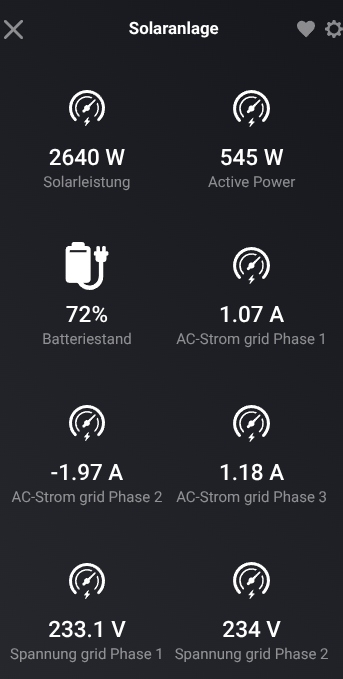


ok. i understand that. but it doesnt solve my problem.
but there is no ‘and’ condition in the solaredge app. and i want to check 2 conditions. 
When … Active Power …
AND… use logic card with Token Greater than Value
THEN… etc.
You can make comparisons as much as you like doing it step by step.
If you need a query on a value, this value can be a value or variable with value you set…
Another thing is your original question, [when the battery is at 100%] and [battery charge] are 2 different things. You should either check if a % of charge has been reached AND/OR check if the battery is still charging… One is a reached value in percentages, the other (in my case) is battery power charge in Watts…
Hi Phil_Bro,
Wondering if it is possible to match the battery discharge (growatt 20KW Battery) with the used load for example when (no) solar is precent in the evening.
I dont have a growatt meter, (already had a solardedge meter for the solar inverter)
Thanks,
Jan
you mean you want to use solaredge meter on growatt ? if so I guess they are all modbus devices?
maybe you need to specify something
No not specifically the Solaredge meter, I also have the p1 meter active. so I would like to follow the load with battery discharge. for example load is 4KW, that the battery also discharge at the 4KW power rate.
ps. the solarmeter readings are not coming in the modbus integration (SolarEdge + Growatt TCP modbus) I have the Solaredge connected via this plugin same as the growatt.

for meters you have to select the solaredge storedge device, even when you have no battery.
P1 cannot be used on inverters.
better do this from the inverter which can adjust this in seconds or just use self consumption mode( I think every inverter with batt has this) .
with flows you can do this with 1 minute average P1 values so I hope it follows your consumption.
Thanks,
I managed to get the meter readings in homey via the storedge connection.
Still struggling to get nice flow’s to get everything managed. have to learn how to combine meter readings and logic.
Thanks for the help so far.
Regards,
Jan
Hi,
I’ve read through 400-500 posts and couldn’t see the answer but sorry if I am asking a duplicate.
I have access to my inverter via SetApp and confirmed the TCP port is open. I also have a ModBus meter connected and this is where I’m confused as the instructions for the app say to modify the RS485, however I have two entries already. Is anyone able to tell me what I should change?
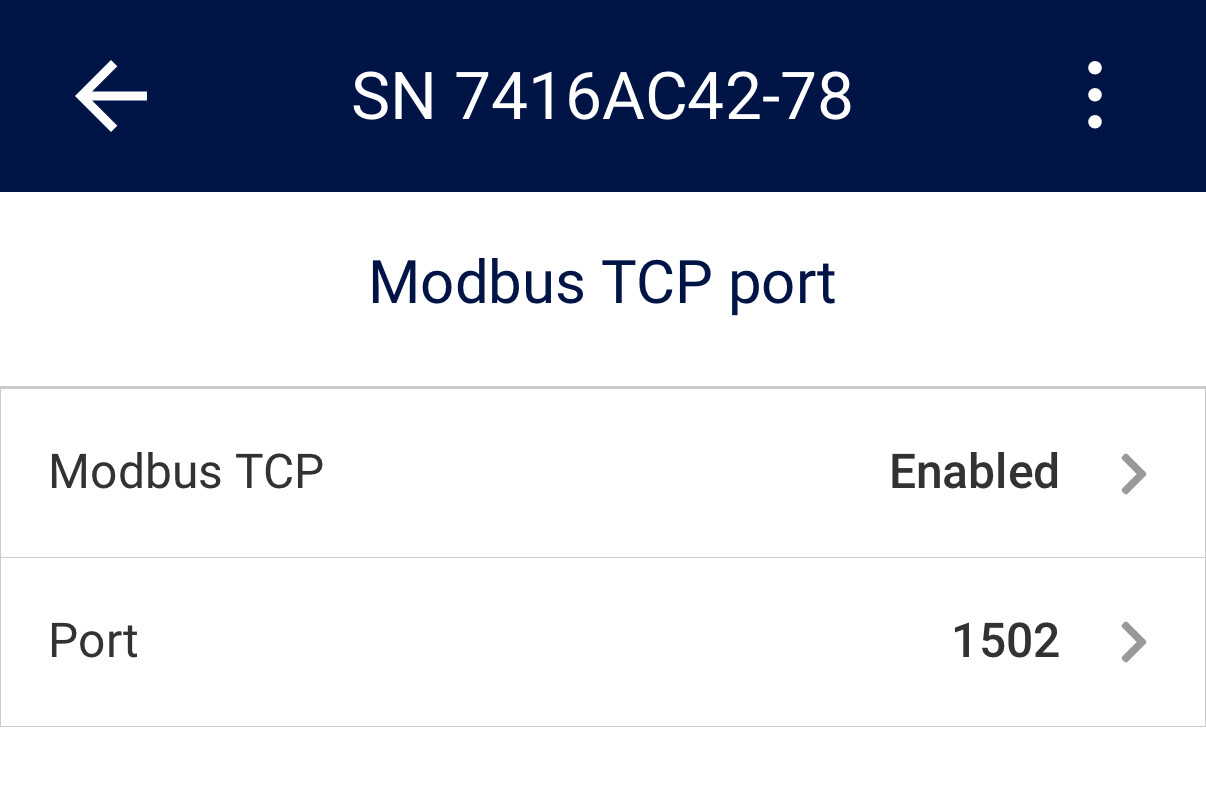


above is ok. does it not work for you?
- Go to Communication → LAN Conf → Modbus TCP (the default port is 502).
- To modify the TCP port, select Modbus TCP → TCP Port, set the port number and long-press Enter
shouldn’t the port be 502?
[edit] sorry just see your reply in full…
some or new ones are using 1502, no clue why. maybe under 1000 is restricted.

Just realised I have a typo in the IP address. Corrected it and will see if it works.
