I’ve added 1 sec delay and the values are the same again.
It is a workaroung that works for me, but if I hadn’t checked this could lead to an unexpected behaviour of a flow. Isn’t there a chance to ensure that all battery variables have the same value at any time?
I will need to add the delay, looks like trigger is plus get value is quicker than set value which come straight after the trigger command. don’t know if it is worse with latest Homey versions.
homey used to have auto flow trigger commands but it seems those are not always working or not generated.
Hi all,
I’m starting now to include my Solaredge SE7K into my Homey (HP23) universe, and started with the creation of some flows for that.
I observed now 2 issues which I ask for your support.
I saw that “self consumption” is available in Insights, but not in the app and also not selectable for flows. In some older screenshots above in this thread I can see that “self consumption” is visible in the app.
Is there something what I have to change to get “self consumption” visible in the app, and also usable in the the flows?
And I saw also that “current power” is available in the app and selectable in the flows, but not in Insights. This is not really relevant for me, but would be nice to see the graphs of it.
So, is there also something which I can do to make it selectable?
What I want to do is to start the washing machine if enough power is available (current solar power - self consumtion > x Watt). And I’m missing the self consumption for the formula.
I guess it is EnergieVerbrauch in Deutsch, for current load you need to have meters installed, if so you can use solaredge with storedge device instead , even with no battery.
or when you have a smart meter, you can use a p1 meter and see if you are exporting to the grid.
I switched now to English language, but funny is that Energieverbrauch is the only german word in the overview. However, my interpretation is that Energieverbrauch is the current self consumption.
As far as I know the smartmeters we have in NL (from Stedin) have a P1 readout port. Unsure if those meters are similar in DU, for sure they are not available in ES (Iberdrola). I have Eastron SDM230 meters installed in NL and ES , both with KMTronic ModBus TCP-LAN Converters, works perfectly.
so any inverter does not come with smart meters, it will just try to push the solar power , if you have some load it will go there and the remaining to the grid. You can also see it with a smart meter of your grid provider(p1)
if you want to see this load etc on this app and do some flows you have to use this Metering and Sensors and add this on the 3 phases
always do the cable option, some supports zigbee but you will get a lot of timeouts.
Durch die Integration in die SolarEdge Home Netzwerk-Plattform ermöglicht der Energiezähler die drahtlose Kommunikation mit SolarEdge Wechselrichtern und vermeidet so den Aufwand einer langen RS485-Verkabelung
Ok, I have a smart meter installed (SolarEdge Modbus SE-WND-3Y400-MB-K2), is that what you mean?
It’s also installed via cable, and is connected via RS485.
If I understood you correctly, then is the meter the prerequisite to show also current load and the power exporting to the grid in your app. Is there anything what needs to be changed?
I will not interfere the question to Edwin but I would (for sure change at least the DHCP setting on the inverter side unless the mac address is fixed by the router. Hence, the inverter, the homey and the modbus bridge should be fixed LAN adressed.
Hi @Phil_Bro , no worry, I’m happy for any support.
I double-checked it, and the IP of Homey WLAN, Homey LAN and the inverter LAN are fixed assigned in the router.
But what is the modbus bridge? Is that something which should be connected via Ethernet?
no need to disable because you don’t have it.
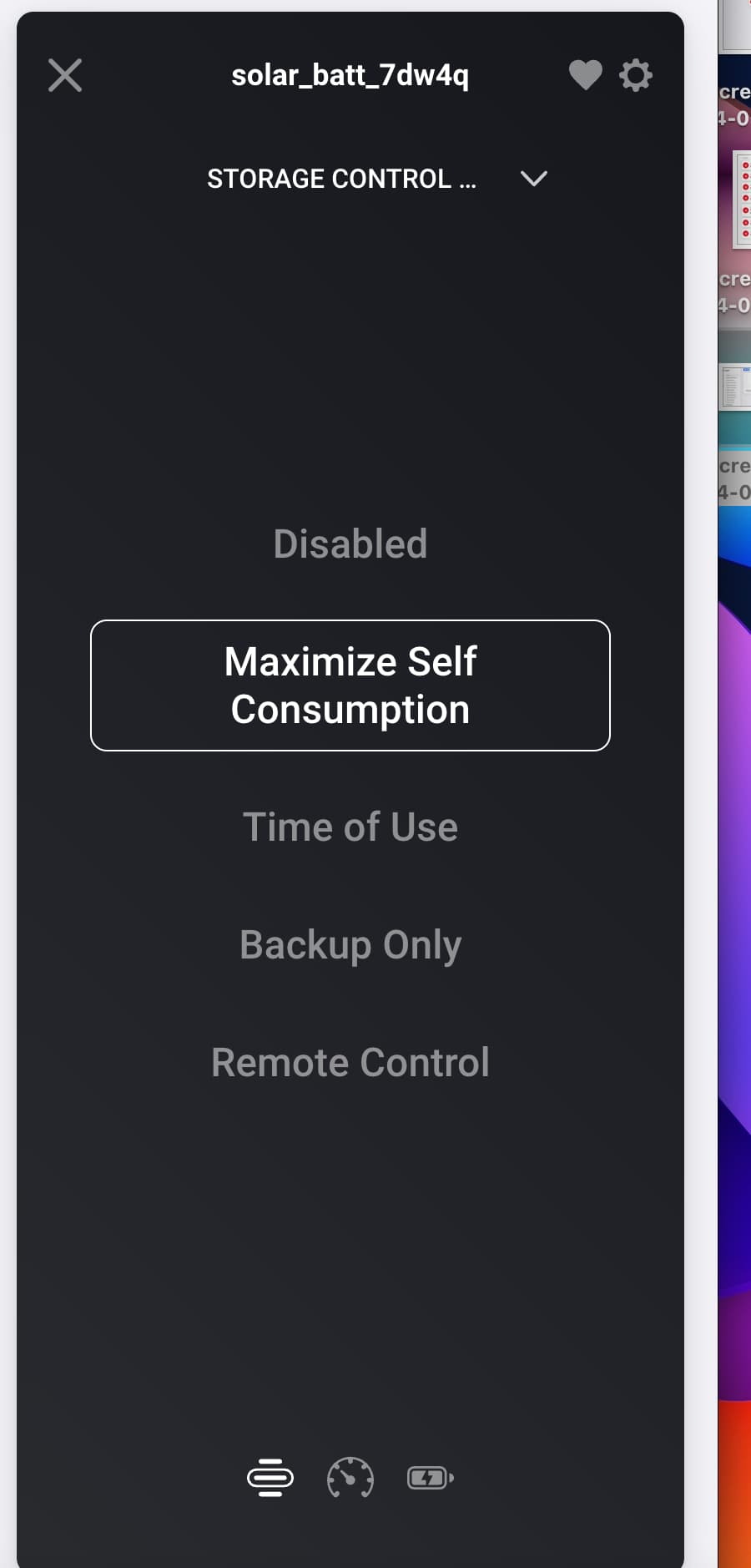
I did not add it to normal because it is optional plus it has some overhead, also did not want to make too many solaredge device types because that also confuses people. Plus battery requires meters but will detect if you have a batt or not.
@Edwin_Biemond
I tried to connect my Huawei inverter. This works, but of course the data is not displayed. How difficult would it be to program that?
The Huawei no longer works because the access was changed. Therefore I would like to use TCP
I guess, it will be not that complicated, already support 4 different brands. Do you have some docs about the modbus registers or some Home assistant modbus impl.
plus would be nice if you can setup a vpn and share your inverter for testing.


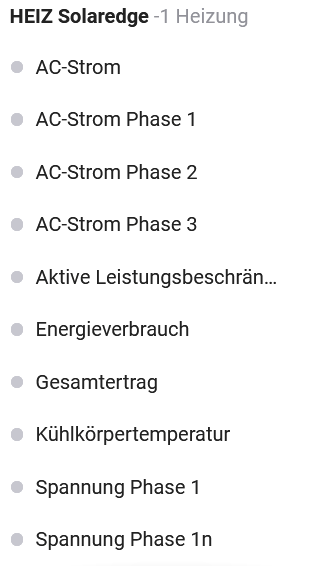

 However, my interpretation is that Energieverbrauch is the current self consumption.


 Thank you very much for your support.