That is to waken up the sensor?
In Homey Developer Tools you can see if saving the settings is done correctly.
Yes to wake up
How can you see that in devtools ?
You go to the tab devices, and look up the sensor. All kinds of info is shown including settings and capabilities.
Thanks ..
I did see that … but are those hard”saved” numbers or is it a copy of the app settings ?
It all looks saved correctly if its showing saved data
I must be the settings from the device. As a test you can close your app, the settings will be still there. And it would be really strange when the settings are saved to Homey, in stead of the device.
If you have a second homey, you can pair it there and read the settings.  . If the settings are still the same, they must present the settings from the device.
After a homey reboot this night .. IT WORKS
Need to test more how fast it responds with clouds etc etc … but it looks like its working 
So yesterday i woke up the SML004 by pressing button … saved the change … only worked after a reboot off homey ( but can also be restart of the app perhaps )
Not sure if a lucky hit 

I think i also found why people get confused
See screenshots below
On the 6 hour chart in a 5 min time period the LUX value changed 3 times
HOWEVER on the 1 hour chart it changes only in 5 minuter periods and had one value change !!!
6 hour charts 3 value changes in a 5 min period


1 hour charts keep showing 5 min intervals
ALSO the device page only shows updates every 5 mins


More clear one … made a flow that IF helderheid changes … THEN put on timeline
It reports ever 5 mins … so we can only use values evey 5 mins
HOWEVER the 6 hour charts has an extra valu that is not reported ???

NOT REPORTED VALUE

I would trust your script. As Insight is making nice graphs of the reported measurements and shows the points of the graph, not the measurements, I think.
Nope that is not true … the graph shows data measured


Confusing stuff 
I see its in your kitchen. Can it be you have been triggering the movement sensor in that hour.
The last part of your graph shows 5 minute intervals again ( no movement in your kitchen perhaps ?? )
But has 5 second data ?
Does your “helderheid” update every 5 seconds in the device dashboard ?
Yes, the first part has to do with movements in the kitchen.
The lux update interval in the device tile is not 5 seconds. When walking around in the kitchen in front of the sensor the lux update interval is random between 5 and 30 seconds.
Maybe you can reproduce some results?
Well thats the point … i have my sensor on my roof. No movement triggered.
So it keeps updating in the Dashboard at 5 mins. And only uses the 5 min intervals in tags also
Its just visibly in the 6 hour chart .. and probably when i download.
Like i said .. it is generating the correct data … homey or the app are just not using it
Will try to download my graph data also this weekend ( not much time )

Mine works … every 5 mins
Wonder if you have data if you download the data from the graph ?
Or if u trigger the movement sensor ?
During the interval of 41 minutes, there is data in the download every 5 seconds.
How much data is in your download?
I just downloaded the data from my Growatt inverter, which polls the cloud every 15 minutes.
In de download there is data every 5 seconds.
In the developers tool in the Zigbee menu you can see when the device is “last seen”. That also gives a view when the last measurement might have been received, lux, temp or movement.
I have now upgraded to the Homey Pro 2023 hoping that I would finally be able to also add both Philips Living Colors Iris (Gen2) lamps. I have re-installed the Philips Hue Zigbee (without bridge) app, but I still keep getting the same issue: I can add one lamp but when trying to add the second one I get the following error:

Even adding it as a Generic Zigbee device will result in the same error, and I am sure that this light has not been added yet! I have this Philips Living Colors Iris light:
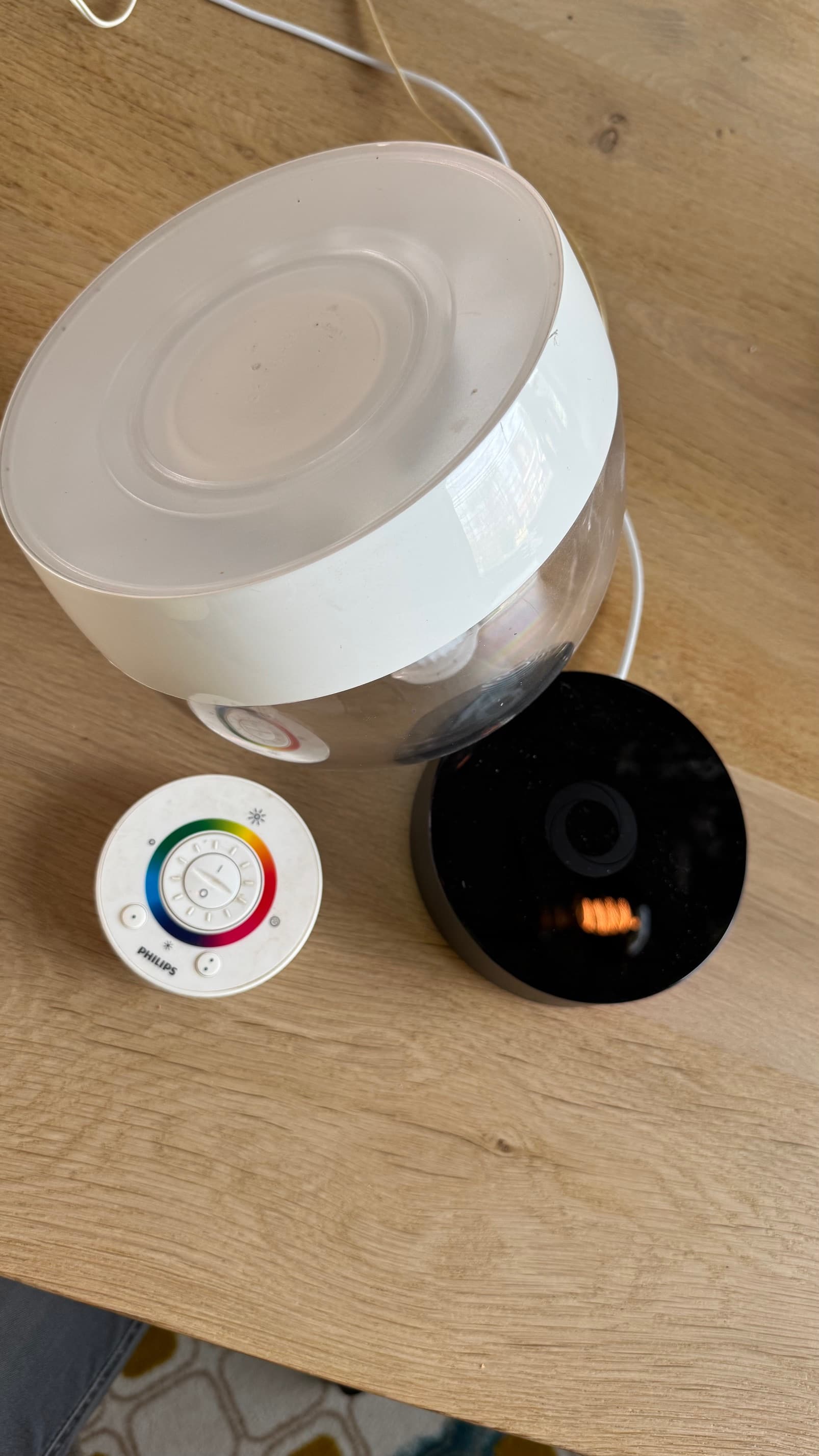
Anyone who has a similar issue and have found a solution?
@johan_bendz do you have any idea why the app is giving this error when trying to add the second Light?
The generic zigbee driver is very basic. It finds a light, adds it to Homey and that’s it. The unit should have separate pair buttons for each light, but no one will manufacture it like that.
It needs to be supported by an app (like Hue w/o bridge) to be able to use the unit as a multiple lights device.
Checked .. with me its every minute but empty data .. but not in the Graph itself … and the data in the graph is correct as i compare it with my wired sensor that is checking every seccond
Big puzzle
I am afraid this will not be solved eather .. i see no reponses from the app developer for months and last updat was 6 montha ago i think.
Not sure if this is still suported 
Also bnought the aara lux sensor but that has a weird limittation in the how wide it measures ..
( example .. sunny from the left is 5000 lux … it crosses a ceratin point and the sun is more in front and the lux jumps to 20000 head on ) . The HUE one works perfectly … just need more intervals for my sunscreen ( 5 mins is not working for me )
its 2025 … i just need a BATTERY LU X SENSOR that is able to check a minimum of once every 15 secconds or something like that 
