It give path unavailable only errors, so it seems your EW11 is unreachable. or config error.
Other than handle connection problems a bit more gracefully, I can not solve the connection issue itself since it true, I try to connect over your Homey network stack to the EW11, and it doesnt respond…. so your network is very unstable at Homey or EW11 side.
Quick question. Will this app also work with the LILYGO version? because that’s what I have and I just don’t know wat port number to enter to get it to work?
I don’t know these, so you have a product link? If it is a modbus to modbus tcp gateway it should, but then in your device admin (lily go) there should be a tco config that states the configured port
Thanks for the quick reply. I made the LilyGO ESPHOME bridge from the tweakers post:
I made this for the following app:
But this app is a bit complicated and it seems it doesn’t do exactly what I would like at the moment. While reading the Tweakers post I found a configuration file which would turn my LilyGO into an Elfin. I will give that a try. I will post an update if this works, maybe there are other people trying to do the same thing as I am.
As promised, I would come back to controlling 2 Venus batteries from 1 EW11. I have tried this in different ways but without success. Slave id doesn’t seem to matter, I don’t get any more data in the Homey of the batteries.
So second ew11 bought and that works.
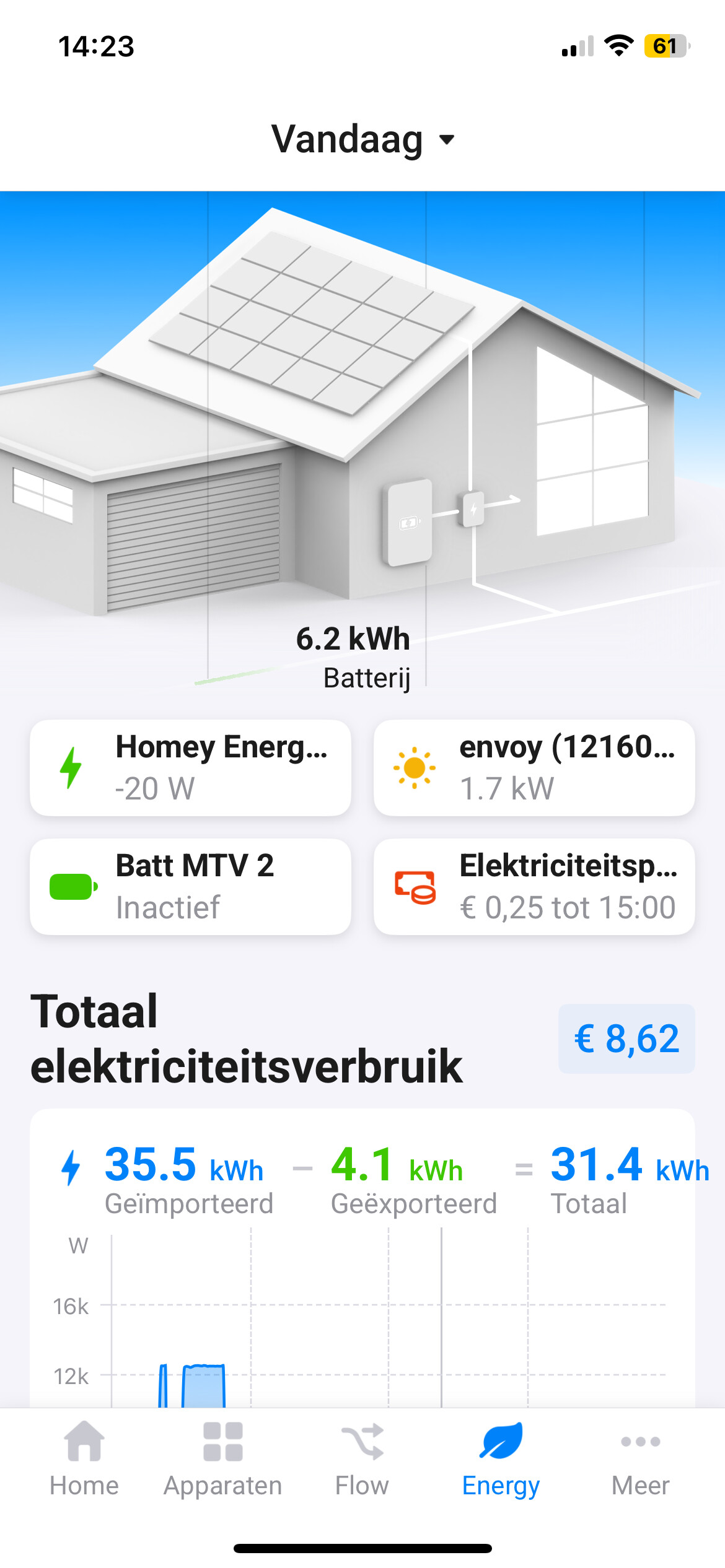
However, I do run into a bug. When I add both batteries to the energy tab, it freezes. The page loads up to half and after that all the buttons no longer work. Only restarting the app is then possible. The crash only happens when I open the energy tab. In all other tabs everything runs smoothly. If I exclude one of the batteries for the energy tab, the energy tab runs smoothly. It doesn’t matter which of the two I exclude.
No Homey can not see them as one, and slave I’d only is used to poll data from the ew11. Homey doesn’t care about that part. As soon as you have devices with the sensors linked in Homey. It’s Homey that takes control of the energy tab. Unfortunately I don’t see how the app can impact or resolve this. I think this is worth a Homey support request for you.
Energy tab with Both battery’s Marstek Venus. No data reading and data in battery button is not right. (according this photo Battery is empty and it is actually full) Page crashed. App crashes
I also have 2 batteries, 2 Marstek Venus E V2 5,12kW. I’m currently trying to get this app to work with a LilyGo instead of an EW11. It works for a few minutes and then it gives the following error: “Apparaat onbeschikbaar Retrieval of static info failed: modbus not connected” Restarting the app fixes this problem. Both batteries immeadiatly start working again. I haven’t looked in to the homey energy tab tho. Will be extra on the lookout for problems.
I just remembered reading somewhere on here there where also problems with 2 homewizard batteries. Maybe the problem lies in the energytab not handeling 2 batteries? If I have some time maybe I will have a look for the forum post. First want to spend some more time on the Lilygo issue.
Just a short question, what is your app memory usage. What I notice is that my app crashes around 62MB.
*Edit: translated to english
Original message:
“Even een kort vraagje, wat is bij jou het geheugengebruik van de app. Wat mij namelijk opvalt is dat hij bij mij de hele tijd vast loopt zo rond de 62MB.”
If you go to your batteries settings page, you can fast forward to the app settings itself. The button is called “view app”. It is located in the same screen as where you can go to advanced settings. Just click on the cog in the right hand top corner, that is where memory usage is located.
I just updated the app to the latest testversion and things look more stable.
*Edit: translated to english
Original message:
“Als je naar de instellingen van je batterij gaat kun je ook naar de app zelf gaan, de knop heet “App weergeven”, staat in hetzelfde scherm als waar je ook naar geavanceerde instellingen kunt gaan. dan klik je rechts bovenin op het tandwieltje en daar staat het geheugengebruik.
Maar ik heb net geupdate naar de laatste testversie van de app en dit ziet er stabieler uit!”
Thanks. You are right. I now See more problems with 2 batteries in the Energy tab. So it is indeed a homey bug and not a bug in the Marstek energy storage app.
It looks homey pro firmware 12.8.0 fixes this Problem with 2 batteries in the energy tab. It was a general problem (same problem with different battery manufacturers) Just installed thiS new firmware (today released) and looks beter. Hope stays this way