Storage has space 900MB available. Memory has 280MB available.
Homey
Model Homey Pro (Early 2023)
Version 12.8.2
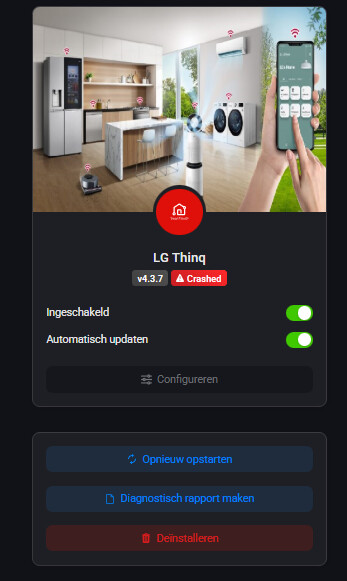
LG Thinq
v4.3.3
can you check this?
Installed. This is working. Device came back.
Very weird, not in the app itself but looks like something in the installation of the modules
Interesting that it happened about 2 hours ago. No updates or Homey restarts are in the timeline at that time.
An app sometime uses supporting modules. When I just did a local install it showed an error that was not there before. Forced am update of these and problem gone. Thanks for reporting!
Maybe stupid question, is there a selected Homey in the dropdown? I have no other reports on this
Are you logged in with another account in the browser?
Yes I did accidently. Now it works. Thank you!
it should be fixed in 4.3.8
Not sure, but i think it limited to maybe just you, maybe restart you Homey, looks like the error is in a Athom module, cannot see the origin (that might be me  )
)
Hi Martin, thanks!
I tried the ThinQ app update and restarted Homey. Still no luck :(. When I restart Homey it instantly goes into a crash loop when app is loaded. Even tried with other apps disabled. No luck.
Best regards,
Atilla Bayrambas
What devices do you have paired?
I have 1 boiler and 5 airco’s ThinQ2 connected.
Boiler: WH27S.F5
Airco: S3-M24K2RMA
Other airco’s: S3-M09JL1MA
Can you check if with 4.3.10 you still have the issue?
Hi Martin,
I saw the 4.3.11 version and still no luck. But I noticed when I hover over the “Crashed” icon I can see some errors.
RangeError: Maximum call stack size exceeded
at /app/assets/app/node_modules/@athombv/homey-serializer/src/index.js:176:29
at walk (/app/assets/app/node_modules/@athombv/homey-serializer/src/traverse.js:24:18)
at walk (/app/assets/app/node_modules/@athombv/homey-serializer/src/traverse.js:41:23)
at walk (/app/assets/app/node_modules/@athombv/homey-serializer/src/traverse.js:41:23)
at walk (/app/assets/app/node_modules/@athombv/homey-serializer/src/traverse.js:41:23)
at walk (/app/assets/app/node_modules/@athombv/homey-serializer/src/traverse.js:41:23)
at walk (/app/assets/app/node_modules/@athombv/homey-serializer/src/traverse.js:41:23)
at walk (/app/assets/app/node_modules/@athombv/homey-serializer/src/traverse.js:41:23)
at walk (/app/assets/app/node_modules/@athombv/homey-serializer/src/traverse.js:41:23)
at walk (/app/assets/app/node_modules/@athombv/homey-serializer/src/traverse.js:41:23)
Is this useful information?
And I didn’t see your last message 8 days ago. It is NL based indeed.
Best regards,
Atilla