[APP][Pro] Home Overview - One widget. One overview. Everything that matters at home at a glance

Home Overview

I’ve been working on Home Overview, a new app for Homey built around one simple idea:

One widget. One overview.

Home Overview brings the most important information about your home together in one compact widget.

At a glance, you can see things like:

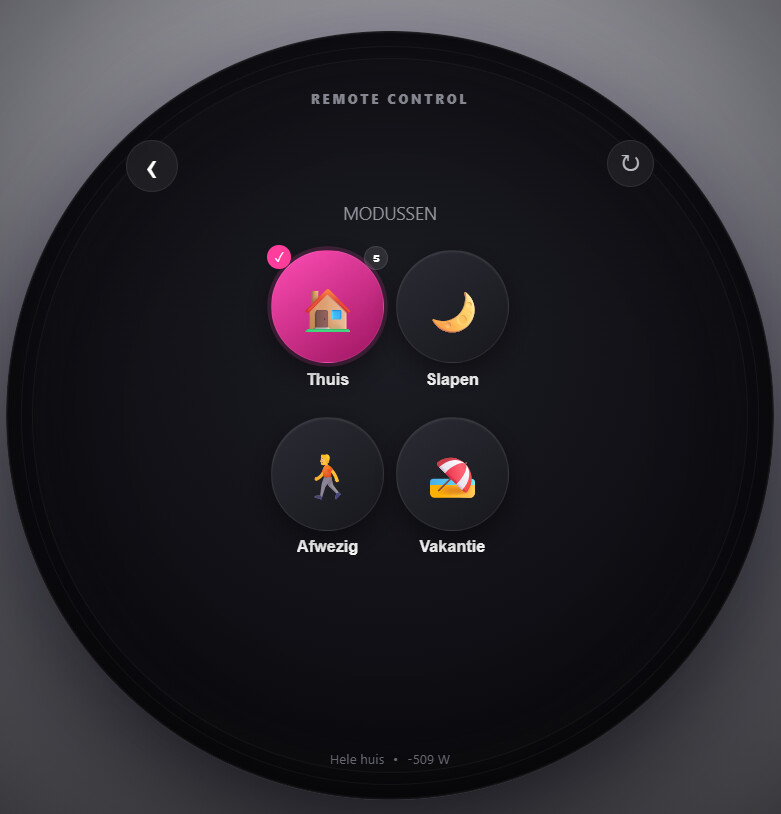
  • Which mode is currently active

  • Temperature and humidity

  • Upcoming schedules and appointments

  • Monitoring of active devices and energy consumption

  • Open doors and windows

  • Security status

  • Only relevant alerts when something actually needs your attention

Tap an item to view more details and, for example, control your lights directly from the widget.

One widget, fully customizable

The widget itself is intentionally kept clean and simple. Through the Home Overview app settings, you can choose which sections, devices, and information you want to include in the widget.

Mode Switch + Home Overview

Already using my Mode Switch app? The two apps can work together.

Home Overview can display the current mode, submode, and schedule from Mode Switch. Scheduled items that only apply to a specific mode are only shown when that mode is actually active.

However, Mode Switch is absolutely not required.

Home Overview can also be used completely standalone. In that case, the app determines the current home status based on which Homey users are present.

This is still very much a test version, so bug reports, unexpected behavior, and ideas are more than welcome.

Available languages

Home Overview is currently available in:

  • :united_kingdom: English
  • :netherlands: Dutch
  • :germany: German
  • :france: French
  • :spain: Spanish

Home Overview
One widget. One overview.

Hi @SingKT ,

Thank you so much for testing the widget, and especially for your feedback!

This will be fixed in the next version. In that version you will see a tab for the lights with “Now on” and “By zone”, so you can see at a glance which lights are currently on.

I’ve also fixed the settings page so it’s immediately clear what the number represents. In the current version, this only becomes visible after you remove the number.

I’m going to investigate the memory usage a bit further as well.

The widget height will also be adjustable.

Version 1.9.31 in test.

Home Overview v1.9.31

  • Added adjustable widget height: Compact, Normal, Large or Custom.
  • New lighting view with On now and By zone.

Looks better. With the size haven‘t tried much.
Saw 2 glitches:


Oh, can you sort the device lists aphabetical? Then it’s easier to select for me. Others might wish for a sort according zone too. Up to you.
The popup on Modus doesn‘t give much additional info. You could skip it.

Sorry, just noticed my lausy handwriting: the scribble below weer should be: Wetter.

I’ll look into this and see if I can find some time soon to come up with a solution

I’ve put a test version online that includes fixes for the issues mentioned above. Could you please check whether everything is now displayed more clearly on your iPad? The only thing left is finding a solution for the memory issue.

Could you also verify that all translations are correct?

Thanks in advance!

Hello Erikje,

I also now testing your home overwiev app.

It looks realy good.

But the first thing I recognised was the activity display. It shows all the html things and not only the plain text. Can we change that?

I know, that the IcalCalendar gives this as as the description of the activity because I also talked to his developer, but this is not realy nice.

Looks better. On first check the translations look correct.
In the app one can configure several devices to be observed. In the widget the max is 2. Any special reason? Then how is the decision which ones to show done?
The design looks good. I prefer an even more compact one. Must test more as I can’t see a difference in compact versus non compact display modus.
Memory used with 130 devices 98.3 MB.

Wow, that was fast again and looks perfect now, but the date is not corect. I made an apointment for 21.08.26 and it shows 17 July.

I now see, the date is a fixed picture and not the actual apointment date.

Maybe you can give Rune Moskvil Lyngås, the developer of IcalCalendar, a hint how you did that.

I was actually still testing and didn’t expect it to be rolled out so quickly. But it actually worked straight away. I used a workaround to check the data coming from iCalendar and adjust it when it’s formatted as HTML, so it just leaves plain text.

Hi Erikje,

I’m still testing.

The widget shows only 1 apointment but there are 6 in the calendar app.

Another thing is, that the apointment disapears at the beginning of the apointment. An apointment for a whole day disapears at 00:00 in the night. I think, It should disapear at the end of the apointment.

New test version available.

In this version, I’ve taken a look at introducing a more compact widget. I’ve also improved the calendar functionality so that all-day events no longer disappear at 00:00, but remain visible throughout the entire day, while ensuring that timed appointments are still displayed correctly. Added extra logging and diagnostics to help identify why the app is using a high amount of memory.

I can’t see which events are actually being retrieved from iCalendar, so that makes troubleshooting a bit difficult. However, I’ve added an option under the Scheduling section of the settings page that shows both the data returned by iCalendar and the data processed by Home Overview.

Hopefully, that information will help identify what’s going wrong and where the issue originates.

Hello Erikje,

It looks like you read now only the next 2 dates from the calendar and also process these 2 dates.

I checked this on my side as well, and it appears that data is only being retrieved for today and tomorrow. Home Overview is dependent on the information supplied by the iCalendar feed.