Thks removed the screenhsot
blijf problemen hebben om de L40 toe te voegen
heb al een factory reset gedaan van de L40
heb alle FAQ items gevolgd
heb in de app settings de locale IP adressen gegeven
als ik de web app gebruik met 2de account zie ik de L40 en kan ik connecteren en beeld zien
in de Eufy app settings zie ik het juiste station_ID (serienummer L40)
er staat ook een actor_id bij, bij de werkende floodligth cam 2 Pro staat dit niet.
wat kan ik nog doen?
Please try to keep the conversation in English 
You can send me a diagnostic report. I’ll have a look what’s going wrong.
You can do that via:
More - Apps - Eufy Security - Settings wheel right top - send diagnostic report
96061078-537a-442f-8f0e-69d4c2a1816d
@vyncke002 Thanks
So looks like the L40 is not shared with your extra account. That’s what homey can’t find it. Make sure to share the L40.
You see the L40 in the hubs list. because that’s a different API call.
Would it help trying to set up a new sharing account and only share the l40
New app update (live: 2.20.0):
Changelog:
- ADD: model T8123 to L40 cam
@vyncke002 added T8123. I only had the T8122 for the L40 camera. Seems like you have a different model than I had in the app.
You can install the update if you click on above link and hit the install button. Then you don’t have to wait for the auto-update.
You are a rockstar! 
I have issues since the latest Update to set the Security Mode of the Solocams (E20/E40) and I even can’t switch them on/off anymore. Move alerts , Temperature etc. is transferred but I can’t change the Security Mode. For the indoor Cams it’’s still working properly.
Hey @marko0703
Hmm strange probably due to the IP check on startup.
Can you check the app settings and see if the IP adresses are set to a internal IP
You can find that here:
More - apps - Eufy Security - config app
Done already. IP’s are correctly maintained.
@marko0703
2 things you can do:
- try a app restart
- if it doesn’t work send me a diagnostic report
You can do that via:
More - apps - Eufy Security - settings wheel right top - send diagnostic report
I have tried not working. Created the report.
bc4cafbc-6030-4af9-bdc6-5a0fa92cbe8f
@marko0703 see a lot of time outs on the IP adresses can you check if they’re still the same?
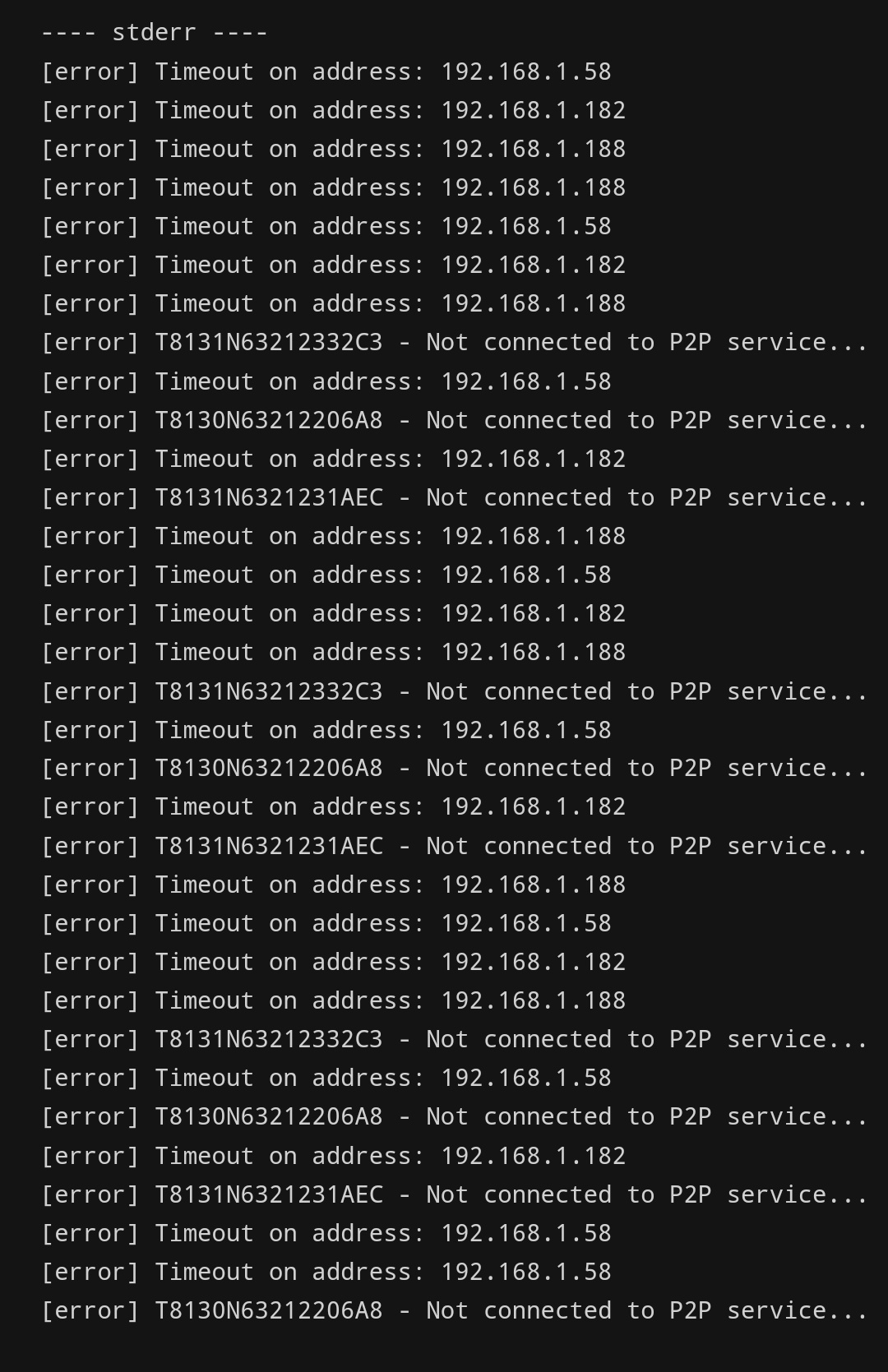
Should I assign fixed IP addresses to all of my cams. Would this help?
I deleted the 3 cams. Added again and now it shows strange IP adresses for the 3 Solo Cams starting with 79. etc?
Yes that’s the best option
Probably your public IP. That’s coming from Eufy. Make sure to put the fixed IP’s in the app
Can it be as well that the Security Mode can’t be changed with the 2nd User I have created? But why it’s working with the Indoor Cams?
No it’s a issue with the IP adress. As showed in my image there are time outs. So somehow Homey cannot reach Them
Maybe a good extra check. Are the camera’s in the same network as Homey?
Yes, both in the same. As mentioned all Indoor Cams are still working properly. IP adress is matching for all 3 Solo Cams with the EufySecurity App and the IP showing in my Unifi Controller.
