Nice! Can’t wait to test it! 
You Know the issues i still have as i refer to the email: Timeout turn on/off camera or disarm (#14)
u r doing a great job… so i hope you can fix it… because i am getting frustrated by eufy itself when i am in the garden and that thing is recording the whole day because i am moving 
But with this app i can (should) disarm it.
Yes thats true! Will sent you a DM
Hello!
As promised I would update here when I finished the Multiple Hubs.
So here it is 
Made support to include multiple devices: Homebase devices but also stand-alone like the Eufy Pan&Tilt.
The new version is in test. So keep that in mind while installing.
Please let me know if it works as expected.
And the RTSP? 
Work in progress…
RTSP is not going to work because Homey doesn’t allow it.
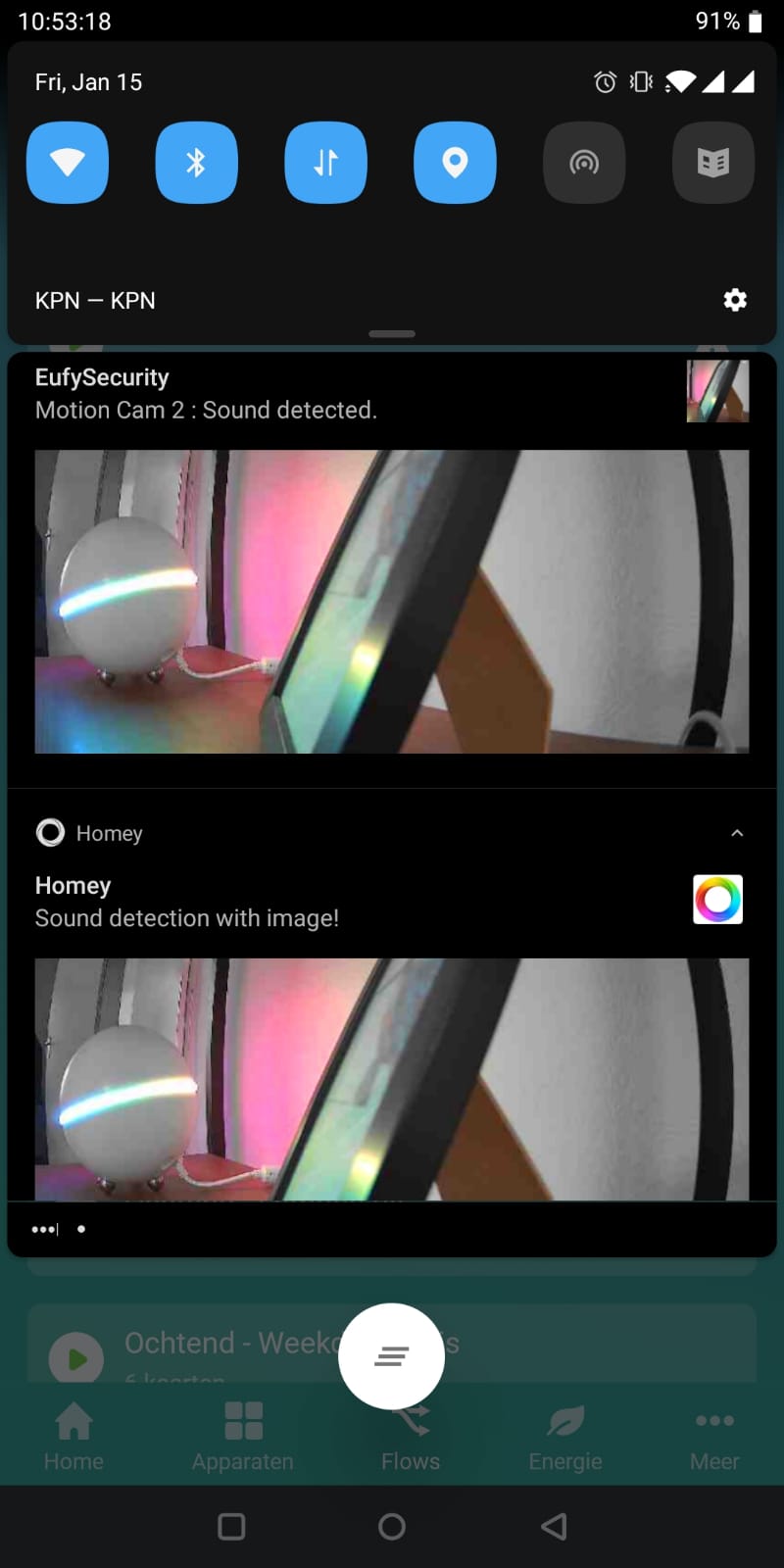
Getting the latest notification image seems to be the way to go for now.
Also investigating if i can find other solution to get a snapshot of the stream.
The image part i’ll make available soon, but streaming/realtime images is quite hard.
Eufy is quite a closed Eco-System.
Just found your app, awesome! Been waiting years for this one. Eufys own logic is to bad. Now I can use more variables in my automation to have an even greater security environment. Many thx!


@martijnpoppen You definitely know how to build the excitement…
Now stop teasing us and bring us the good stuff! 
 haha
haha

Bought the doorbell last week.
Does anyone have the 15 degree wedge left?
If you want to get rid of it, what do you ask for it to be sent to Oss?
Maybe if you know someone with a 3D printer? They are a lot those design prints on thingiverse
Images are added in the test version of the app. (v1.6.1)
The default camera image is set. On every incoming notification this image gets updated.
The refresh button on the device won’t work. it only shows the last available image.
The image from the device is available in the flows.
Please let me know what you think and if you see improvements
Example flow:

Really curious to see how this works 
Oh man. So hyped about this!
Even though v1.6.0 is installed, no images are visible in both the device, nor the image tag.
Could you check whether the image feature was added to all the devices? (In my case 2k battery doorbell)
@MrBlue Uh yes you’re correct.
I published the app and then I applied the new code to the app 
So i published the 1.5.1 again
Try again now -> v1.6.1 (new version)

@MrBlue hmm thats weird, tested just now. Can you try a push notification with the image?
Hmm. That seems to work.
Let me restart my Homey to see whether it solves the issue
