@naehle strange, maybe factory reset that specific camera
As a new EufyCam S4 owner, I’d really appreciate having these cameras fully integrated into the Eufy app and ecosystem. It would make the experience even better.
@Tomas_Konyarik at the moment not possible due to changes on the eufy side.
When it’s possible support will be added
Status is same as the message you replied to.
I have a problem with my floodlight and flows.
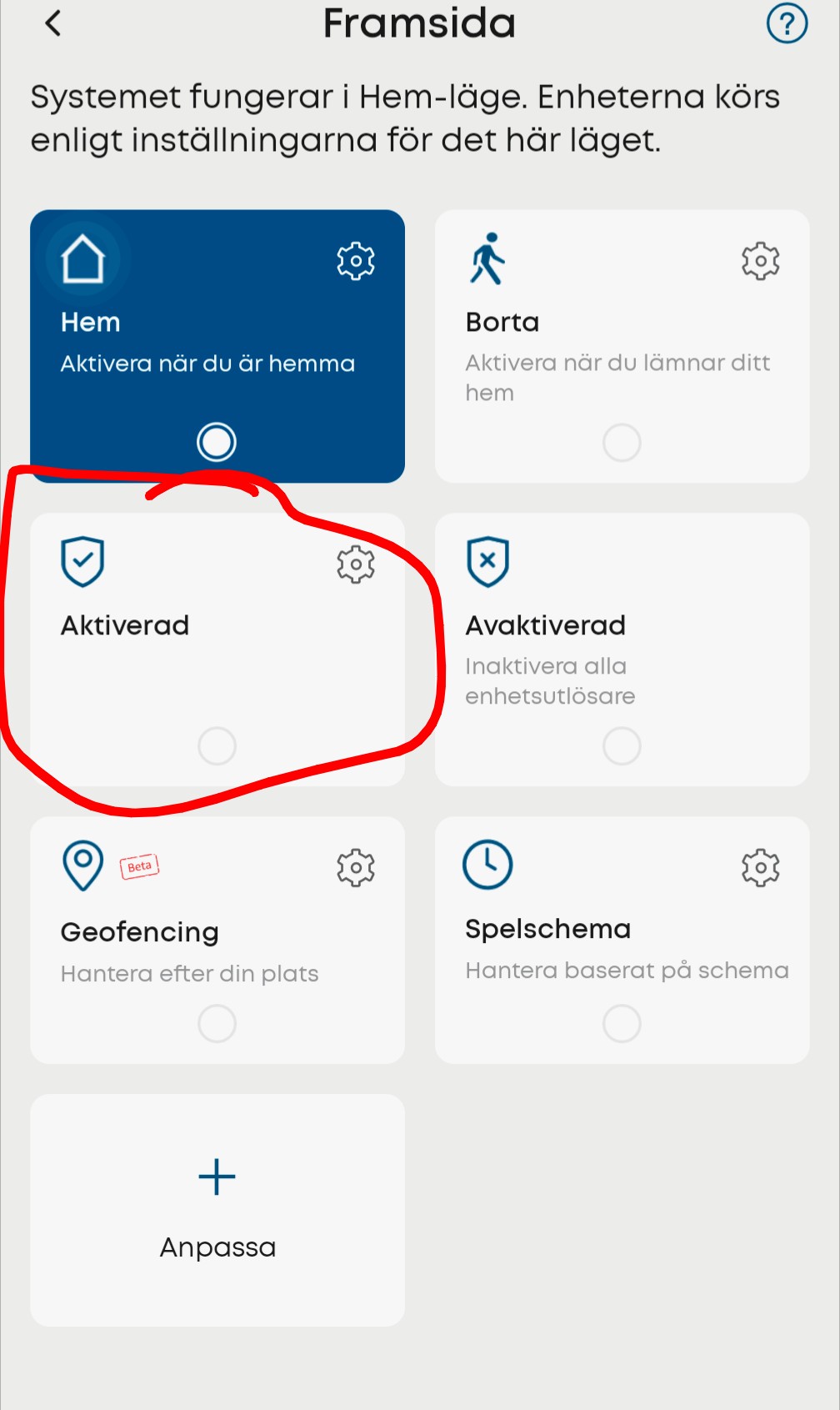
I tried a very simple flow: When this flow starts, change security mode to custom1 (custom1 = “aktiverad”).
Homey says it works but the mode never change.
Tried to reboot my floodlight and my Firmware are up to date.
Thank you for making homey worth using! 



Hey @BananOve
Can you try setting it to disarmed or away and see if that works.
I think that’s Borta and Avaktiverad 
Sorry I didn’t mention that, I have also tried to use “Borta” and a few other modes.
I have a real flow that sets my home base to the right mode and have also had the floodlight there but for the floodlight it stopped working the past week. It works for the homebase still but not for the floodlight (the floodlight don’t use the homebase and needs it’s on card in the flow).
@BananOve can you send a diagnostic report after reproducing the issue?
I got this code. Hope I did it right
EC00A06B
Same issue here since today with E340/MiniBase and S100.
Diagnostic: 86c34016-9170-49fe-a1ab-fb6e0c8d6fc4
@BananOve that’s the code for athom employees
Please see [APP][Pro] Eufy Security - #2 by martijnpoppen
@MRK don’t think it’s the same as the issue you refer to is without a Homebase.
But please try a restart of the app I see lot of errors on local connection a restart might help
Hi,
Thanks for your quick reaction. Did a restart yesterday but it didn’t work, did it again now and it worked again.
Thanks!
Haha, I’m so stupid, I should have tried restarting the app. Now everything works! Thanks man!
@BananOve nice, glad that also worked 
Hello, is there any update when we can expect the support for NVR S4?
Diagnostics code 82ea3a23-50c5-410d-9b7c-7a072e55bfe8
Hi! I‘m trying to change the mode of my camera from away to home and vice versa but it doesnt seem to work. Did the whole main + admin/api account and it also worked once, so I‘m just curious what happened
There‘s no way for me to read the diagnostics report right?
@Grzegorz_Wojnar at the moment not
The eufy app can’t be reversed engineered at the moment so have to check what is possible
Once it’s possible I’ll immediately add it but for now unclear
@default_1 no not possible for you to see
The device does timeout
Make sure homey and the camera/homebase are on the same network
And a restart of Homey and the camera/homebase might work as well. See the 6 previous messages about exactly the same topic
Thank you, reconnecting for the 3rd time did work
Sorry I didn’t get that these were the same issues.
Hi! Im having problem innstalling this app - First I found that it didnt pop up under “brands” when trying to add new Device and there was no way to add devices or login. Then I Noticed that the app was not possible to restart, I only get error “App is not installed” when pushing restart. And in the Developer tools the app just constant push errors “App not running”. I have tried restarting Homey pro and reinstalling the app many times but still wont work getting it installed properly. Any tip?
