@martijnpoppen Sorry, same battery drain issue in 3.38.4…

Drain started as soon as I installed the new version. Is it possible the new streaming stuff increases the number of requests to the camera - or something like that?
Andy
@martijnpoppen Sorry, same battery drain issue in 3.38.4…
Drain started as soon as I installed the new version. Is it possible the new streaming stuff increases the number of requests to the camera - or something like that?
Andy
Thanks for the answer @martijnpoppen 
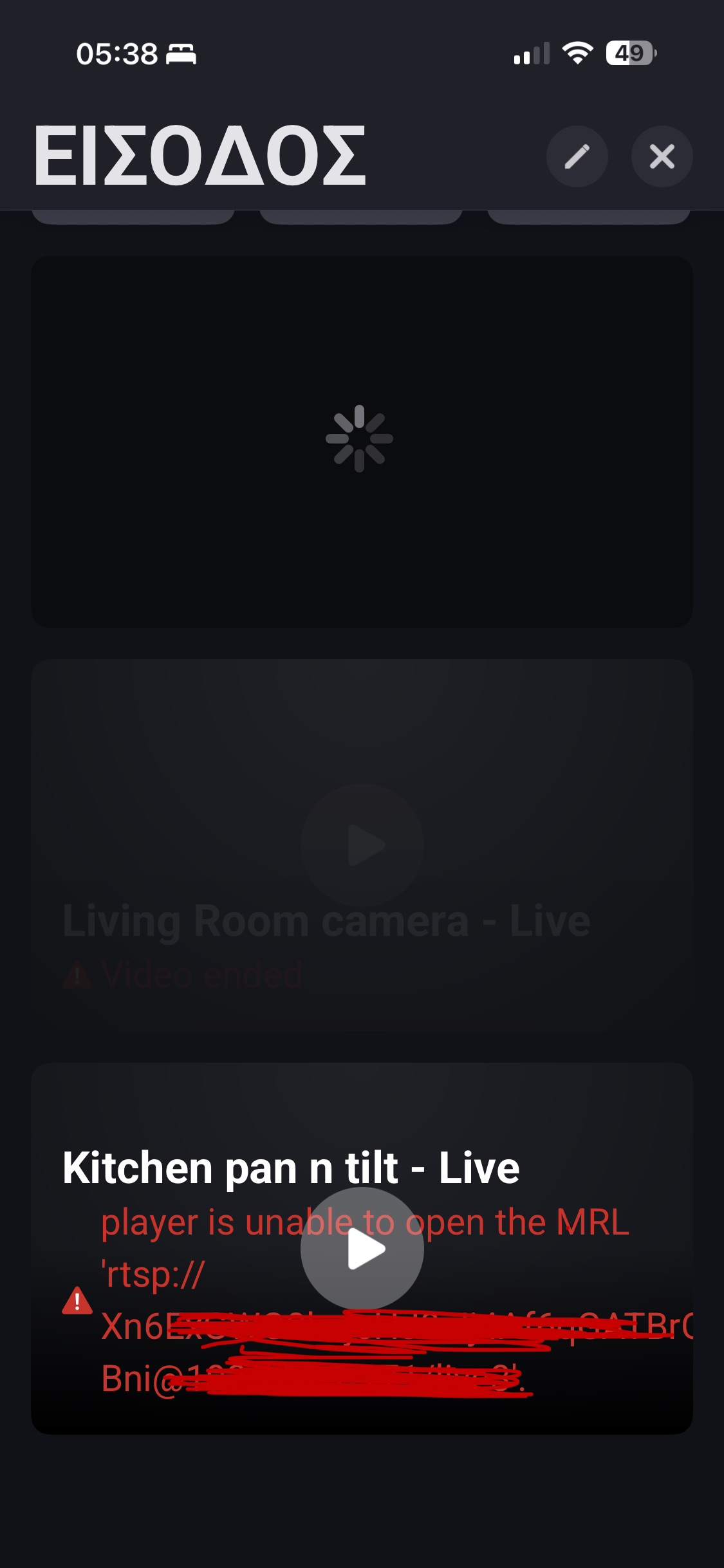
I enable RTSP(NAS) to one of my cameras to test it, but when I’m trying to setup the live stream widget at dashboard shows this :
The 1st camera S3 pro shows red error.
The 2nd camera S350 was ok 
The doorbell E340 don’t have RTSP. It was the most urgent device for live stream. So don’t supported at this time right?
Question: when I enable continuous recording at rtsp will save all this data to my NAS???
It’s not very good this  it’s a lot of data
Some minutes after , the “working” cameras shows red issue
After 5-10 minutes nothing works
@Andy_Henderson shouldn’t be the case. So strange
Will investigate
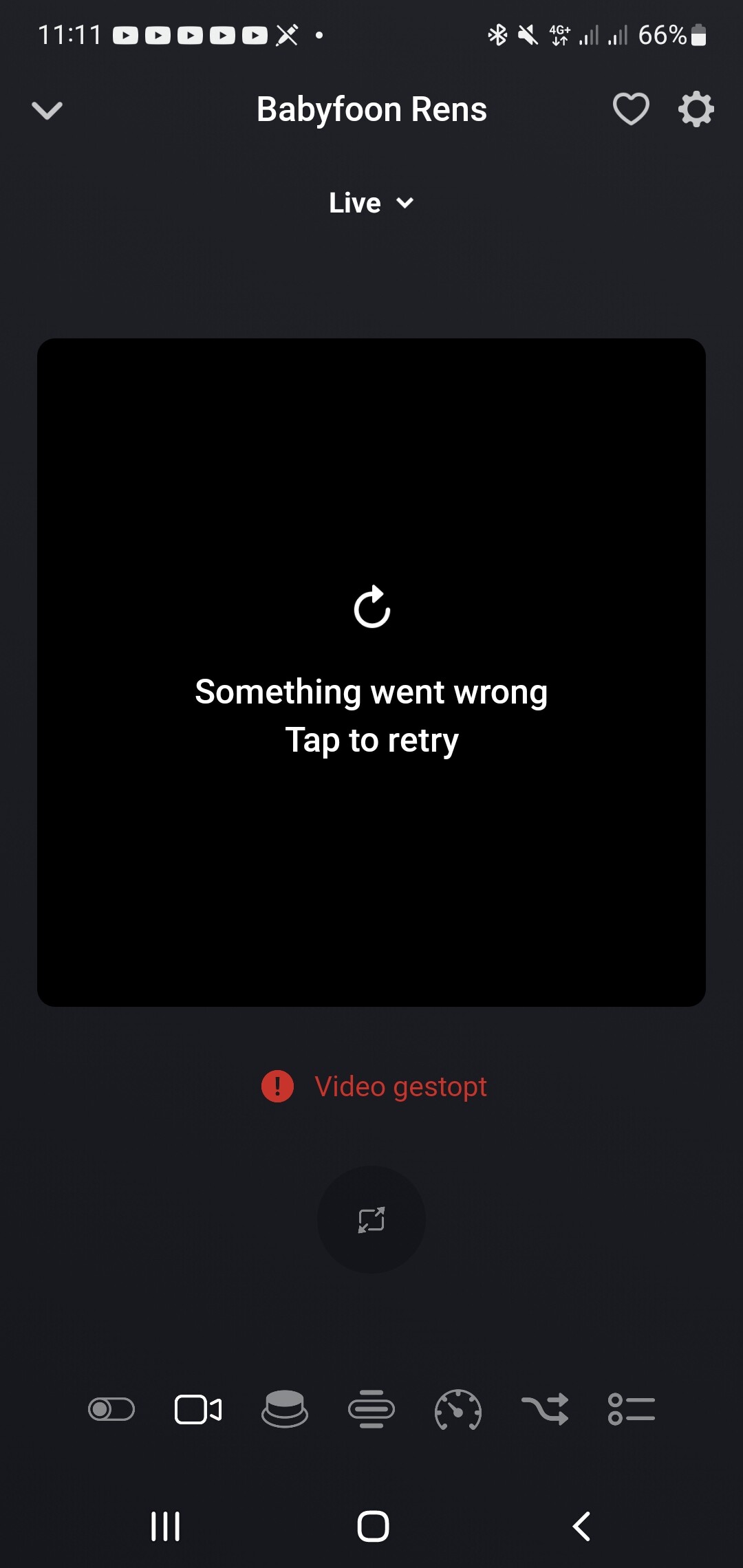
Installed the new test version. The live stream dies as a ability efter 15-30 min without active stream in between and cant be recovered unless app restart on my cameras. It refuse to deal with event and snapshot. It loads one from my doorbell but it is a very old image after triggering. The motion sensors work great but dies also at the same time as the live feed gets unavailable. All it say is something wrong have happened and if you puch retry nothing happens it cant recover.
Best regards Ted
@iGiorgis
It will only save to your NAS if you configure that on your NAS
Not really correct wording from Eufy in my opinion
So no worries about your NAS there’s no connection at all
Regarding the stream duration:
Multiple users have already reported this issue to me. It appears that Eufy automatically stops the stream after a certain period. This means it’s not a Homey issue, but rather a Eufy limitation.
You can test this by running the stream in VLC, for example. Simply copy the RTSP link from your camera’s RTSP settings in the Eufy app. If you notice the same behavior (the stream stopping after 5–15 minutes), then it confirms that the problem lies with Eufy. In that case, the best course of action is to report the issue to Eufy, explaining that their RTSP stream is being terminated unexpectedly.
@Teddy
Snapshots: FAQ Q14 [APP][Pro] Eufy Security - #4 by martijnpoppen - Apps - Homey Community Forum (docs not updated yet. FFMPEG runs locally now) Edit: FAQ updated!
Events: FAQ Q3 [APP][Pro] Eufy Security - #4 by martijnpoppen - Apps - Homey Community Forum
Motions sensors: I see no relation between a motion sensor and a live stream please elaborate
Livestream duration:
Multiple users have already reported this issue to me. It appears that Eufy automatically stops the stream after a certain period. This means it’s not a Homey issue, but rather a Eufy limitation.
You can test this by running the stream in VLC, for example. Simply copy the RTSP link from your camera’s RTSP settings in the Eufy app. If you notice the same behavior (the stream stopping after 5–15 minutes), then it confirms that the problem lies with Eufy. In that case, the best course of action is to report the issue to Eufy, explaining that their RTSP stream is being terminated unexpectedly.
@Frank_Stromquist no not possible. I got a sample from Eufy but I can’t reverse engineer it. So I don’t see any way to connect this to a smart home platform
ohh That sucks. seams like alexa and google home support it. but i really don’t want to use that as a gateway to make it work. so do you think it will be possible in the future? i was planning to buy 3 more units
@Frank_Stromquist i don’t think there will ever be an integration. It can’t be reversed engineered
@Glenn_Dijkstra sorry can you elaborate?
Also fyi:
I’ve been testing your Eufy Security 3.38.4 (test) app with a Eufy E340 Dual Doorbell (Wi-Fi, battery only, no HomeBase) and a self-hosted snapshot server on a Raspberry Pi 3 B+ running
martijnpoppen/com-eufylife-security-snapshot:latest (reachable at http://192.168.x.xx:3000/, responds “OK”).
Homey Pro 2023 and the Pi are on the same subnet.
When triggering the “Take snapshot” flow card, Homey doesn’t contact the local service (no /snapshot calls seen in Docker logs).
The “Take snapshot (use self-hosted service)” card is not available for the Doorbell.
It seems Homey falls back to the Eufy cloud API, returning an older cached image from the previous event.
Is the self-hosted snapshot option not yet available for the E340 Doorbell, or am I missing a configuration step?
Hi, nvm my message. The stream works!
I ve gotten only the ‘placeholder images’ since the experimental update though. On all my cams including the doorbell.
@Glenn_Dijkstra yes that’s correct as the snapshots have been changed to a new integration 
@Marc_Hammer read the updated FAQ Q13 and Q14 [APP][Pro] Eufy Security - #4 by martijnpoppen - Apps - Homey Community Forum
But next to that a E340 standalone doesn’t work with snapshots. Only when it is connected to a homebase
Thanks a lot for the quick reply and for pointing me to FAQ Q13 and Q14 — I’ve read both carefully. My “self-hosted” solution was based on an older FAQ made by you, but I can see that the Q13 and Q14 has been updated since then.
Just to clarify:
My snapshot function technically works in Homey (I receive the image via flow/push), but it’s always an old cached picture from a previous event, not a freshly captured one.
From your comment I understand that this is expected behavior when the E340 Doorbell is running standalone on Wi-Fi, and that true live/updated snapshots only work when the E340 is connected to a HomeBase.
Before I buy a HomeBase, could you please confirm that pairing the E340 with a HomeBase 2 or 3 would indeed allow Homey to request and receive current/updated snapshots instead of cached ones?
Hi @Rens_Hoekema
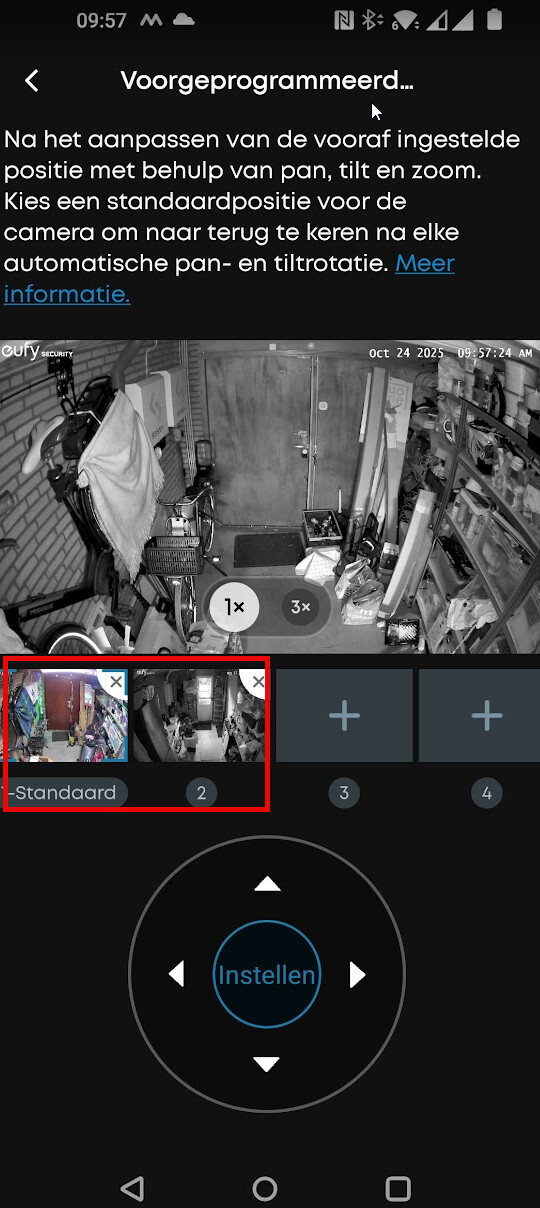
I tried it a while back but couldn’t make it work. I can’t fetch those presets from the camera. So as far as i see not possible
Hey @Marc_Hammer
Yes correct, I updated the FAQ yesterday because of the new app version.
The E340 works with HB2 and HB3. If you are planning on having more Eufy devices i can recommend the HB3, because it can connect to a lot of Eufy devices which the HB2 couldn’t do
Next to that HB3 has built in recongnitions also for cameras which don’t support that by themselves.