Hi @M_J
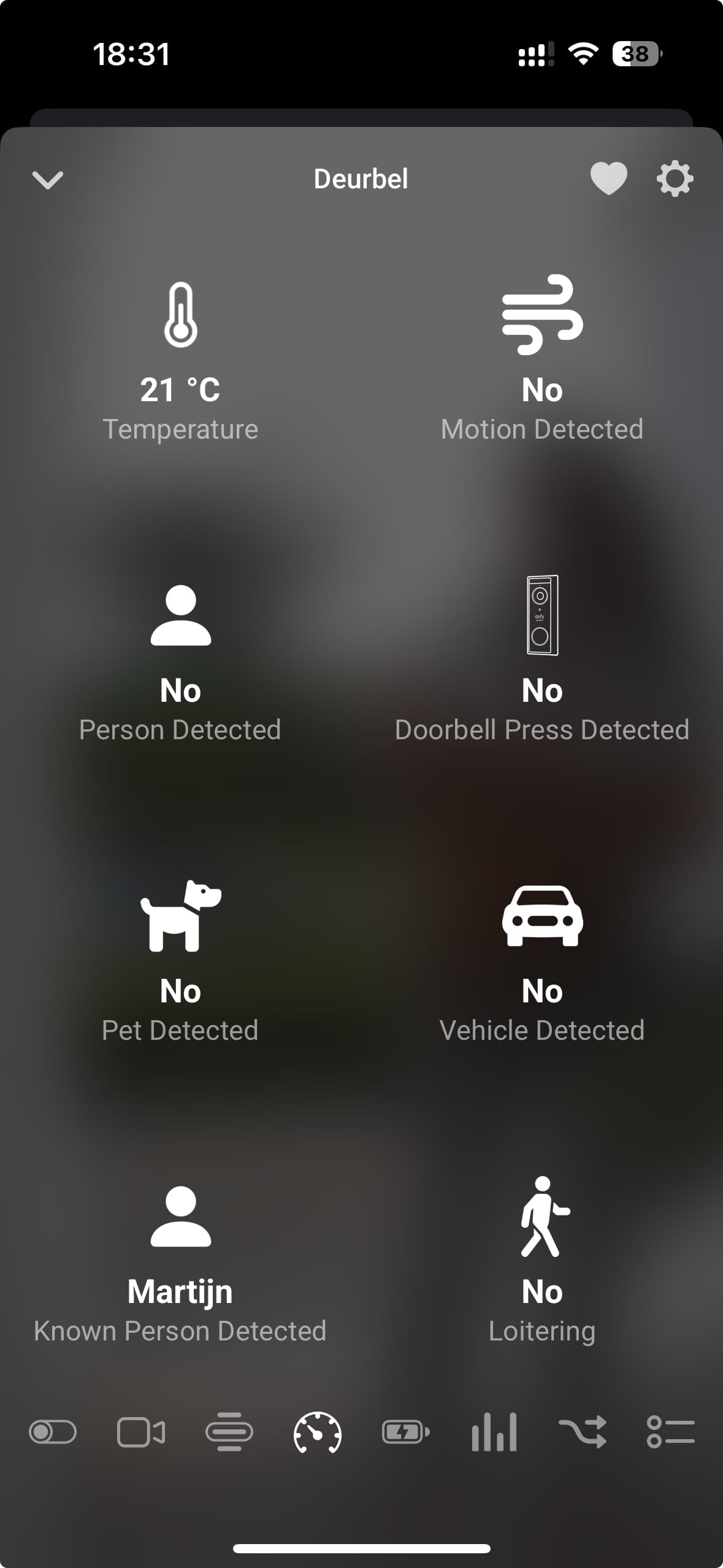
Do you get detections at all?
You can see that by going to the device view and there you see all sensors.
Hi @M_J
Do you get detections at all?
You can see that by going to the device view and there you see all sensors.
No Sigar!
In the Homey I see the Snapshot of someone who was detected by Eufy, but no notification was send.
In the Detections overview in the Homey-app I see that my camera has seen movement about 5 months ago, or 23Hrs ago. No mentioning about the person who’s snapshot it took.
Temperature is update “always”.
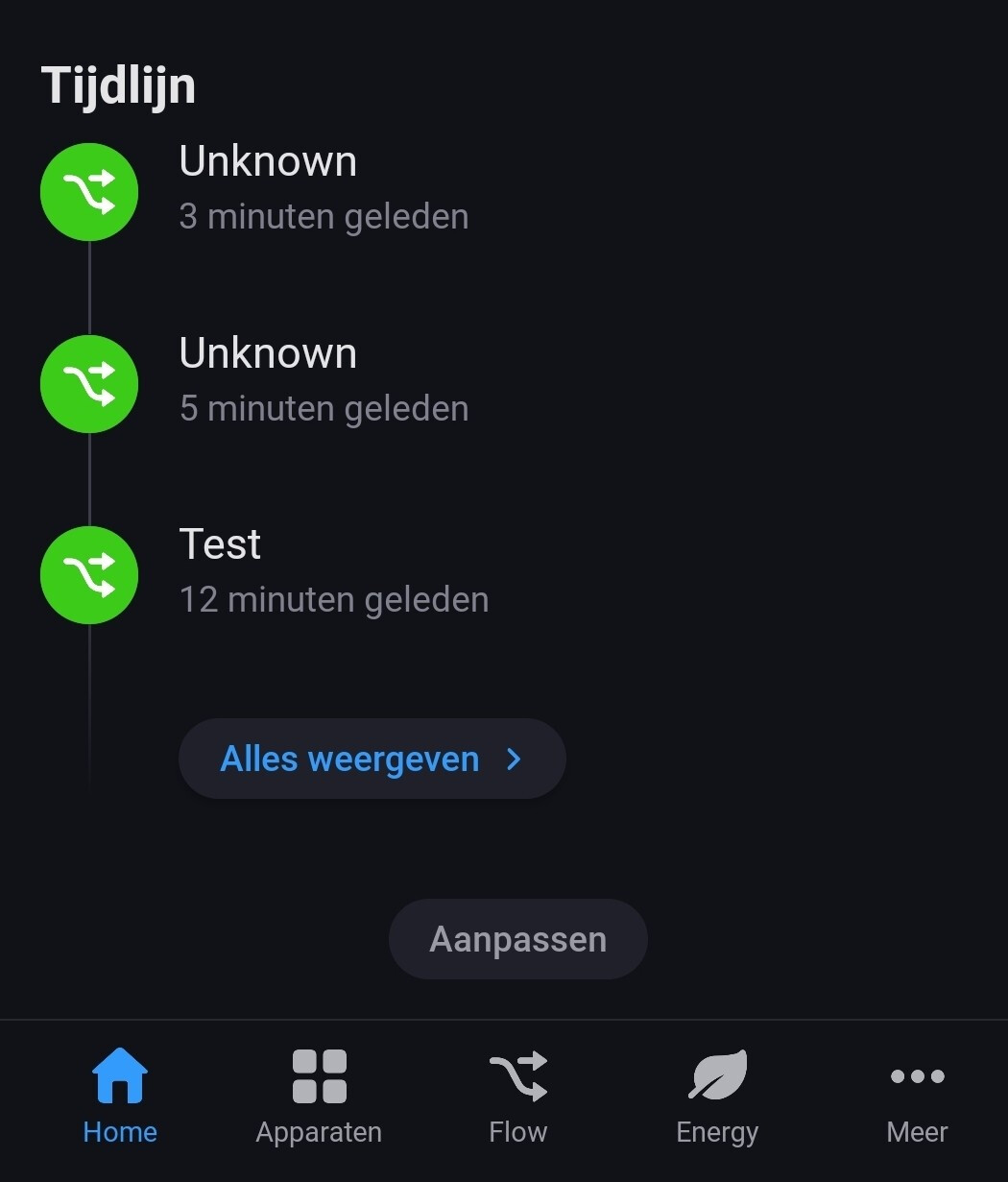
I turned the camera off and on in Homey, this is what I see in the events:
Hi i2Paq,
Did you allow push notification for your camera in the current alarm mode ?
Push notification are necessary for eufy app on homey to get any information.
Make sure to allow push notification in your camera settings and in the alarm mode settings too 
Thanks for the reply!
Where do I set/enable these push notifications in the Eufy App?
I do think I have enabled “all” notifications”
btw. I’m using geofencing in the Eufy App.
If I remember geofencing is not working with homey eufy app, maybe try another mode just to be sure.
If it works, you’ll eventually be able to switch between modes with homey : when homey sees your location near your home then homey sends command to eufy to switch between armed and disarmed (or other if you need)
I took a look on geofencing, when you’re home it’ll set alarm in a certain mode and when you’re away in another mode. You’ll be able to configure notification in those 2 modes
And sorry for multiple posts, but in order to test if it works, be sure to get push notification on your phone before checking if it works with homey.
If you don’t have notif on phone it’ll not work on homey (except if you disabled notification on your phone settings and activated in eufy app, but i suppose you enabled it)
More details on the camera settings in eufy app :
you need to activate detection (sound &/Or move as you like) and go to the notification sub-menu to enable the type of movement you want to be notified (you don’t need to enable every mode you enabled before, but the one you want to be notified need to be enabled in the detection menus (not sure to be clear, sorry for my english ))
edit :
for example : in my child bedroom i activated person presence & crying detection and I activated only crying notifications. In my kitchen I activated person detection and person notification.
In my alarm mode I enabled notifications for crying & person detection.
So that I receive in homey & on my phone notification for movement in kitchen but not in child bedroom, and notification for crying in bedroom
@martijnpoppen upgrading my Homey 2019 to a 2023 Pro. The Eufy doorbell was not working, so I deleted it and tried to add it again. I indeed saw the region changed and also I’ve seen that notifications are currently not working.
But I should be able to add the device to Homey, not? I am not able to add the doorbell. Keeps on giving the message “Geen apparaten gevonden. Zorg ervoor dat je de apparaten gedeeld hebt met je extra ccount. OF Probeer een andere regio”. I am using a non admin / other account already.
Any idea?
Im using the dual 2 pro doorbell with 2019 pro, works fine, not sure what one you have but if its the same make sure you add the right one battery not wired, even if its wired. Mine was only available as battery and not the wired one even if its wired.
@Paul_Kessels did you also send a report?
If the report is yours then you need to make sure to use the correct username and password as that’s currently the issue i see
@martijnpoppen sent a diagnostic report; will DM you with the code.
@Paul_Kessels You are trying to add a powered doorbell instead of a battery doorbell. Which one do you have?
exactly like @Jisnb said: [APP][Pro] Eufy Security - #7652 by Jisnb
@M_J try logging the person tag to your time line
So without the logic And instead of Test you put in the tag from the first card
I was using automatisation with Eufy Video Doorbell E340 for several months. Couple of weeks ago it simply stopped work. Data left unrefreshed, events stopped fire.
I tryied to repair device, but was unable to Log to Eufy Account. I removed the device and reinstalled the app, but problem persisted.
Originaly I used to be Logged to Europe region which is not supported any more. I can’t find Slovenia in drop down list to choose my country. I unsuccessfully tried some other countries.
How can I resolve the problem to continue using automatisation with this device?
Thanks,
Brane
Nevermind, fixed it. In homebase there is a setting for mute saved persons. When disabled, everything works. Thanks anyway for the help!
Hi, sorry, I’m a little confused. Has the Eufy device notification issue been resolved?
Good to know! Didn’t know about that setting!





 Maybe you know a solution?