@Mike73 sorry I can’t get this to work without access to a device
Would you interested in sharing your camera with me ?
@Mike73 sorry I can’t get this to work without access to a device
Would you interested in sharing your camera with me ?
What do you mean? that I share my camera, grant you access?
@Mike73 yes that’s what I mean
How long do you think you need acces to the camera and how do we organize this?
My Pan & Tilt cams (1 wifi directly, 1 via hb) dont work fully anymore. I can move the lens with flows but on and off doesn’t show and hide the lens anymore (the on/off in total is not working) On off via App does ist but not with the Flow card anymore 
When I Turn the cam on via App i can get all the Motion etc in homey (also pics) - it see s only the on off is broken
2882a9ee-5065-4e57-83af-cefb436c0683 if needed
@Rick_D if you read back a bit in the thread you will see it’s a known issue - [APP][Pro] Eufy Security - #7125 by Lukasz_Kostek
Sry  thx for the quick reply. Happy to support with testing
@Mike73 i’ll dm you
@Lukasz_Kostek @Rick_D
I found the issue..
@Lukasz_Kostek mentioned his camera is on 2.3.1.0 while i made code to fix this for software from 2.3.1.2 and higher.
Will make a fix! 
 LIVE: 3.32.2):
Changelog:
NEW:
1: NEW: Add Doorbell C30
2: NEW: Add Doorbell C31FIXES:
1: FIX: Indoor cam C210 & C220 - NightVision
2: FIX: Doorbell E340 (and other cameras) - Device Alarm -
3: FIX: Wall Light Cam S120 - Pet detection -
4: FIX: On/Off Indoor Cam Pan Tilt - fix for new FW
If you find any issues, send a report via the mobile homey app
More - apps - Eufy Security - settings wheel right top - send diagnostic report (put your email in the input field to make it easier)
You can install the test version by clicking the link above and press install
Don’t want to be part of this test version? Install the live version → Eufy Security | Homey
@Mike73 if you have finding you can post them here
Please don’t send to my mailbox
I didn’t share my e-mail with you for that purpose
Ok no problem.
Hi Martijn, I’ve installed the latest sw version but it still doesn’t seem to work unfortunately
LIVE: 3.32.6):Changelog:
NEW:
1: NoneFIXES:
1: FIX: Indoor cam C210 & C220 - NightVision
2: FIX: On/Off Indoor Cam Pan Tilt - fix for new FW
If you find any issues, send a report via the mobile homey app
More - apps - Eufy Security - settings wheel right top - send diagnostic report (put your email in the input field to make it easier)
You can install the test version by clicking the link above and press install
Don’t want to be part of this test version? Install the live version → Eufy Security | Homey
@Mike73 @Lukasz_Kostek @Rick_D see release above 3.32.6
Tested with 3.32.6 - still the same issue
294168c1-aa97-4ad1-8afb-90001183485f
Firmware on cam 2.3. 1.2
@Rick_D sorry but i can’t reproduce this, it works on mine.
Please share the conection details so i might try to reproduce it
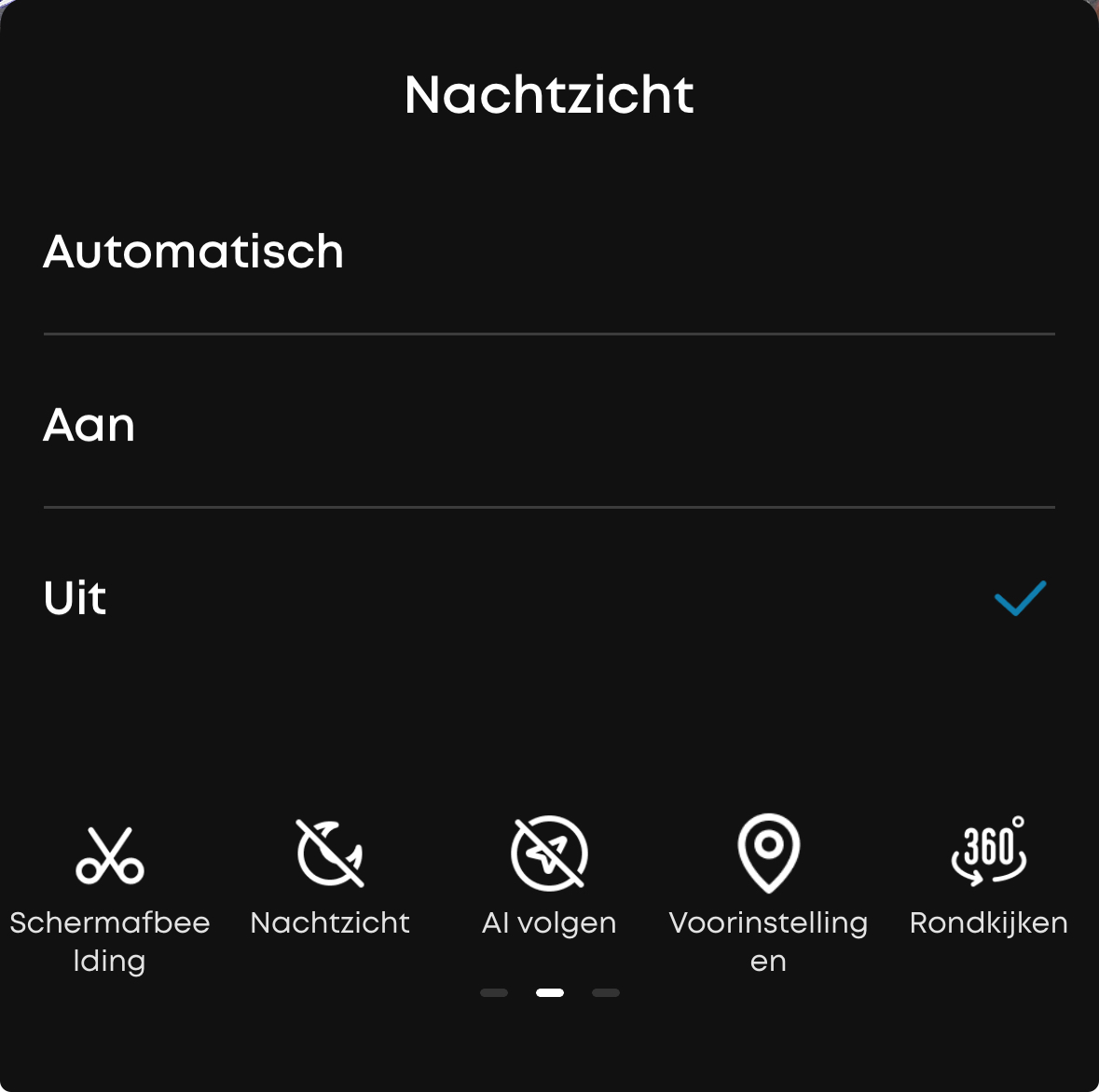
Hi Martijn. When I put the cam manually in nightvision I can switch it off with homey flow. The check mark  in the menu of eufy auto/on/off stays On. When I try to turn nightvision On again thru homey it doesn’t work. Maybe it has something to do with the that doesn’t change. So it thinks night vision is still on.
@Mike73 sorry but i have no idea which checkmark you’re talking about, please provide screenshots
Did you go back to the homescreen, pulled down to refresh and went back to that menu?
The official Eufy app doesn’t auto refresh