0ff411b7-08da-4b44-8bb8-b646a7a919f1
When I shut down my electricity at my home and after I open it again. The eufy app dont re-login automatically and im doing it manually
0ff411b7-08da-4b44-8bb8-b646a7a919f1
When I shut down my electricity at my home and after I open it again. The eufy app dont re-login automatically and im doing it manually
@iGiorgis still the same question… what does the device say when it has a red triangle
I dont remember any message, but only the red triangle to all Eufy devices.
When it will happened again I will tell you.
@iGiorgis nothing to see in the logs that looks like that the notifications are not working
Are your settings the same as FAQ Q1?
@iGiorgis strange.
Can you try a different flow?
If person detected - send notification
And see if that works
To rule out the variables you set
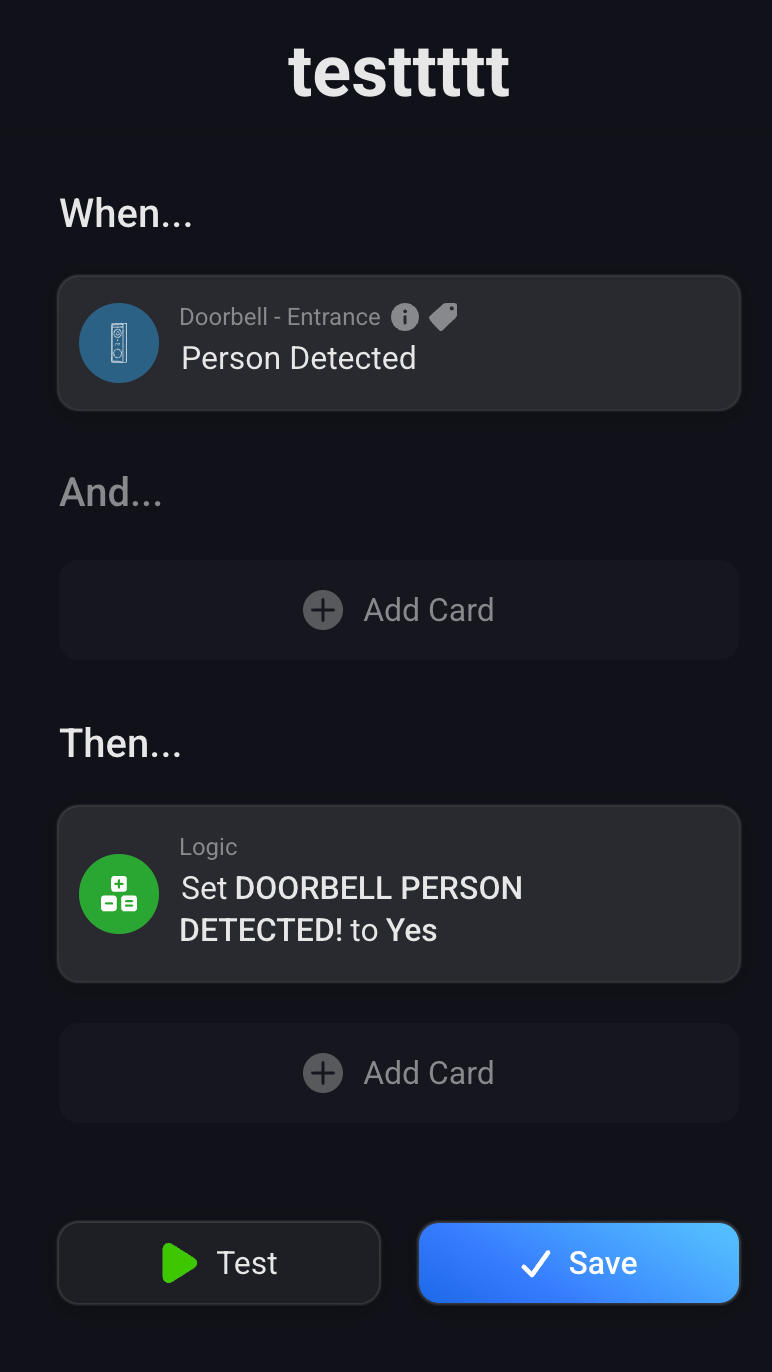
this flow works
@iGiorgis then i think it has to do with the variables you made in the flow earlier
I would suggest to remove them as they don’t seem to add value (in the flow you shared)
Ok I will remove them…but when I click the “play” button from Person Detected AND Button Pressed, the value of them goes to YES.
I understand however the other flow works so we can rule out it’s an app issue. So there’s not much I can do here
@iGiorgis still doesn’t look like a app issue to me
Also wondering why you want to use the variables it feels a bit overkill for this purpose
because I would like to make a flows:
If Person detected AND Press the Button , Open The light.
If Not detect a person , close the light.
this simple job 
@martijnpoppen the Eufy app dont have enough cards at “AND” section to compine jobs together, so I use Logic to make it.
Do you suggest something different?
@iGiorgis you can check with the logic cards but I would suggest to use the values from the doorbell
So like this:
I use the values from the doorbell but works only once…
Anyway I will remove the “Person detected”. I will keep only the press of the button to open the light of the Entrance.
Thanks
@iGiorgis I have to say that I almost never had a silmutanious detection (ring and person detection) most of the time there’s some time in between causing these kind of flows to fail more often than succeed.
Maybe I can take a look in creating this combination on the app side.
Atleast you triggered me to add some AND cards to the app
Hi Martijn,
Were you already able to upload the update? I don’t see any new card, or option to enter a specific known person, or do I need to update something first?
THX,
Erwin
@Erwin_Snijder which update ?