@martijnpoppen it seems like I have the same problem again. The image is not processed again. Can you see if it is the server again?
@Guldbaekolsen no I can’t see that please send a report after making a snapshot
I tried to restart the app - and now it look like it is working again… sorry…  Can there go anything wrong that I need to restart the app? Maybe a flow that restart the app every night?
@Guldbaekolsen probably connection from homey to the camera. Eufy sometimes discards the connection

@RuneTun please send a diagnostic report
Edit: You are aware that the card you are using is not a doorbell card?
Sorry Im haveing finger problem
Hi i updated the post, I think this is it: 6e1feb58-ffc7-4589-b650-3b7886b2c31c
Hello
Is it compatible doorbell Eufy C31 with the homey pro ?
Thanks
Hi @Paul_Nassif
This is a English topic
Please translate your post accordingly
And see [APP][Pro] Eufy Security - #5 by martijnpoppen - Apps - Homey Community Forum
@RuneTun the API doesn’t return a person it seems therefore it doesn’t work.
Nothing I can do about that
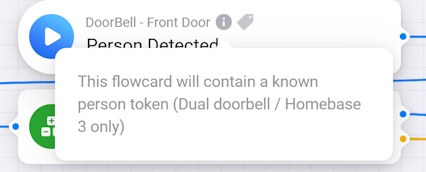
Could you explian further, There was an popout that said only works for the dual doorbell. but looking at the compatibilty chart facial recognized is available with the single 2k door bell. Or is it as simple as the foto i put into HB3 is colour and the captured foto is black and white?
Do you have a working setup where the single/dual doorbell works?
Again any help would be great
Update: When using the Unknown in the Logic test that comes back as OK.
@RuneTun thanks a lot for your kind donation
I couldn’t see the name in the API response. Also not sure if there was a person detection with a known person at that time. The type of photo doesn’t matter. If your Homebase detects a person and it send that homey should see it too
Can you make sure to trigger a person detection on your doorbell and make sure it detects somebody who is known
After that send a new report
Hi,
I just tried again in the daytime, My first hit Positive 2nd hit Positive - JIPPI I was reconized. So it looks like your end is working. Dang thats a GREAT feeling when lots of work pays off.
Now you drive safely - no sky-diving, you are needed. And the reason for the donation was the great backup you are giving to everyone  What a great frikken program, this together with Verisure is a killer combo.
Now to figure out why the night recognition is less fruitful.
Is it possible to have a when that covers all of the cameras.
Again SUPER thanks …

Thanks a lot man! Appreciated 
Unforutanetly there’s no card/possibilty to trigger based on night and day. If I misunderstood let me know 
Hi
I was thinking when im recognized, Have a card that covers all of the cameras, So if im reconized in the garage or DoorBell - Any of the cameras then it triggers the flow. Like cam1 or cam2 or cam3 any of those cameras recognize me then the When card starts a flow.
Like that
Have a great day.
Just so i can clarify sorry if this has been cleared ive tried to look through the 6000+ comments. Does the facial recognition flows only work with Doorbell and Homebase 3 combo at this stage?
Thanks
@Welshsmarthome No it does with any HB3 connected camera, or if you have a stand-alone dual doorbell it also works. There’s a info icon on the person detected card explaining that
Hi Thanks. Inwasnt sure because it wont let me type someones name in the flow. I cant edit the @ or tag a name for homey to work the flow. Is that in the manual somewhere too? Sorry!
Thanks
@RuneTun Hmm that would be like person detected on any camera That will be hard as currently every device has it’s own set with cards. I think you could do this in a advanced flow. It will be big, but i don’t see a easy alternative technically
@Welshsmarthome use a logic card like this:

