@2Be This is again a timings issue.
Sometimes when the image is not initialized yet and a notification is already there, the image gets registered twice.
So probably during the startup of the app the doorbell was already pressed
I’ll check this.
(EDIT: updated in 1.9.9 see message below)
About the double notifications… You’re registered twice at the NotifcationService.
How to fix: Go to the app config. Click clear all. Login again and set your IP’s again.
I got an other question. i’ve got 2 iPhones. when i press on the doorbell i am casting a picture to my google nest hub. and i push them to my iPhones. on my iPhone 12 there is an image. on my iPhone xs there is a broken image. what am i doing wrong? the both iPhones are in the same flow.
Sorry if this question came up earlier but with the search button i couldn’t find any answers.
Thanks in advance and also thanks for you good work
I have a few new features i would like to see implemented about the modes:
In the Android app it’s possible to add additional modes besides: armed, home, away, scheduled. But in the homey app it’s only possible to select the intial modes.
Is it possible to move the general settings to a Home Base device. Modes are not specific for the doorbell/camera but more general actions.
@martijnpoppen Works great!
Is it possible to add the Eufy doorsensor as well? The doorsensor is listed in the homey app but can’t get it to work as a trigger in a flow.
Hey @Hans_Festen
Yes thats a work in progress
So it think soon I can put it in test.
The Homey app does list it , but if you put it in as a camera it won’t work
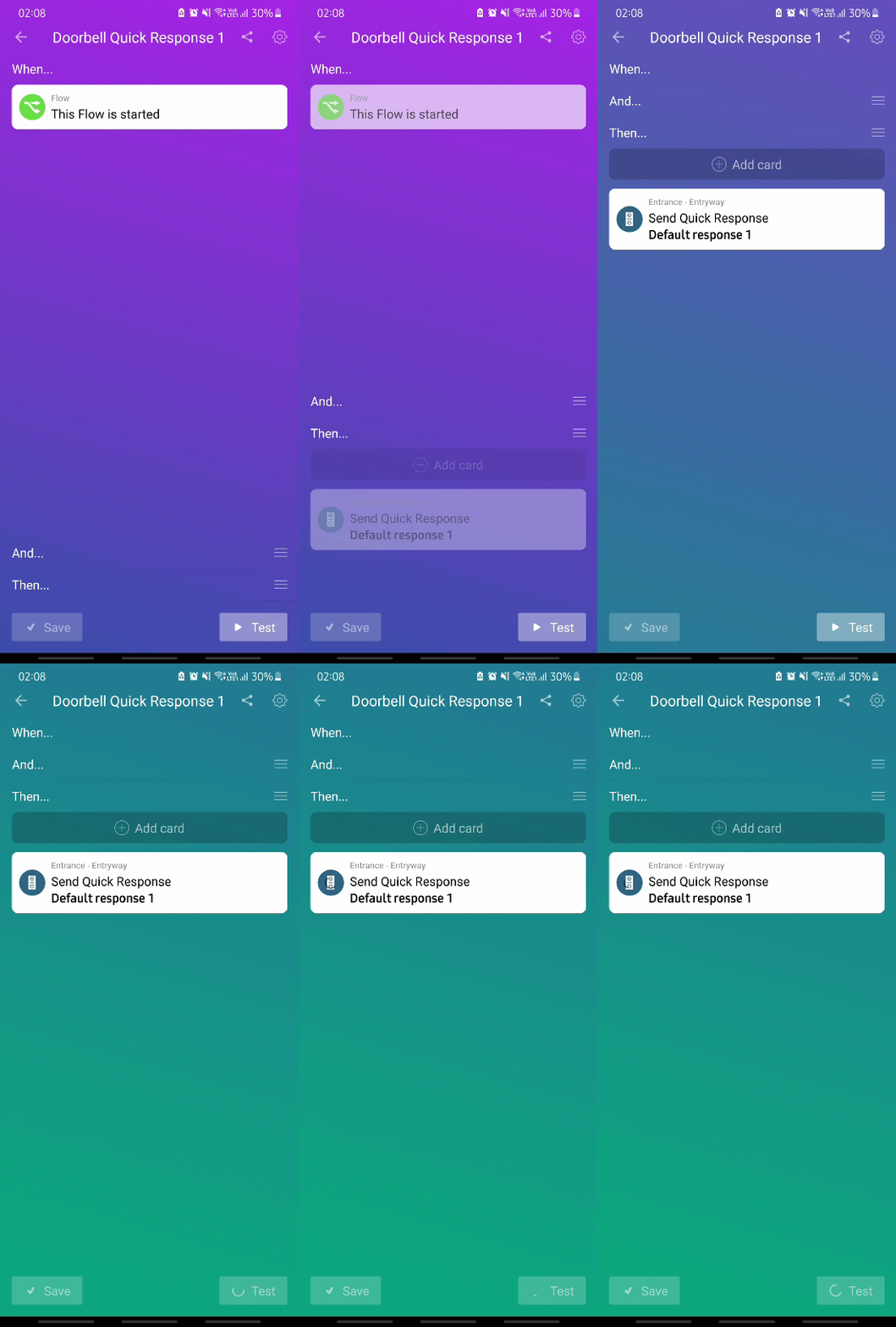
Hi Martin, thank you for spending time and effort to rework the quick response. Just tried out the flow with my battery doorbell and I am seeing this error when testing the flow.
The quick response just shows a loading spinner and nothing is played from the doorbell. I’ve set “when this flow is started” as the trigger