Athom was answering quickly. They asked me whether the app was installed regardless of the timeout, and indeed it is. 
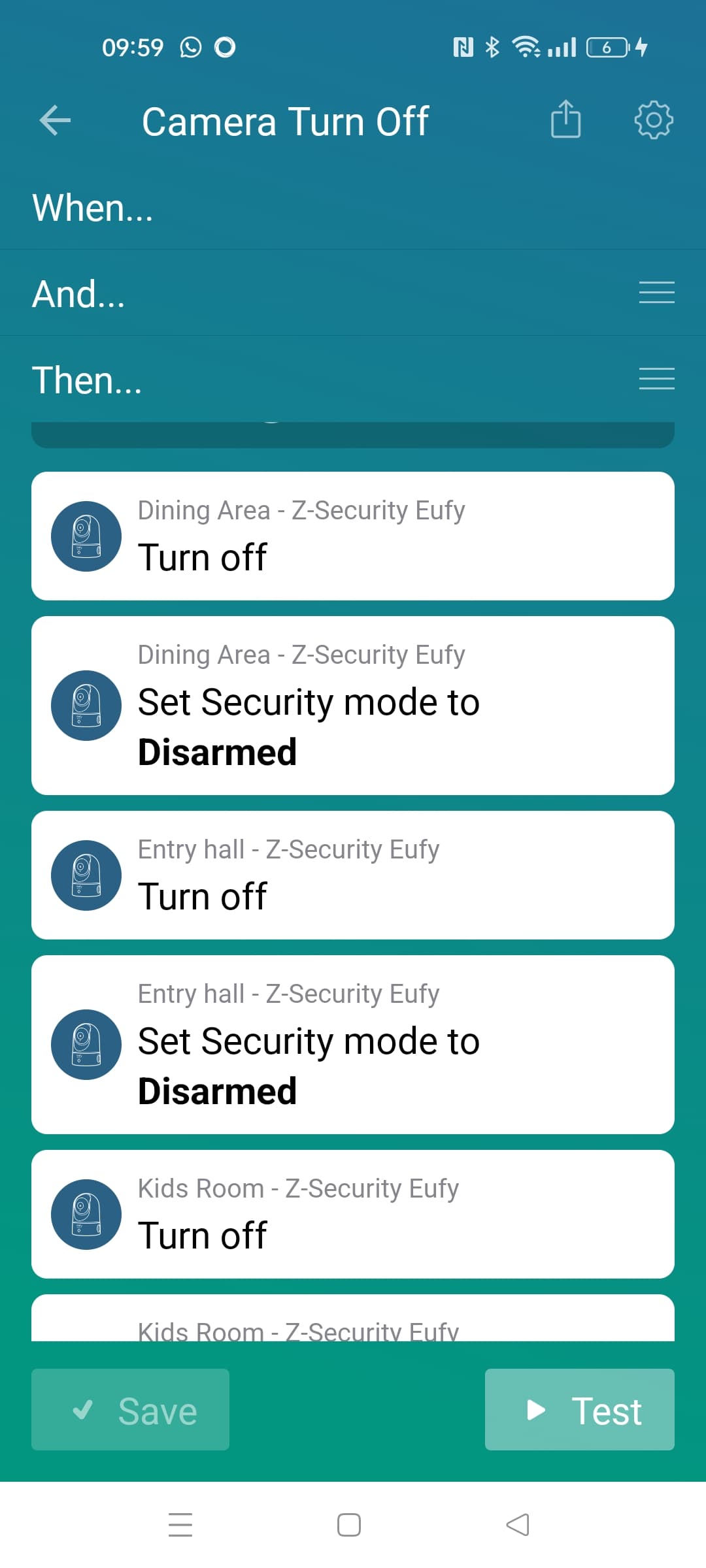
Hi Martijn, some feedback: my Homey made the upgrade to version 3.9.14 (experimental version), but this causes several issues as command for cams like turning off and changing the security mode was not working properly any more. I am using a flow to change several cams status, using this version some cam made the change, some cam was not reacting to the command’s.
Installing back version 3.9.10 was giving me back the desired functionality.
Let me know if you need more details.
Regards, Dyan
@Dyan_dh
Thanks! I’ll check the changes and make sure to revert that 
specifically for indoor cams right?
I am not getting motion alerts from my cameras.
Diagnostic report eb66b80c-4e3e-45af-926e-382b89d5dce1
Have tried reinstalling the app, and reinstalling the homebase and cameras.
@Jahn_K are your push notifications enabled?
You can check them here:

@Jahn_K i see you just paired your device.
Can you restart the app?
Theres a known issue that notifications are not coming in when you just paired the devices
@martijnpoppen Restarte the app, and checked notification setting. Still no alarm.

@Jahn_K and when theres motion you get a notification from the official Eufy app?
@martijnpoppen Actually no…  What could be the reason for this…?
Notifications allowed on my IPhone.


Strange,
Homey can only detect motion by push notifications.
So if you are not receiving them on your phone then Homey also wont receive them 
@Jahn_K can you also check what the notification settings are per camera?
All 4 cameras have exactly the same settings…
Maybe contact Eufy?
Yeah i would suggest that.
Do you have different accounts for Homey and your mobile app?
@Anders_Gregow that shouldnt matter. If the official Eufy app also doesn’t notify then its something on the Eufy side
I thought maybe none works if using same credentials. Good to know.

@Jahn_K you can try to power cycle the Homebase.
Take the power off for 1 minute and then power on again.
