Hi. Do I only get motion notification, wenn notifications to the app/phone are enabled?
Hey @D0N
Yes unfortunately that’s the only way to get it working.
As this is not an official integration from Eufy but a reversed engineered solution.
Just see Homey as a extra phone which has the eufy security app 
is there a way if if don’t want to get notified on the phone but on eufy?


@Busta999 will have a look at it. 
But i guess it makes sense:
The new library is more ‘active’.
While the previous library was more “idle”. So only when Homey requested something the library responded.
The new library just lets Homey know whenever something happens or new data is available. Which is a way better user experience. Two-way-communication for data fetching and sending, image updates etc
@Busta999 I did have a check. And indeed the load is higher. There’s not much I can do to decrease that memory load. It will remove the advantage of the new library.

edit: There might be some interval related things which I can check. 
I notice that the images send to my telegraph are not up to date. It sends old images. So I checked what was the latest image on the camera in Homey and what was the last one in Eufy, they are different. In Eufy I see the most up to date image according to the time stamp. In Homey it has an older time stamp.
Not seen this before.
I went from experimental back to the life version last week because of some issues you probably fixed last weekend and changed back yesterday to experimental.
Thanks.
Hey @Heula
Do you mean when there’s a event?
In the new version the image gets updated on 2 occasions:
- events: (motion / person / doorbell press (sometimes))
- whenever the API had a new image available → cover image whichc you normally see in the camera overview in the eufy app.
I mean when there is motion detected. Than the camera omage will be send to my telegraph account.
What I now see in telegraph is two or three times the same image in a row.
For as far as I see now it doesn’t alway update to the latest image available on Eufy.
Only seeing this after returning back to experimental.
Thanks.
@Heula can you share the flow you have for that?
This how I setup my flow to get the image to telegraph.

This is the latest image on Eufy

And this is what Homey shows as latest image.
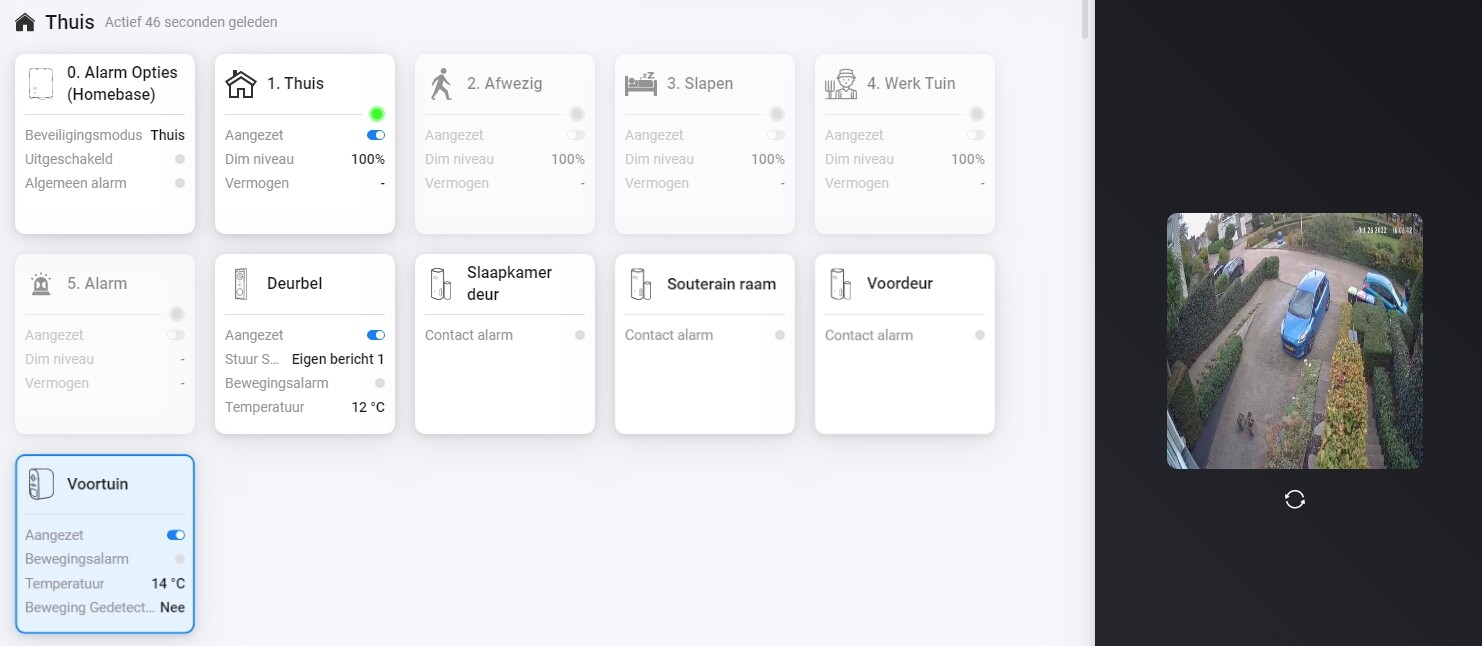
As you can see they are different.
Diagnostic rapport.
c553b0aa-b5ee-45a1-b06c-8910e17e32f9
Thanks.
@Heula oh yes, that might be the case indeed. So the image you see in Homey is the cover photo which you normally see in the camera overview. So it’s just show any latest image
but the image in your Telegram should be the same as this right?
@Heula to clarify a bit more:
-
my latest doorbell event was yesterday:

-
but Homey show this as latest image (which is today)

That is correct, this should be what I see in Telegraph at the time it happened. Now I see this image some time later when a new motion detected. So it always shows an image from the past as current now.
@Heula not sure if I understand correctly.
but the image in Telegram is correct?
No, telegram image is not correct. It always shows a previous recorded image and not the latest as is shown in Eufy.
@Heula yes but the image in Homey is not a motion image…
- So the image in your telegram is a image of recorded event.
- the image in Homey is a cover image which is fetched later.
I’ll create a flowcard soon which will say something like: a new image is available
Has this always been this way?
I have never seen or thougt I have seen that I see images that are not from the time that it was send to telegram.
How long does it take to update the image when motion is detected. I can set the timer between motion and sending to that period of time. Still won’t be a live image than, right?
Another thing I saw in this new experimental version is with the doorbell. When I slide through the options I see them but when I select them by pressing on the icon at the bottom I only see grey screen.
@heula lets take this to a DM
I think i dont understand the issue.
