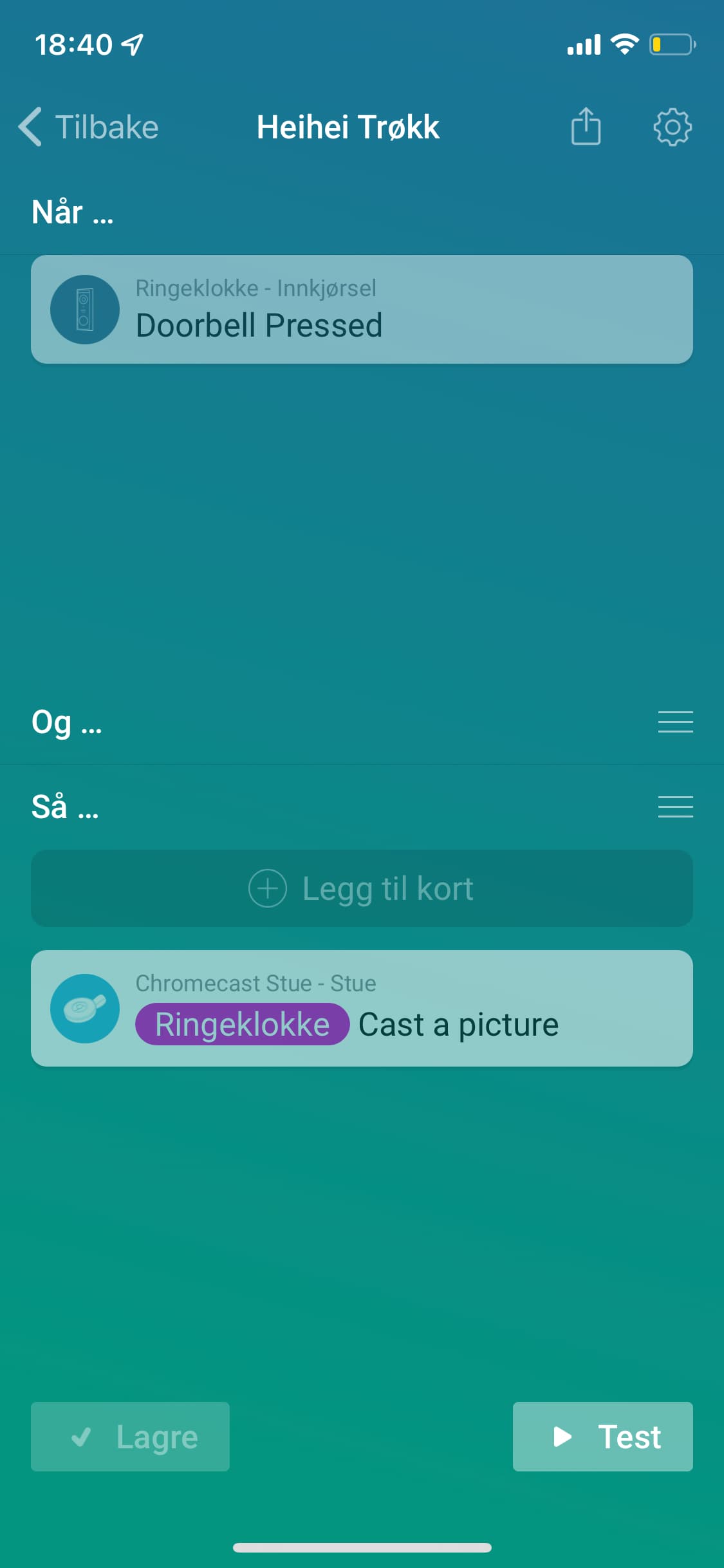
Okay😊
Where do i ask how to get the snapshot on my samsung the frame from when someone rings this doorbell? How to create this flow!?
Okay😊
Where do i ask how to get the snapshot on my samsung the frame from when someone rings this doorbell? How to create this flow!?
Installation was easy now, thank you very much. Unfortunately I can’t see the feed of my “Indoor Cam Pan & Tilt (1080P/2K)”. Is there something else I need to do to see my camera image through Homey?
@theodorhesse Eufy doesn’t send snapshots.
Only way a image gets updated is trough a event like motion detection or person detection.
Cant find any cards in my samsung the frame card under «then»
Do i need to create a tag for this?
@Goggmeister
If your using this app then it’s not supported
Yes i am! But if i buy a chromecast i can make it work?
Ah, that makes sense. Is there an example flow on how to get a push notification on my phone with the actual camera image (if I try that myself I only see the default placeholder image)?
When i press test on the flow, a picture of the eufy standard image pops up! But nothing happens when the doorbell is being pressed!?
What does this mean?
Thx Martijn!
Met vriendelijke groet,
Yannick Eeckelaert
@martijnpoppen Thanks for the update to the Homebase mode change card. Now It works both when changing mode from Homey and phone.
Is possible to have this function for other cameras also, like Pan & Tilt?
Keep up the good work.
Do you have push notifications selected for the status of the Eufy you want to use? See screenshot of @martijnpoppen in a message # 2004.
I went to check. I have the same settings as he pointed out. Cant get any pop up on my screen of a snapshot of the camera!
Most camera’s work except the stand alone camera’s like the indoor and outdoor cams
Same as this:
Yes the image only updates on events
I would suggest to check if you enabled push notifications in your Eufy app
Doorbell press doesn’t always send a picture. So might be good to check if person detection is working
@Goggmeister see my message form yesterday.
So try to stand in front of the doorbell so you get a message on your phone from eufy that a person has been detected. Most of the time it’s the combination of person detection and doorbell press
I ha e tried both of theese! I cant help to think i am doing something wrong with the flow cards!
Since it is sort of working when i press test. Bur not when i press doprbell or stand in front of it
But this doesn’t work with the Indoor Cam Pan & Tilt, right?