Another hint, I stopped everything that could communicate with inverter in the LAN. Still no result with Solax app. Then I manually blocked Solax wifi modul on router. After unblocking, modbus in homey goes to the error, after app restart everything works fine. So maybe it can be helpful for someone.
Is there a plan for having a widget in the homey solax app that can be used in Homey dashboard?
Thinking of the same type of graphical information that can be found in the Solax telephone app?
That would be supernice in my opinion 
Thanks in advance
Johnny

Did you happen to read these tips already? I didn’t read you restarted your inverter for example 
Okay i will try to restart the inverter, indeed i didnt do that.
I restarted the network and the homey first  in the portal everything is online
after resetting the tokenid it works
Hello guys, another hint.
Solax data was frozen - ping OK, port opened, Homey restart - nothing happened. I tried to update wifi pocket dongle firmware and then data was again flowing.
Will see if it will be permanent fix.
Dear Michal, creator of the HEIMAN app, first of all, I would like to thank you for contributing apps to Homey.
I need to post my question here, as the support link on the app page, Heiman App för Homey | Homey, redirects to a less trustworthy website. https://mistr.tech/
I recently paired a smoke detector with Homey, and the pairing process went smoothly. However, when I press the test button on the detector, I don’t see any corresponding event or notification in Homey. I had expected some sort of trigger or indication to confirm that the signal was received.
Before I install the detector in its final location, I would like to make sure it is actually communicating as intended. Is it normal that the test button does not generate an event in Homey, or could I be missing a specific setting or flow to capture it?
Please help me understand how to connect SOLAX via MODBUS? I bought an RS485 adapter but I still haven’t succeeded.
Is this of any use?
Yes. This one i bought (actually 3 of them). I friend tried to help me a few days ago but no succes. He told me that is no comunication between laptop and RS485..
Hello again.
Time has passing by. Customer service needed long time to update my inverter and longer time to update my Wi-Fi dongle. I use qcells (german solax cooperation). Since spring 2025 I use the homey solax App and the cloud communication works still fine. Modbus tcp only worked for a few days and I had to restart the dongle. Suddenly modbus doesn’t work anymore. I can add the inverter but can’t see entities. After all the firmware updates still the same.
I tried [APP][Pro] SolarEdge + Growatt TCP modbus and have to set the poll rate to 50. So that’s my solution. May it helps someone who have the same problem.
Still use the homey solax app for cloud version and flows.
Best regards
hi all,
is have a question. I have added my inverter through cloud as well as modbus to compare. What I see is quit a difference in the solar todat field. So I checked. The Cloud solax solar today field reflects almost what is indicated on the inverter screen as in the solax app. This seems the correct value. However, the solar today field in de modbus device is significant lower. Is there a difference in the fields or could this be a bug?


Hi all, does anybody know if the app is actively maintained? This feature would result in a lot less EEPROM writes (i have a solax battery for which i am building a HEMS) @Michal_Stranik
Hi, yes I care about the app, I use it every day. I just don’t understand what you think will reduce the number of entries.
Hi Michal! Thank you for the app. I use it every day as well. As I have a battery I am trying to build a energy management system that will modes quite often per day. As I understand for G4 models Solax offers another way of setting certain fields by not writing them to the eeprom: you can check here: homeassistant-solax-modbus/docs/solax-mode1-modbus-power-control.md at main · wills106/homeassistant-solax-modbus · GitHub
Your cards show an EEPROM warning for, for example for charger use mode:
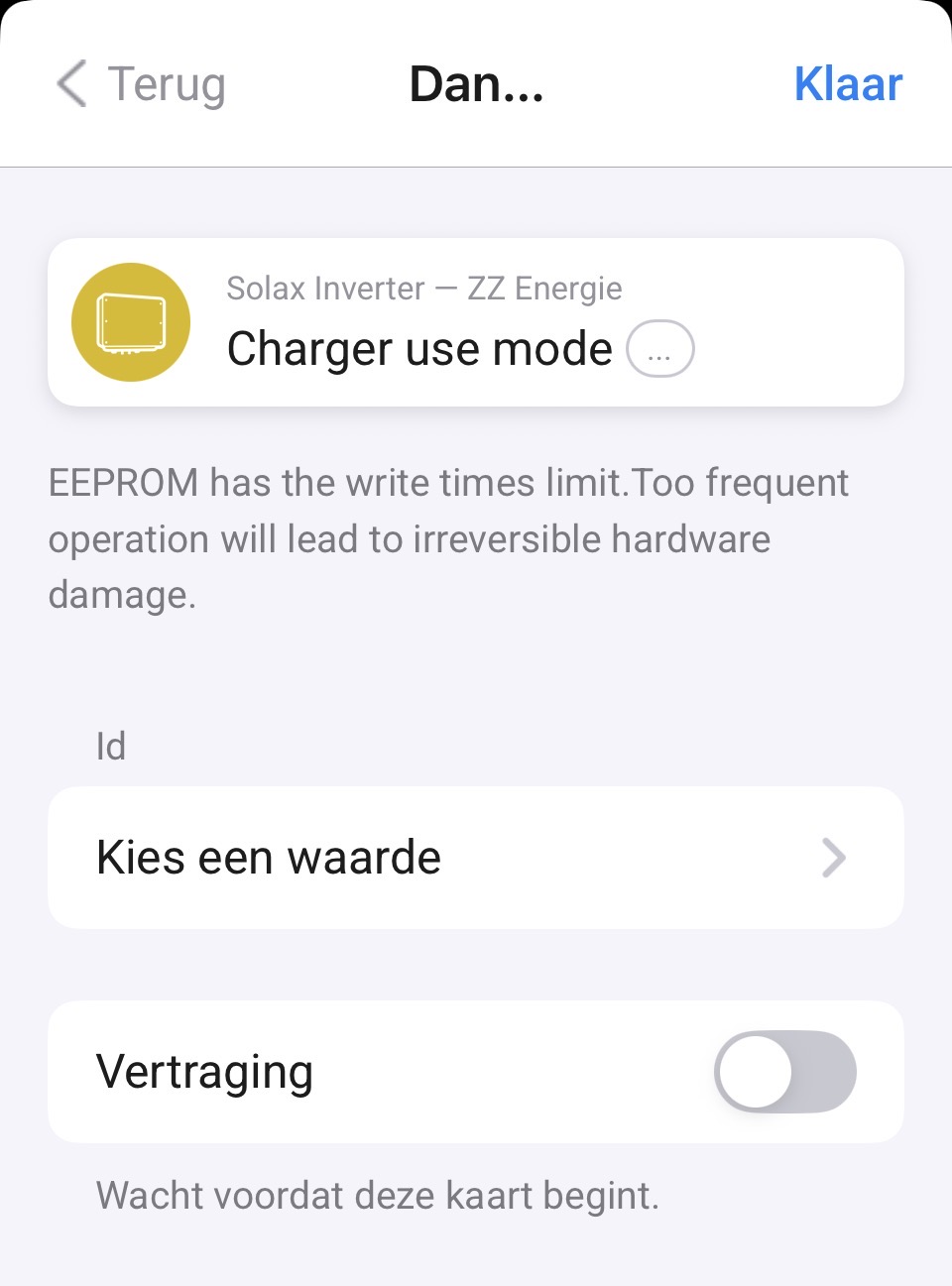
Where in fact this can be set without writing to eeprom: Normal power controls are written to EEPROM, so there are not well suited for use in automations as the automation might write too often. The Modbus power control commands (remotecontrol_xxx) are not stored in EEPROM and can be called as often as desired. Much more convenient for automation. The lifetime of these commands is however limited, so they need to be repeated frequently. Fortunately, this integration has an autorepeat option that makes these commands as easy to use as the normal power control parameters.
So the question is: is your eeprom message correct in this card and if soncould the design of the cards be changed to the remotecontrol option to avoid eeprom writes? For real automation that would be very benificial because you do not have to mind eeprom write limits.
cheers!
Jacco
Hello everyone,
I have problem with solax inverter modbus version, last month.
Data is freezing 3times for last month, restarting homey and router didnt help.
Can you give me some other tips? It start works after solax restarting,but i dont want restart solax each 1-2 weeks. Till the load and battery in one device was everything OK and works without problems years. Diag report below.
6877517e-f110-4f43-a132-81d17df79f58
Based on doc I have, I can only write to registers. If you have any other doc, which should be better, please provide. Btw, when you are not changing everything every minute, you should be fine.
Hello @Michal_Stranik
Would it be possible to have the Solax Ultra added as well?
It pretty much seems to work as a “G4”, but is missing the last PV (PV3) and the dual battery support 
Cheers
Jørgen


Hi, That’s what I call collaboration  . As soon as I have a moment, I’ll see how to add it there. M.
