The chart is doing the scaling itself. I can set a default, but it can be overwritten by the chart. But I think the 4 steps in one column can be read easily.
Hi @RonnyW!
When I try to add a widget to a dashboard and select Home device or Pulse device, all I get is an empty list. A couple of seconds later I see a red box with an error message drop down. Unfortunately the error just shows for a fraction of a second and then goes away so I don’t have time to see what it says. I just created a diagnostics report if you would like to have a look (be0f6bcd-de80-4c17-af6f-9f3d41879ef2).
Thanks,
Niclas
Did you install the Tibber app test version (1.10.0)?
Ah, sorry forgot that detail. Installing 1.10.0 resolved the problem. Thanks!
Is there any issue with Pulse and tibber? as my tibber app stopped getting live data
I want to hear who some of you have solved the new Swedish system with “Effekttariffer” that means that you have to pay for your top consumption hours every month. Ellevio was early out with this but all other energy companies will follow in the coming year.
This means that I now want to keep my hourly consumption as low as possible, which is the whole point of this new law. For example do Tibber start and stopp my car charging if I get close to a maximum that I have set, but I also want this in Homey to start/stopp various things to keep a low hourly consumption.
I do find the When-card “Imported get higher then __ kWh for __ minutes”. This would be perfect but this never gets triggered. I have even set 1kWh for 60 minutes. Nothing. There are a few other card that might be good here but never gets triggered, does any one know why or have I misunderstood these?
The best card would be “Consumption this hour gets above ___ kWh“.
You might find the Piggy Bank app useful.
It’s aimed at the Norwegian (& Belgian) peak tariff system.
It can automatically turn off devices, in a preferred order of least important to quite important, when total power / energy consumption exceeds a threshold.
Tibber doesn’t read this thread. So best would be to open a Github issue.
Thanks, this is exactly what I was looking for, I will give it a try!
I just swtiched to Tibber and the contract will start 27th of September. Currently I have a Smile P1 energy meter and Tibber recommends (obviously) a Pulse energy meter.
- Does the Tibber Pulse at least have the same functionality as my current Smile P1?
- If I use both the Tibber Pulse and the Smile P1, will I get double values in Homey?
There are two differnent things:
- data for Tibber energy invoice
- Tibber needs the data reading from your smartmeter.
- If youe current grid provider uses an “real” smartmeter (with LTE access reporting meter data to your provider), Tibber gets the hourly (in near future 15min) meter data. That’s the base for your hourly invoice prive
- If it’s just a digital meter, the grid provider doesn’t get any data (and Tibber also not). Then Tibber only makes an invoice with cumulated avegare usage.
- It it’s a digital meter only, you need the TibberPulse to transfer the meter data to Tibber to get hourly price.
- Homey data:
- TibberPulse transfers meter data (hourly/15min) to TIbber.
In addition it offers realtime usage data (Watt). That’s available in Tibber app and Homey app. - A P1 can offer meter data only or also realtime data. I think it depends on your smart meter.
When you mean double values @ Energy tab:
devices like P1 meters have, or should have, the setting “exclude from energy” or/and “include in total” (or something similar);
This way you can use your preferred device as the only input for Energy tab.
.
It’s somewhat comparable by viewing their flowcards @ app store:

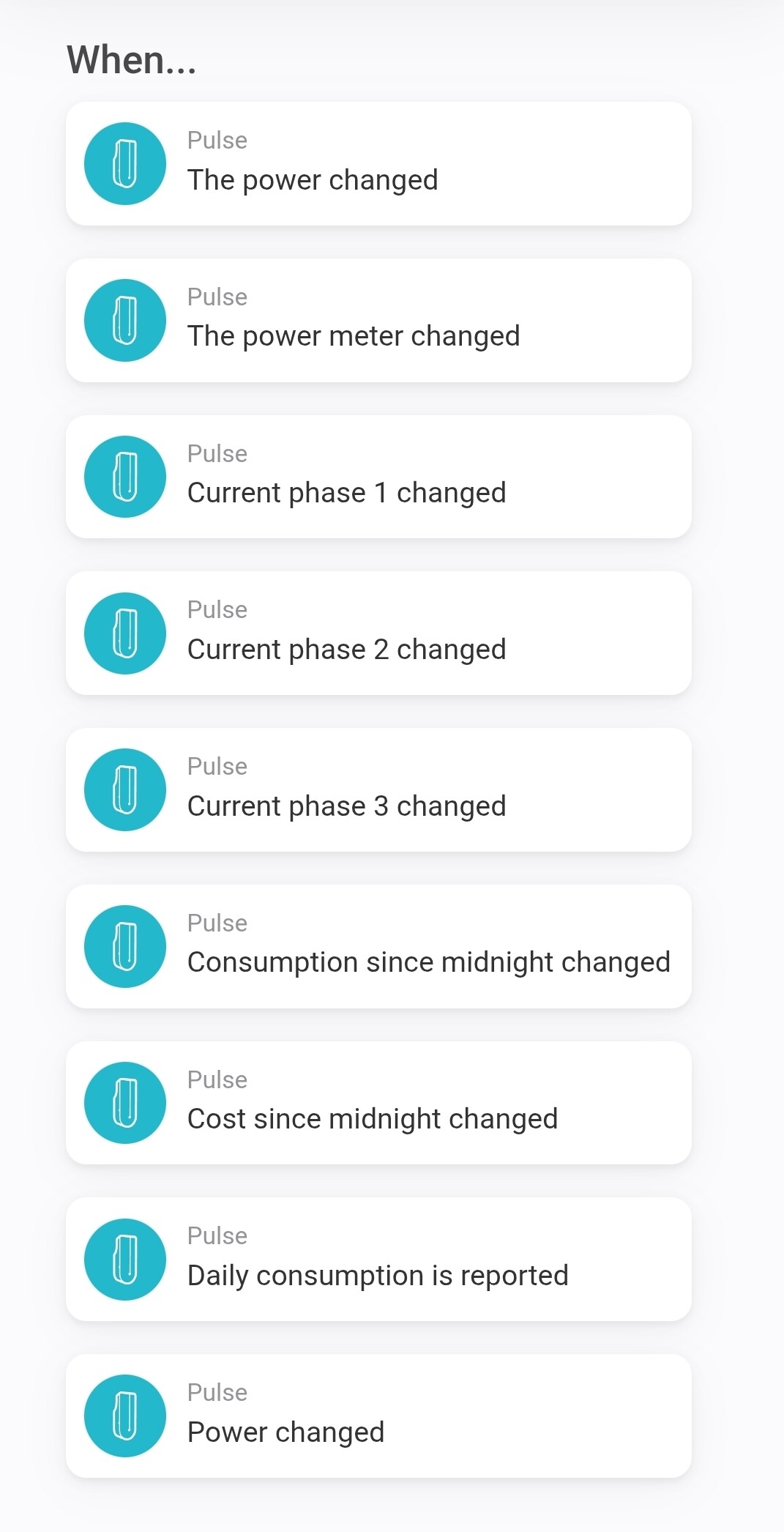
Thanks both!
I think I’ll wait and see for a bit. First see what happens. I have a smart meter, so I guess Tibber will be able to invoice me on hourly basis.
Paying almost € 90,- to add something that I actually already have…
 Next to Homewizard and SlimmeLezer (the circuitboard without a box)
Oh yes, the rest of the world is much more future-oriented than Germany. I only got a digital meter and TibberPulse was the only option 
What’s up with Germany? No Google Streetview, no smart meters 
We used to have a “just digital” meter, because the previous owners were of the tin foil hat kind of types I guess.
I’ll wait and see if stuff works. Maybe later on I can get the Tibber Pulse. Seems nice to be able to use their app as well. And the Plugwise data hasn’t been that trust worthy as of late.
So what exactly do you have?
Digital meter with IR interface only?
Or SmartMeter with LTE/Mobile antenna or direct LAN connection to “call home”?
If it’s a meter without antenna, you will need the Pulse.
PS: a whitelist. Perhaps you can find yours.
Source (Switch language in top right corner)
too many worriers, concerns, lobbying or just “German Angst” 
Don’t know. Sometimes it’s frustrating…all the good approaches that come to nothing.
I had the digital meter replaced with an actual smart meter as soon as possible I am not aware of an LTE antenna and I am sure it has no LAN connection. However, the network administrator is able to deliver measurements to the sales company, so I think it is good.
Before signing up I had contact with Tibber for a related matter. I will connect with them again
Yes, sounds good 
