Morning, finally got my DoorWindows Sensor 2 updated to FW 1.10.0 and the info to Homey is still not updating. Contact sensor 10 days ago, lux 2 days ago, temp 2 days ago, tamper alarm 14 days ago and tilt 21 days ago. I have restarted the shelly app in Homey, is there anything else I should be doing?
Status
Blockquote
{“wifi_sta”:{“connected”:true,“ssid”:“DBlogic”,“ip”:“192.168.1.208”,“rssi”:-57},“cloud”:{“enabled”:false,“connected”:false},“mqtt”:{“connected”:false},“time”:“10:56”,“unixtime”:1616234210,“serial”:5,“has_update”:false,“mac”:“98F4ABD183E2”,“cfg_changed_cnt”:0,“actions_stats”:{“skipped”:0},“lights”:[{“ison”:false,“source”:“http”,“has_timer”:false,“timer_started”:0,“timer_duration”:0,“timer_remaining”:0,“mode”:“white”,“brightness”:10}],“meters”:[{“power”:0.00,“overpower”:0.00,“is_valid”:true, “timestamp”:1616237810,“counters”:[0.000, 0.000, 0.000],“total”:0}],“inputs”:[{“input”:0,“event”:“”,“event_cnt”:0},{“input”:0,“event”:“”,“event_cnt”:0}],“tmp”:{“tC”:43.00,“tF”:109.41, “is_valid”:true},“calib_progress”:0,“overtemperature”:false,“loaderror”:0,“overpower”:false,“update”:{“status”:“idle”,“has_update”:false,“new_version”:“20210319-122304/v.1.10-Dimmer1-gfd4cc10”,“old_version”:“20210319-122304/v.1.10-Dimmer1-gfd4cc10”},“ram_total”:48856,“ram_free”:36564,“fs_size”:233681,“fs_free”:127006,“uptime”:7562}
Shelly
Blockquote
{“type”:“SHDM-1”,“mac”:“98F4ABD183E2”,“auth”:false,“fw”:“20210319-122304/v.1.10-Dimmer1-gfd4cc10”,“num_inputs”:2,“num_outputs”:1,“num_meters”:1}
Settings
Blockquote
{“device”:{“type”:“SHDM-1”,“mac”:“98F4ABD183E2”,“hostname”:“shellydimmer-D183E2”,“num_inputs”:2,“num_outputs”:1,“num_meters”:1},“wifi_ap”:{“enabled”:false,“ssid”:“shellydimmer-D183E2”,“key”:“”},“wifi_sta”:{“enabled”:true,“ssid”:“DBlogic”,“ipv4_method”:“dhcp”,“ip”:null,“gw”:null,“mask”:null,“dns”:null},“wifi_sta1”:{“enabled”:false,“ssid”:null,“ipv4_method”:“dhcp”,“ip”:null,“gw”:null,“mask”:null,“dns”:null},“ap_roaming”:{“enabled”:false,“threshold”:-70},“mqtt”: {“enable”:false,“server”:“192.168.33.3:1883”,“user”:“”,“id”:“shellydimmer-D183E2”,“reconnect_timeout_max”:60.000000,“reconnect_timeout_min”:2.000000,“clean_session”:true,“keep_alive”:60,“max_qos”:0,“retain”:false,“update_period”:30},“coiot”: {“enabled”:true,“update_period”:15,“peer”:“192.168.1.200:5683”},“sntp”:{“server”:“time.google.com”,“enabled”:true},“login”:{“enabled”:false,“unprotected”:false,“username”:“admin”},“pin_code”:“”,“name”:“Kookeiland”,“fw”:“20210319-122304/v.1.10-Dimmer1-gfd4cc10”,“factory_reset_from_switch”:true,“discoverable”:true,“build_info”:{“build_id”:“20210319-122304/v.1.10-Dimmer1-gfd4cc10”,“build_timestamp”:“2021-03-19T12:23:04Z”,“build_version”:“1.0”},“cloud”:{“enabled”:false,“connected”:false},“timezone”:“Europe/Amsterdam”,“lat”:52.153500,“lng”:5.377460,“tzautodetect”:true,“tz_utc_offset”:3600,“tz_dst”:false,“tz_dst_auto”:true,“time”:“10:59”,“unixtime”:1616234375,“led_status_disable”:false,“debug_enable”:false,“allow_cross_origin”:false,“actions”:{“active”:false,“names”:[“btn1_on_url”,“btn1_off_url”,“btn1_longpush_url”,“btn1_shortpush_url”,“btn2_on_url”,“btn2_off_url”,“btn2_longpush_url”,“btn2_shortpush_url”,“out_on_url”,“out_off_url”]},“hwinfo”:{“hw_revision”:“dev-prototype”,“batch_id”:0},“mode”:“white”,“pulse_mode”:2,“calibrated”:true,“transition”:2000,“fade_rate”:3,“min_brightness”:1,“zcross_debounce”:100,“lights”:[{“name”:“”,“ison”:false,“default_state”:“off”,“auto_on”:0.00,“auto_off”:0.00,“schedule”:false,“schedule_rules”:,“btn_type”:“one_button”,“btn_debounce”:80,“swap_inputs”:0}],“night_mode”:{“enabled”:true, “start_time”:“00:00”, “end_time”:“23:00”, “brightness”:10},“warm_up”: {“enabled”:1, “brightness”:20, “time”:200}}
For some reason my D1s are connected again (like they were last night, WITH the 1.10-dimmer1 firmware)
Could you send me the output of /shelly, /status and /settings.
It will probably go offline again. It will check the firmware every minute and because Allterco Robotics did not use semantic versioning for the Dimmer1 it will break again. I’ll update my app with a workaround today.
1 Like
v3.0.28 - 2021-03-20
- Fixed an issue with the Shelly Dimmer 1 (added a workaround due to not using semantic versioning in firmware version of the Shelly Dimmer 1)
1 Like
Shelly 3EM. I also experience lack of 4th device with Totals of all 3 phases.
Solution is to create Virtual device, Sensor with Power value and create Flow to update it with sum of all values. Shared Flow | Homey
Was going to suggest that as well. I’d like to keep the app as close to what the Shellies actually report (and the Shelly 3EM does not report totals over all 3 phases as far as I can tell).
And thanx for the donation, it’s appreciated … 
Is the Homey app Power by the hour maybe something for you?
Hi Jelger,
Thanks for your hard work on the Shelly App, it works perfectly and is way more stable than it was!
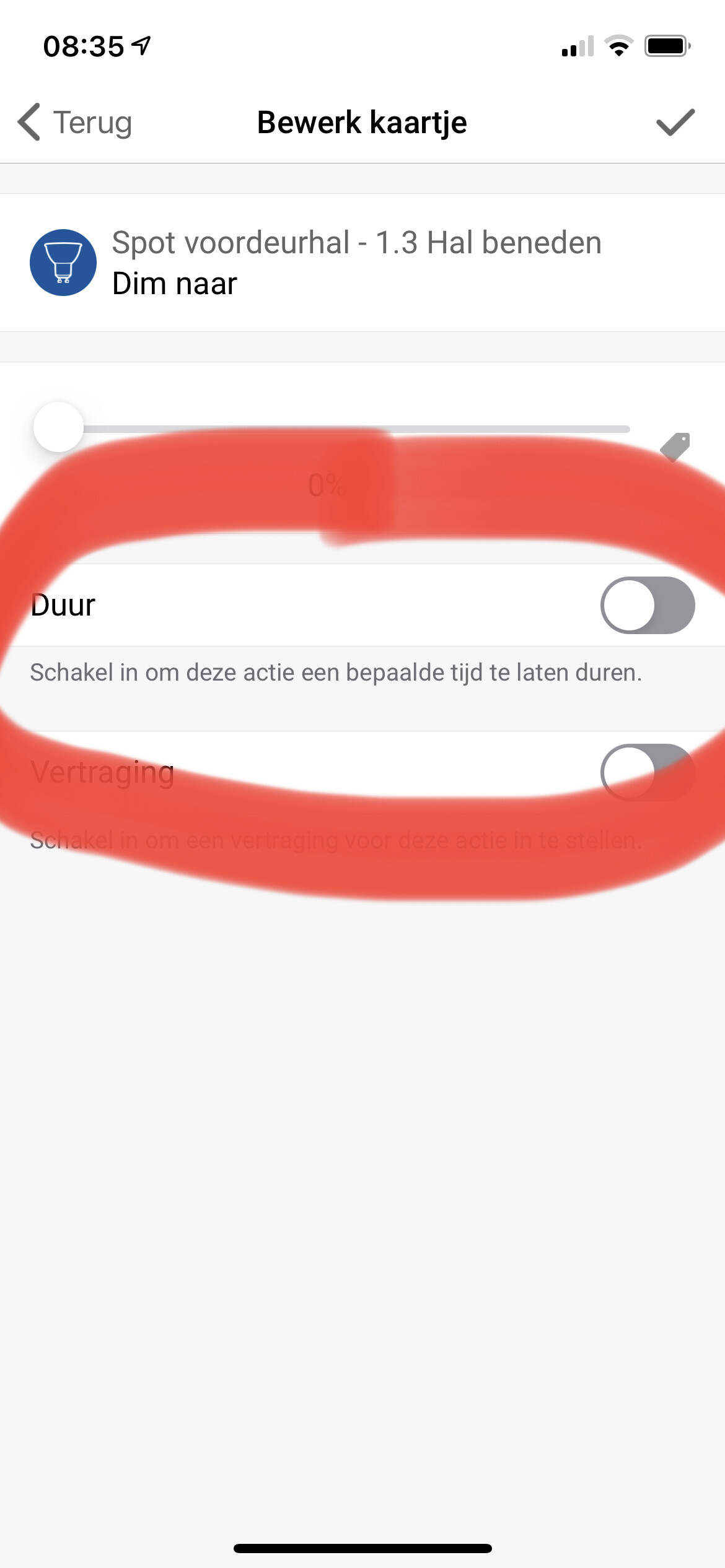
Would it be possible to make a functionality like the IKEA Trådfri app, to use a time in which the dimming will take place? That makes for great gradually dimming possibilities.
Cheers, Joep
Is that the unique code from your shelly app?
No, the Shelly API currently does not support dimming over time. You could request this feature at Allterco Robotics.
What is?
Or is it something from the device itself?
Just open http://yourshellyip/shelly, http://yourshellyip/status and http://yourshellyip/settings replacing yourshellyip with the actual IP address of your Shelly.
1 Like
I’ve got the same problem with the DoorWindows Sensor 2.
Here the Shelly-Info:
{“type”:“SHDW-2”,“mac”:“E8DB84D33B08”,“auth”:true,“fw”:“20210319-135230/v1.10.0-dw-g010f9d6”,“longid”:1,“sleep_mode”:true}
Here the status-Info:
{“wifi_sta”:{“connected”:true,“ssid”:“hauser.smart”,“ip”:“192.168.50.138”,“rssi”:-68},“cloud”:{“enabled”:true,“connected”:true},“mqtt”:{“connected”:false},“time”:"",“unixtime”:0,“serial”:6,“has_update”:false,“mac”:“E8DB84D33B08”,“cfg_changed_cnt”:0,“actions_stats”:{“skipped”:0},“is_valid”:true,“tmp”:{“value”:21.80,“units”:“C”,“tC”:21.80,“tF”:71.24, “is_valid”:true},“lux”:{“value”:167, “illumination”: “twilight”, “is_valid”:true},“accel”:{“tilt”:-1, “vibration”:-1},“sensor”:{“state”:“open”, “is_valid”:true},“bat”:{“value”:100,“voltage”:6.05},“act_reasons”:[“button”],“update”:{“status”:“idle”,“has_update”:false,“new_version”:“20210319-135230/v1.10.0-dw-g010f9d6”,“old_version”:“20210319-135230/v1.10.0-dw-g010f9d6”},“ram_total”:50872,“ram_free”:39320,“fs_size”:233681,“fs_free”:153361,“uptime”:20}
Here th Settings-Info:
{“device”:{“type”:“SHDW-2”,“mac”:“E8DB84D33B08”,“hostname”:“shellydw2-E8DB84D33B08”,“sleep_mode”:true},“wifi_ap”:{“enabled”:false,“ssid”:“shellydw2-E8DB84D33B08”,“key”:""},“wifi_sta”:{“enabled”:true,“ssid”:“hauser.smart”,“ipv4_method”:“static”,“ip”:“192.168.50.138”,“gw”:“192.168.50.1”,“mask”:“255.255.254.0”,“dns”:null},“wifi_sta1”:{“enabled”:false,“ssid”:null,“ipv4_method”:“dhcp”,“ip”:null,“gw”:null,“mask”:null,“dns”:null},“mqtt”: {“enable”:false,“server”:“192.168.33.3:1883”,“user”:"",“id”:“shellydw2-E8DB84D33B08”,“reconnect_timeout_max”:60.000000,“reconnect_timeout_min”:2.000000,“clean_session”:true,“keep_alive”:60,“max_qos”:0,“retain”:false,“update_period”:30},“coiot”: {“enabled”:true,“update_period”:15,“peer”:""},“sntp”:{“server”:“time.google.com”,“enabled”:true},“login”:{“enabled”:true,“unprotected”:false,“username”:"####"},“pin_code”:"",“name”:null,“fw”:“20210319-135230/v1.10.0-dw-g010f9d6”,“discoverable”:true,“build_info”:{“build_id”:“20210319-135230/v1.10.0-dw-g010f9d6”,“build_timestamp”:“2021-03-19T13:52:30Z”,“build_version”:“1.0”},“cloud”:{“enabled”:true,“connected”:true},“timezone”:“Europe/Berlin”,“lat”:500.000000,“lng”:500.000000,“tzautodetect”:true,“tz_utc_offset”:0,“tz_dst”:false,“tz_dst_auto”:true,“time”:"",“unixtime”:0,“led_status_disable”:true,“debug_enable”:false,“allow_cross_origin”:false,“actions”:{“active”:false,“names”:[“report_url”,“dark_url”,“twilight_url”,“open_url”,“close_url”,“vibration_url”,“temp_over_url”,“temp_under_url”]},“dark_threshold”:100,“twilight_threshold”:300,“sleep_mode”:{“period”:6,“unit”:“h”},“led_status_disable”:true,“tilt_enabled”:false,“tilt_calibrated”:false,“vibration_enabled”:false,“vibration_sensitivity”:50,“reverse_open_close”:false,“lux_wakeup_enable”:true,“sensors”:{“temperature_threshold”:1.0,“temperature_unit”:“C”},“temperature_offset”:0.0}
The problems with Shelly1 and Shelly2.5 are solved as you’ve suggested  Thank you…
@Axel_Keller , @Philip_Montgomery it seems the DW2 sensor is not awake long enough to set the CoIoT peer to the Homey IP (which allows unicast traffic between the DW sensor and Homey). You will probably need to set this manually through the webinterface of the DW2 sensor (after waking it up). Go to internet settings / developer settings and set the CoIoT peer to the IP address of your Homey. No need to fill in a port as well, it will save the default port which is correct.
1 Like
Great Job! Now it works Thank you so much!
The Shelly dimmer 2 uses ‘transition time’. But I reckon that is not to be set using homey?
That is a generic setting for every transition. What you need for the feature you requested is a settable transition time for every dimming command which will be send together with the dimming value. This is not supported.
1 Like
Hello, my Shelly 1 gives error ehostunreach.
I restarted homey and this did not help. the shelly app on the iphone works fine. I finally reset shelly factory settings and gave a new static ip address. it worked fine for 24 hours before I get the error again.
Does anyone know a solution
homey 5.0.4
Shelly app 3.0.28
Firmware Shelly 1.10.1
This error means Homey has trouble connecting to the Shelly 1 and tells you it cant reach the device. If you say the Shelly has a static IP assigned it could indicate network issues in your home network like the Shelly 1 being to far away from the access point and not having a stable connection. Could also be the Homey network stack being flaky as it hasnt proven to be rock solid for other users as well. Not much anyone here can do about it I’m afraid.
What does the RSSI value say when you open http://yourshellyip/status?
