Hi, ofcourse I use Homey for all. But if I push the light on in Shelly app. The light in Homey stays off. Otherwise I switch the light on in Homey in Shelly it goes on.
I have my apps connected by all others wifi.
homey 2019 version 12.4.8 and shelly app v3.45.0
Hi, I am also using Shell EM. Connected in Homey by others Wifi. Since some weeks there is only reporting one device. Device 2 is ok but device 1 is in Homey not connected. In Shelly itself I have no problem.
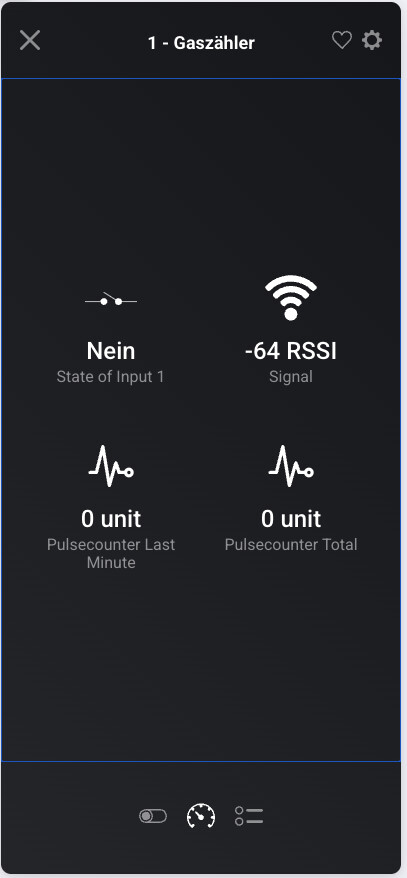
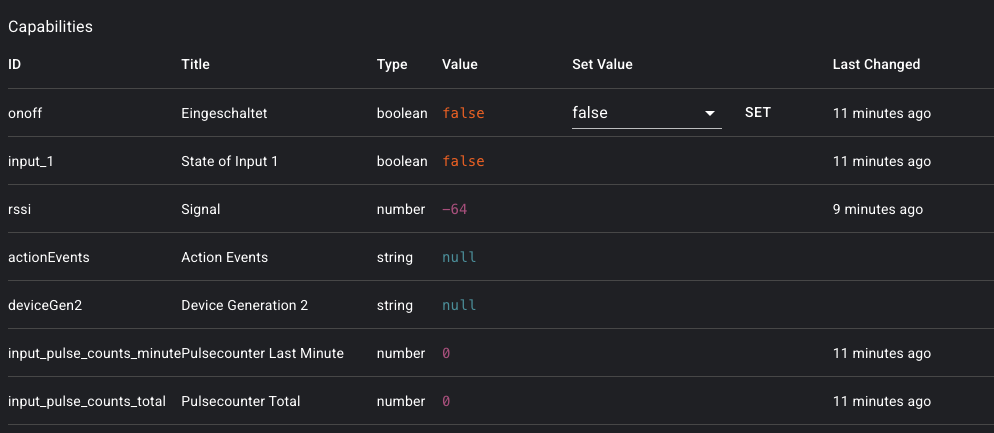
I have a Shelly UNI connected to a Cyble sensor on my gas meter. The Shelly is configured to count in cubic meters (m³), and everything appears to be working correctly in the Shelly UI.
Pulscounter total is the right one, but, i already configured kubicmeters incl. calculation on the shelly, so why cant i simply consume the value which my shelly is showing?
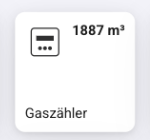
Im also not interrested in all these clutter the Shelly uni brings with it, i only want to see the counter, but in the right format and not pulses. I would like to show it es a gas meter.
EDIT
I solved it by using MQTT Hub and publishing the calculated value to MQTT by using this script on my Shelly Uni:
// Shelly Plus Script: extrahiere xtotal aus JSON und republiziere als Float

let INPUT_TOPIC = "shellyplusuni-gas/status/input:2";
let OUTPUT_TOPIC = "shellyplusuni-gas/gasmeter/m3";

MQTT.subscribe(INPUT_TOPIC, function (topic, message) {
  try {
    let data = JSON.parse(message);
    let value = data.counts.xtotal;

    if (typeof value === "number") {
      MQTT.publish(OUTPUT_TOPIC, value.toFixed(3), 1, false);
    }
  } catch (e) {
    print("Parsing failed: " + e.message);
  }
});
Hello,
I paired two Shelly BLU Door/Window with Homey yesterday.
In the Android app, the alarm only appears once you’ve logged into the device (long press):
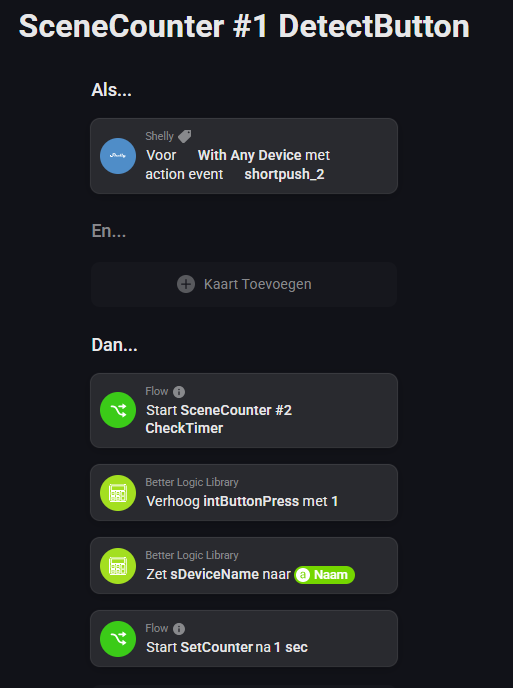
I’m having issues with the Action_Event card. In earlier days, this was a generic card that reported the device and action. Using that I created a few simple flows that count the number of times a button is pressed, and identifies which devices was used. Then a specific flows is started, depending on the action, the device and the number of times pushed.
I use this to select scenes on different buttons in the house, and it does not need anything extra when I new device was introduced since the generic flowcard automatically included new devices.
In the last 3 weeks I had 4 (!!!) Shelly dimmers die on me, so I needed to replace them. Apparently, while the old action_event card is still available (for backwards compatibility I guess) in existing flow’s, it seems it does not respond to newly added devices.
Anyone had any luck getting BLU devices to work with Homey using the BLU Proxy Script on Plus/Pro devices running Shelly firmware 1.5.0 or later?
I tried to connect a BLU device for the first time today (BLU H&T) and the device in Homey does not update. I suspect it is because Shelly no longer supports disabling Bluetooth Gateway when Bluetooth is enabled.
I’m using a Shelly PM mini Gen 3 to monitor only the power fed back into the grid from my solar panel system. The Shelly is installed downstream of the inverter, so it should only be measuring exported energy.
However, I’ve noticed that the values for “energy” and “returned_energy” are exactly the same and increase in parallel. This seems odd, as I’m expecting mostly return (exported) energy, not consumption.
Has anyone experienced this before?
What I’ve tried:
*Removed and re-added the Shelly to the app → but the values were not reset.
My questions:
Is this normal behavior for the 1PM Gen3?
Is there a way to reset the counters or configure it to correctly register only returned energy?
Hi,wouldn’t it be possible to do this in some second app? I had to chang my home wifi and garage shelly is out of range, but is in range of our house public wifi (pass protected). So this would really help me a ton…
You are responding to a post that is one and a half years old…
Shelly’s Homey app is currently being maintained by Drenso (see also first post). Suggest you reach out to them, via the indicated e-mail address, to share your request.