@Phuturist Man, thank you for creating this great integration. Doorbird was my first smart home device I bought even before homey having in mind integration potential. It’s the thing that got me hooked while your app was one of the first installed on my homey. Anyway, thank you man for all the great work done.
Knowing who is taking over, we will be in good hands for sure.
I added my Doorbird to my new Homey, everything went smooth. I created a new user with all permissions for Homey. I can see the live camera, I see working alarms. I also see that Homey did the config with the HTTPS calls for Homey.
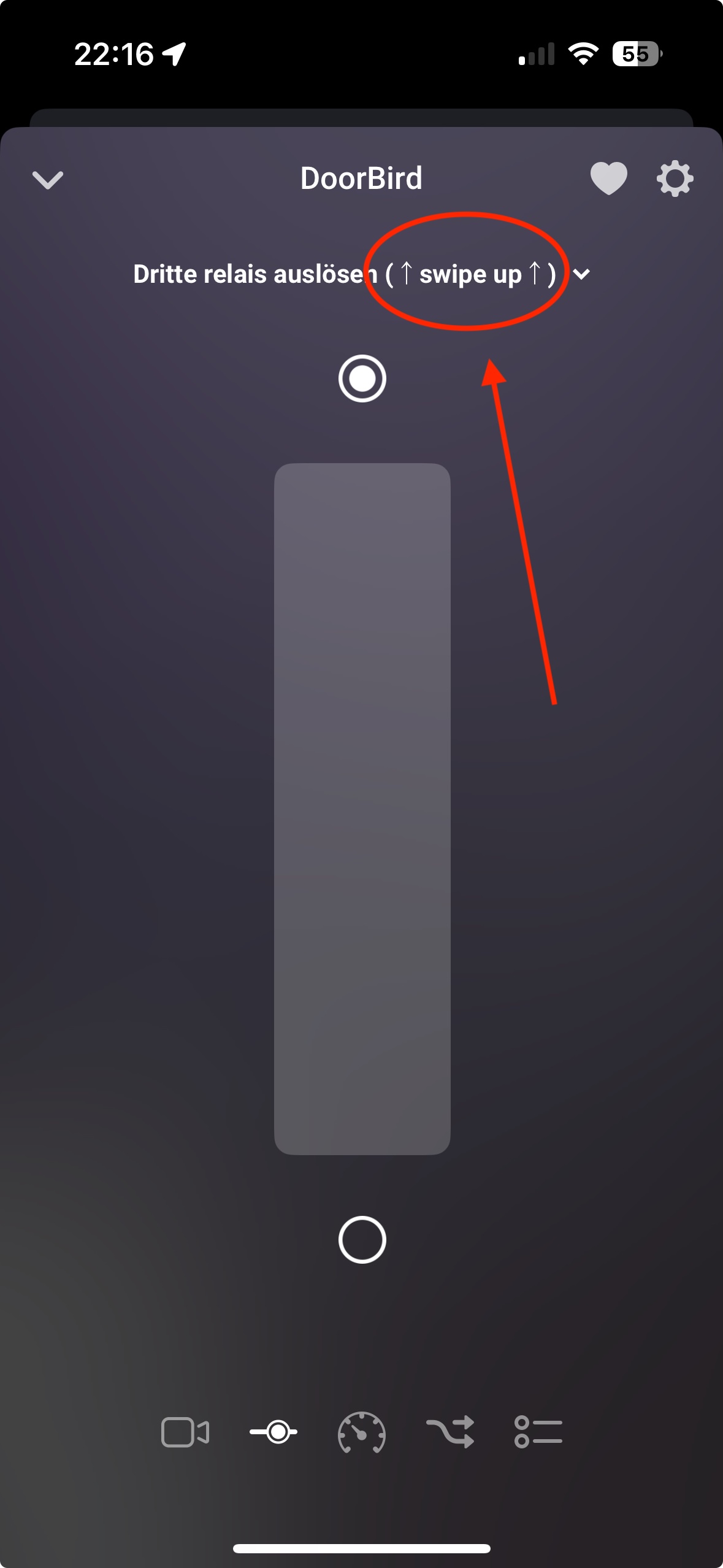
However, I can not open the door with the Relay function in Homey (Swipe up).
Any idea, what else I need to do?
Opening the door from the Doorbird iOS app works without a problem for years now.
I accidentally overwrote the HTTP(S) call URL for the Homey Doorbell Trigger. Even if I am not currently using the trigger, I would like to restore the URL.
This is easy, there is a function for this:
Simply go to the settings of your doorbird, then go to “maintenance” (one line below “advanced options”), there is a button “Set URLs for notifications”.
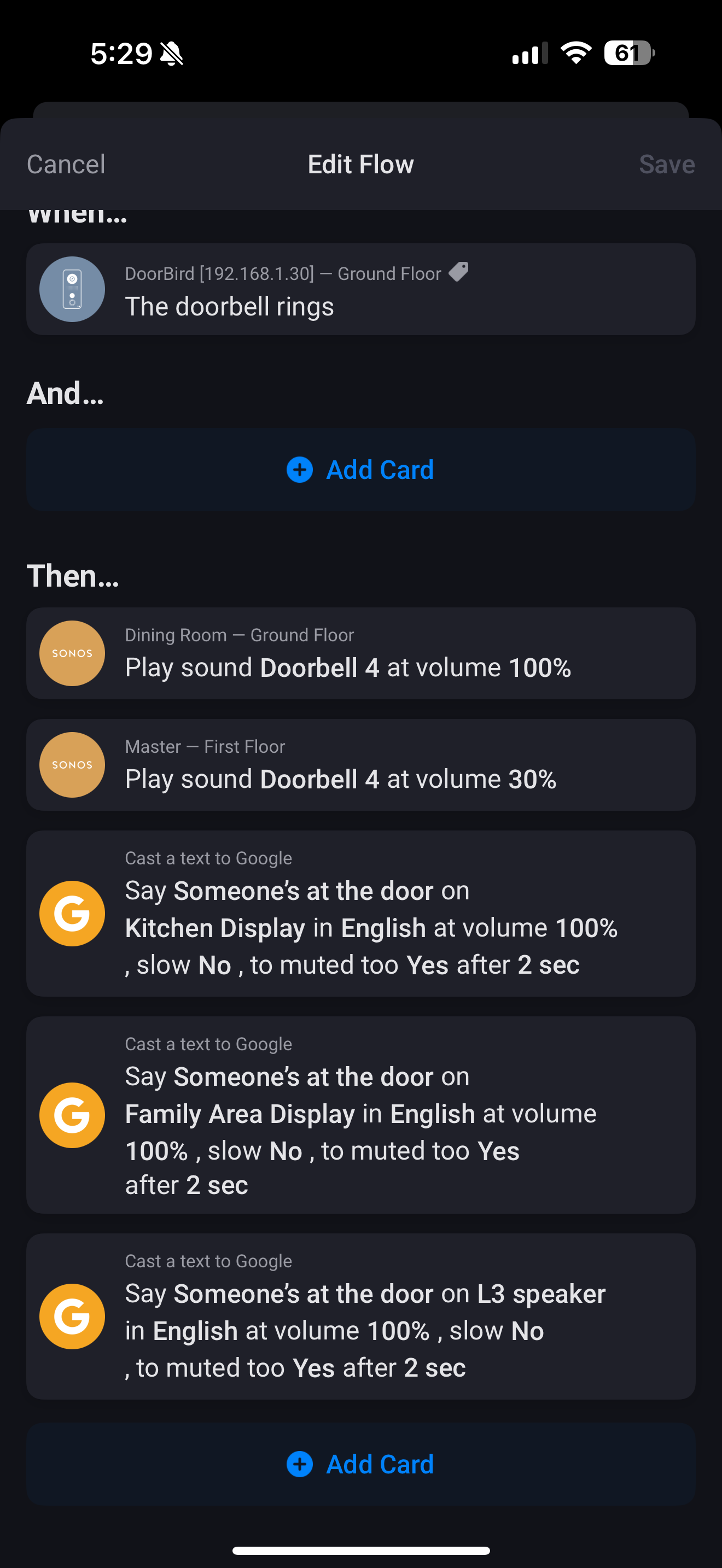
I have setup a flow such that when the doorbell is triggered on my DoorBird, it will play a sound on my Sonos and also make an announcement on my Google home devices. The flow has always been working but it suddenly stopped working 2 days ago.
When I test out the flow on the Homey app, everything still works fine. However, when I press the doorbell on the DoorBird, the flow does not get triggered. The DoorBird app works as per normal - playing the chirping sound and sending a notification to my phone. However, the flow does not get triggered and nothing happens on my Google home and Sonos devices.
I have tried the following
uninstalling and reinstalling the DoorBird, Sonos and Cast to Google apps
Reinstalled the DoorBird on Homey
Re-powered the DoorBird
Refreshed the network connection to DoorBird
Restarted and refreshed the network connection for Homey
I have taken all these steps but the flow still does not get triggered when I press the doorbell on the DoorBird. The DoorBird works perfectly fine. I can use the DoorBird app to operate it and I can also use Homey to operate the DoorBird.
I have connected Homey successfully to our DoorBird and its working mostly, but the “the doorbell rings” flow trigger is not working at all. Motion and door open trigger are working. I tried removing and adding the URLs in the maintenance settings but that didnt change anything. Can anyone help?
I am new to this forum. Unfortunately, adding a device to my Homey Pro via the Doorbird app does not work for me. In the final step of adding (the window where you can check/uncheck the box) I get the error: “Unknown Capability: open_action_9”. I have searched for it everywhere but unfo
I got the Debug Code 60651444-ba3f-4e0a-b0ee-bb4fd9fece89
Hi, the DoorBird has always worked perfectly till yesterday where I had to change the internet setup resulting in new IP address for the DoorBird. I changed the IP address for the device after which I can see the latest snapshot of the camera. Also, the flows to open and close the door still work but the flows that should be triggered when the door is opened or closed are no longer triggered. Does anyone has any thoughts on what could cause the issue?
 overwrote the HTTP(S) call URL for the Homey Doorbell Trigger. Even if I am not currently using the trigger, I would like to restore the URL.





 Thank you very much
