In fact, homey had switched to a different wifi network from that of doorbird. I hadn’t paid attention. THANKS

It means there is a an issue with the Homey discoery mechanism. Reboot Homey and try again.
After a reboot, doorbird connected fine. THANKS
Hi,
I have a Homey Pro 2023 and Doorbird D2101KV connected by ethernet cable. When trying to add the Doorbird as a device in the Homey app, after putting in the admin credentials of the Doorbird, I get the message “Error 401: this user is not authorized, make sure you have created the user in the app and entered the correct details”. Any idea how to fix this issue?
Your help is greatly appreciated, many thx!
Create a user with the correct permission (API) in the DoorBird app and use that credentials for adding the DoorBird.
I wrongly assumed that the administrator role provided already had all permissions possible. Created a new user and notice the possibility to grant API permissions which solved the issue. Many thx!
Hello, have created various flows triggered when the door/gate is opened using the DoorBird app. However, there does not seem to be the possibility to create a flow triggered when the door/gate is closed using the DoorBird app? Would it be possible to have this possibility added?
Does the official DoorBird app allow you to set a HTTP call for a door closed event under the administration area? If not, it cant be added. If it does the official DoorBird APi is outdated. Please post a screenshot of this setting in this case and the output of http://yourdoorbirdipaddress/bha-api/schedule.cgi.
Thx for your quick response. Personally, have no idea what information you are looking for and how to provide - only thing I know is that I can open and close the gate using the official DoorBird app. Hope other forum members know the answer to your question.

The available relays are set in Homey during pairing. If you have added a relay after pairing you will need to remove and re-pair your DoorBird to make them available.
OK, thx - the issue is only with the “when” - the “then” works perfectly, i.e. closes the gate. Nevertheless, will remove the app and re-install. Thx!
Hi, have deleted the app and re-installed. However, creating flows still does not allow the “when” criteria being the relay 2 (i.e. closing the gate) instead of relay 1. Looking at the information provided when creating a flow, there is a mentioning of a “relay” tag which seems to be set to “1”. How can I change this to “2”?

Did you actually check what the value of the tag is when the flow is triggered by realy 2? For instance by sending that tag as notification to your device.
The whole idea of tags in when cards is that it contains specific info on what triggered the card so you can filter on it with a condition logic card.
I have a Doorbird D1101V and was able to add it to my Homey. (see photo)
I can also take a live snapshot so the connection is there.
I have tried to create a flow several times, but nothing happens, while I do get a notification on my Doorbird app.
What do I have to do and set on the doorbird and homey side to get a working flow? I had seen something about setting a URL, but how and what is not clear to me.
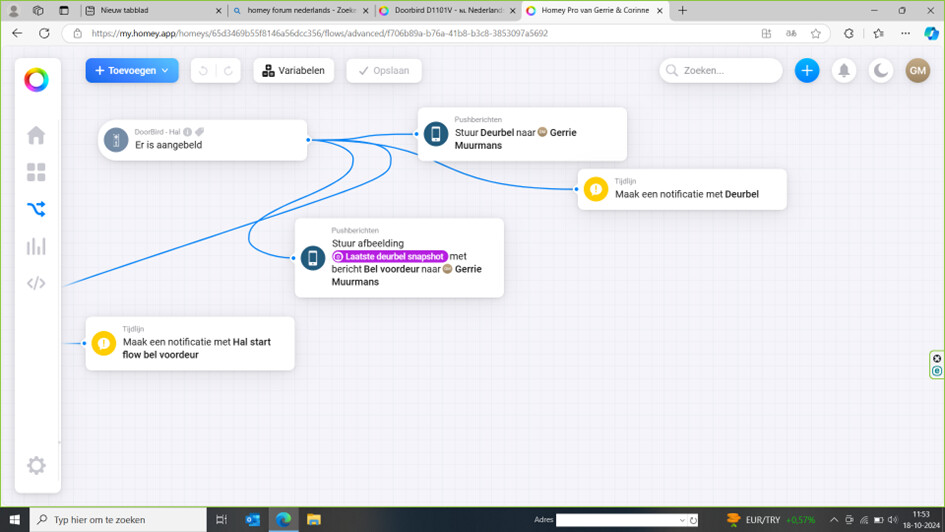
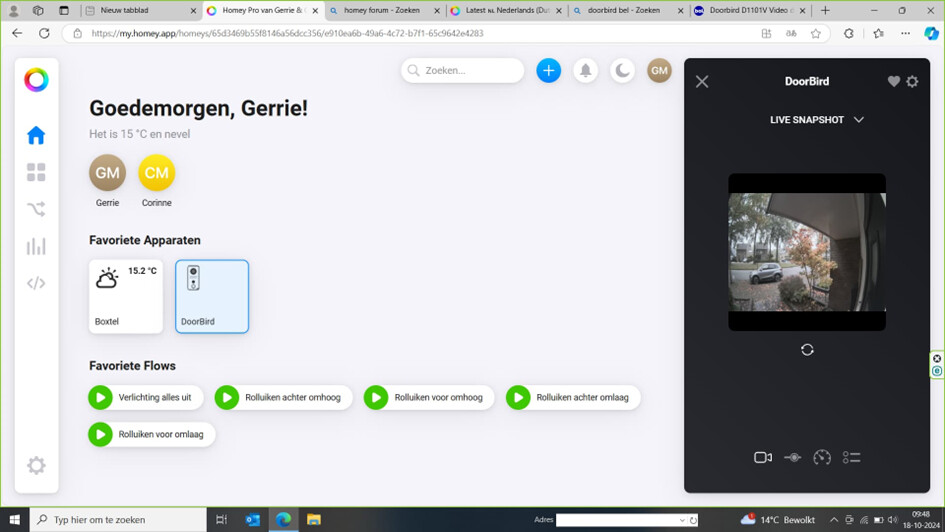
Read the first post in this topic.
Many thx - I did not know how to get these tags to work (yes, my ignorance… am still learning) but now managed to put in the extra condition to check on the value of the tag works perfectly ! Would it make sense to change the description of the action “the door is opened” as well as “Open the door with relay…” into more generic wording as these actions are not only linked to opening the door but to triggering relay 1 or 2 which is different from always “opening”. Believe it could help new users? Many thx again.
Ownership of this app has been transferred to @TedTolboom . With an excellent track record as Homey app developer I’m sure maintenance and further development of the DoorBird app is in good hands.
Hi,
I am having a setup issue at which I fail to solve it.
I would like to use the Doorbird app to activate the Bold smart lock via a web hook.
If I do so via a webhook from my browser (https://webhook.homey.app/HomeyID/RFID_erkannt?tag=Test),l everything works fine.
My understanding is that the small key icon on the initial smart phone app screen can be configured to perform https calls.

In order to achieve that I have added the exact webhook to the doorbird config as a https call (“favorites”), and have set relay #1 to use that https call under “experts”:


But: nothing happens when I press thee key symbol in the iPhone app… really nothing… No webhook is received by homey…
What am I missing?
