@Gal_Carmeli, since I have follow the procedure, it is working fine for the last 4 days.
Thanks
I too had it fixed by removing/readding a device, only to be broken again after a few days. I’ll try it again and report back if it happens again
@Takie - i would like to take a closer look at the issues. Can you please send me diagnostics report? (App settings → Send Diagnostics Report)
Please put your name onthe report’s comment so I will know to correlate.
Done: b9c3c158-6aed-456c-99ec-2f7de3be0d1f
Please do not fix the problem - leave it as is so I can see the issue.
I will take a look at it soon.
@Takie - looking at your report, I do not see any issue at all. All requests to Netatmo cloud are being properly addressed.
It seems that you are encountering a different issue than the others.
What exactly do you see? What is not working for you?
Ah sorry, it was already fixed when i made the report. I’ll send you another one should it brake again
Thanks.
Can you specify what is the error you are seeing?
I forgot exactly what it said, but I remember it being something generic (timeout perhaps?). For sure it was not the “rate limit” one mentioned earlier.
I’ll also let you know the exact phrasing should it happen again
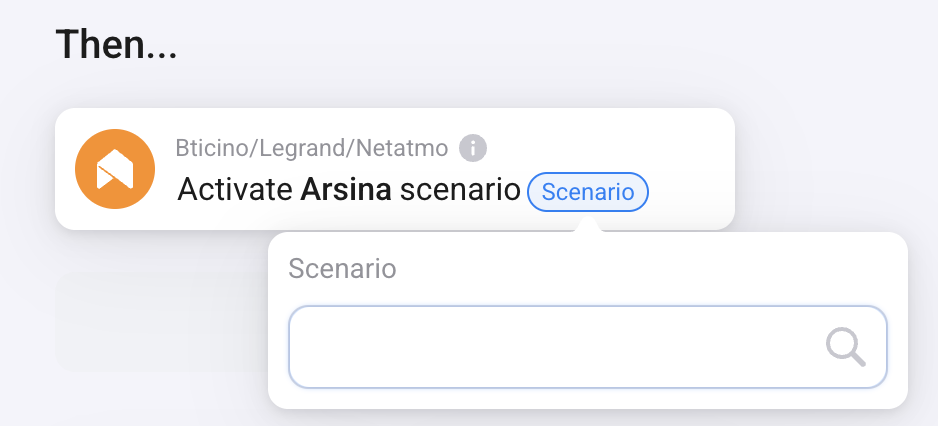

The official app is still working here for both my weather station, smart indoor cam and smart outdoor cams.
@MrTomTom - I think that if you add “Weather Station” on my app, it will add this device as well.
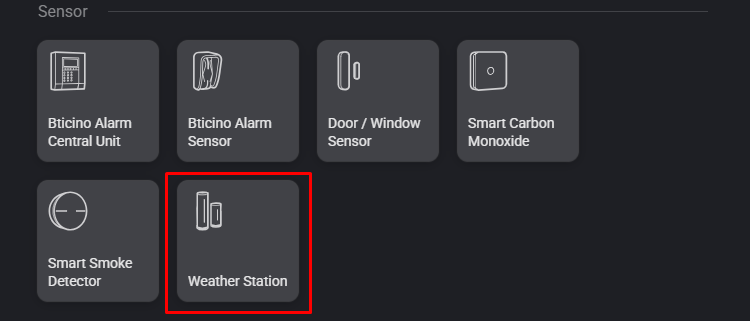
Did you try it?
New report made: 785522e7-e6cb-40fc-9352-fa88452c5511
Getting error “400 Bad request” on turning off/on my outdoor cam
@Takie - I see the problem.
It’s a defferent problem than the one we discussed above, and is related to a bug of mine.
I unedrstand where the bug is.
I am working on a big version now, which will be released today or tomorrow. Once I release that one, I will fix this bug. I assume the bugfix will be released towards the end of the week.
All -
I just released version 1.2.2.
In this version, I blocked the possibility to use the old tokens provided by Netatmo, and all users should move to new tokens.
This means that if you did not remove and re-added on of your devices during March, all your devices will be disabled and the application will not function.
In order to fix it, follow these steps:
- Make sure you were upgraded to version 1.2.x (you can upgrade manually if you were still not upgraded automatically)
- Remove ONE of your Netatmo devices from Homey. You have to remove only one, not all the devices. It doesn’t matter which one you choose.
- Add the device again to Homey
- Wait for 2 minutes for the change to take affect
This will refresh the token acquisition logic and should fix the problem.
If you still see issues after these steps, please send me diagnostics report with a comment explaining the problem you are seeing.
Note: If you have flows that are using the device you remove and re-added, you will need to fix them manually.
Thanks for all your time and effort @Gal_Carmeli !
I’m getting an error “Cannot read properties of undefined (reading ‘home_id’)” after upgrading to 1.2.2 and trying to turn off my outdoor cam. It might be resolved by removing/readding it again, will try this evening. Just wanted to let you know.
Thanks for letting me know. Can you send diagnostics report?
Here you go: 1b81efc5-b88e-4678-b027-06fdfe695340
I can see the problem.
A bug on my side.
I just released 1.2.3 with a fix.
Please do not remove/re-add. Let’s see if its resolved. I am monitoring your app’s behavior – I will let you know.
