I checked twice. The app is correct, no issues.
But I had a login error after the app was auto updated on my prod. Homey.
So if you see “wrong login data” error in repair screen, please try to install the app again from the store.
If the error is still present, please send me a PW with your Homey FW version. I will reach out to Athom to check this issue.
Hi @RonnyW thanks for the update and the great app.
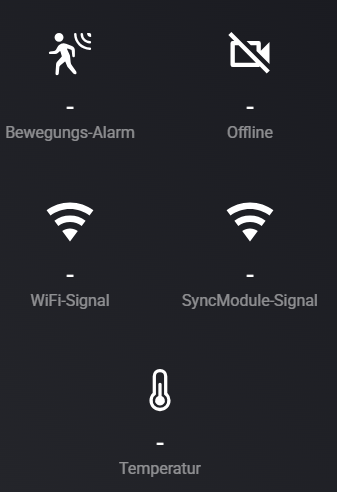
I set up everything new from scratch but having other issues: Adding Account, three sync modules and five cams in total worked, but my cams don’t share any data (temp, etc.) - also the account fired some API errors (error Account/Login Data, error reading moving data from cloud) and it seems that the “moving detection” and “clip recorded” events never fire to homey. I restarted the app and renewed 2fa login several times, but no change. In blink app all data and devices work normally.
Any idea what could cause this or how to fix it?
Using app ver 2.0.2 on homey 12.7.1, hardware homey pro (early 2019).
Understood, that many devices (5 cams in my case) can cause trouble fetching all the data within one api call. But the default intervall for cloud videos was set at 10s already, I changed to 30s which did not help either. Also other cam data (temp) not transferred at all or even once.
You have cloud storage active? Then it’s much faster than local storage.
If you are hitting Blink API too much, you will get rate limited resulting in http errors (showing up in account device).
Then it takes a time until the limit is cleared (1 or some hours).
I don’t know if that’s really the issue. I checked local storage and this is working and triggering flows for new videos.
Yes, using cloud storage for all devices. I get it, that creating too many api request is a problem, but I have no flows or sripts actively or manually requesting anything, from my understanding the app just asks the api in the given intervalls for video and data updates. I started using the standard account setting, which I even increased (Status every 1 mins, moving interval cloud 30s). But over the day, today 2 times within 6 hours, I get API error code 400 and devices still not showing any data such as temperature.
What works is, showing the account settings (e.g. time of clip deletion in cloud) and turning cams on/off > moving detection, both is consistent with settings and synced with blink app. So the api and account credentials work in general.
Maybe I set up everything from scratch again and just testing one device.
Sure. However, never did this before, is this just this code?
15ca07d4-7fd4-49f1-a775-f7143ed4805f
Great, that you are so engaged, really appreciate it - thanks!
No, like I said - motion and therefore new video never triggers the flow and also cam data is not available (like temperature), so for some reason is not transferred or correctly assigned in homey.
But the check if subscription is active or not is based on the old model (subscription for the account). I would say in your case, the app only checks the cloud is a subscription is active, and lpcal storage is not checked in this case.
This version should fix the cloud check issue. Motion alert for cameras with subscription should work now.
In addition support for basic plan is added. If you have an active basic subscription and more than one camera, the app will check both cloud and local storage. The previous version was only checking cloud storage if a subscription was active, even if only one camera was stored in cloud.
The “Mix” storage is shown for the Basic plan case.