Sounds to me you’d missed the “add a device” part?
Few apps work without installing a device as well.
Oh my gosh, you’re absolutely right. I forgot that part, what a doofus. Thank you for setting me straight, Peter!
You might want to disable this again, if not already done so. It is not required for this app to work And potentially exposing your router’s admin page to the outside world, is not something you typically want  .
.


Thank you, I had wondered that myself. It was my next point of research once I got it going. Thank you again for the advice. Everybody is so kind here.
Hello
I Just installed the app and added the Main Router of my XT8 Mesh Network.
I hoped, I will be able to create a flow sich turns on port forwarding in some certain cases, but all I can do is to turn on and off my VPN provider.
Am I doing something wrong, or is it not possible to switch on and off port forwarding?
If so, can it be added?
Thanks for clarifying.
Peter
This is not a option of the app currently and probably won’t be in the future since that is not just a toggle that can be done through the app on your phone or web interface, and this homey app is a reverse engineered phone app.
Thank you.
I don’t understand what’s a reverse phone app, but you made it clear that I can (and will) not use this app in my case.
Thank you
Peter
Hi.
My ASUS BT10 suddenly only shows LAN devices, not showing WLAN devices.
Tried to uninstall the app, and add everything back. There isn’t any difference.
4f5454ee-baf7-489d-80f1-39d9c52bedb7
somehow I can’t get the card when a device connects/disconnects with my network working.
running BE88u with some aimesh routers (wired).
any ideas?
Install every AiMesh Nodes inside homey.
It worked well for me, before I had to factory install my router.
Now I only see LAN devices, and none of the WiFi devices.
@SlicingHaunt are there any updates?
Could anyone that has wireless device issues try this version please and let me know if that solves the issue? I don’t own a 6/7 wifi device so I cannot test this myself. (and I also don’t plan on buying one since I have serious issues with the Asus routers I already own)
it seems to be working.
Thanks for the fix, much appreciated
Hi all,
New to this app and just installed it. I use apple id to log into my asus. Could that be the problem why i get ”wrong credentials” when trying to log in? Before i enabled apple id i had an asus username and password. It seems like they won’t work and i’m suspecting the apple id to be the issue here. Anyone with more experience who can point me in the right direction?
Also, is there some sort of guide on where to find the correct ip/port number to log in with for dummies like me?
Thank you for what looks like a great app!
Apple ID unfortunately won’t work, you will have to configure your router to use username/password credentials that aren’t apple ID. I heard some users report that inserting asusrouter.com in the IP address field during configuration worked for them, I am not able to reproduce it, but most often Asus configures your router to be 192.168.1.1 as IP.
Hmm, the app can see my RT-AX58U, but as soon as I try to generate some graphs, the Homey crashes. I need to restart Homey to get access again. Strange…
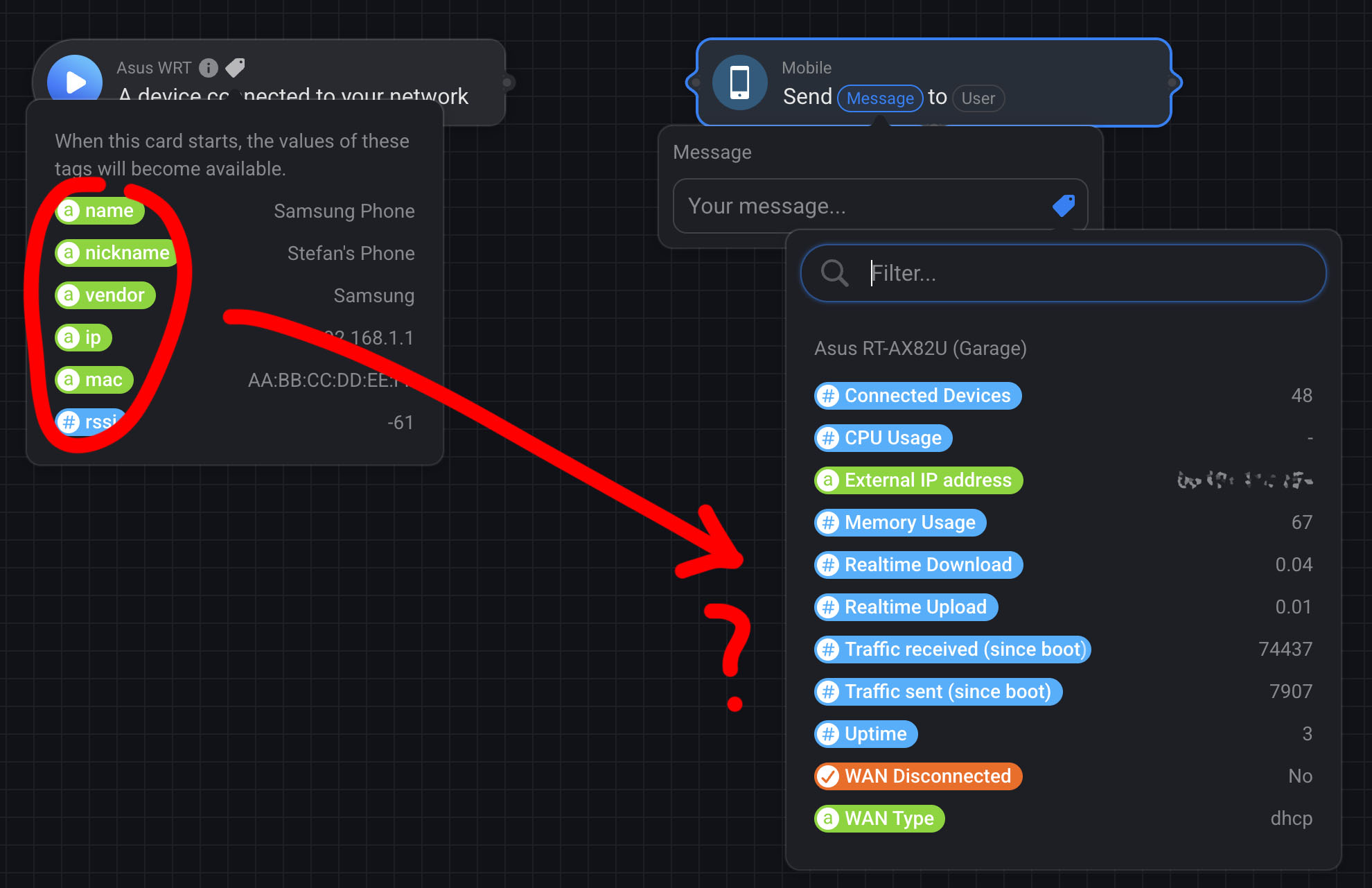
You have to connect them first 
Yeah, that worked!  I’ve used flows with tags before but never had this “problem”. I guess I must have always connected the cards first.
Another quick one. Is there a way to isolate connections per network? For example to get notified when “A device connected to your network_SSID network” ? So I can get notified only when a new device connected/disconnected to/from my “Guest” Wi-Fi network?
Thanks!
