YW, Steinar.
The flowcard screenshot I showed, is from the Action Scheduler app! It also provides for Cron job functionality
.
The ‘Cron’ app is a different unrelated app by an other dev Ola:
(Just found out by searching for ‘cron’; didn’t know this app existed)
OH2TH
January 31, 2024, 5:52am
64
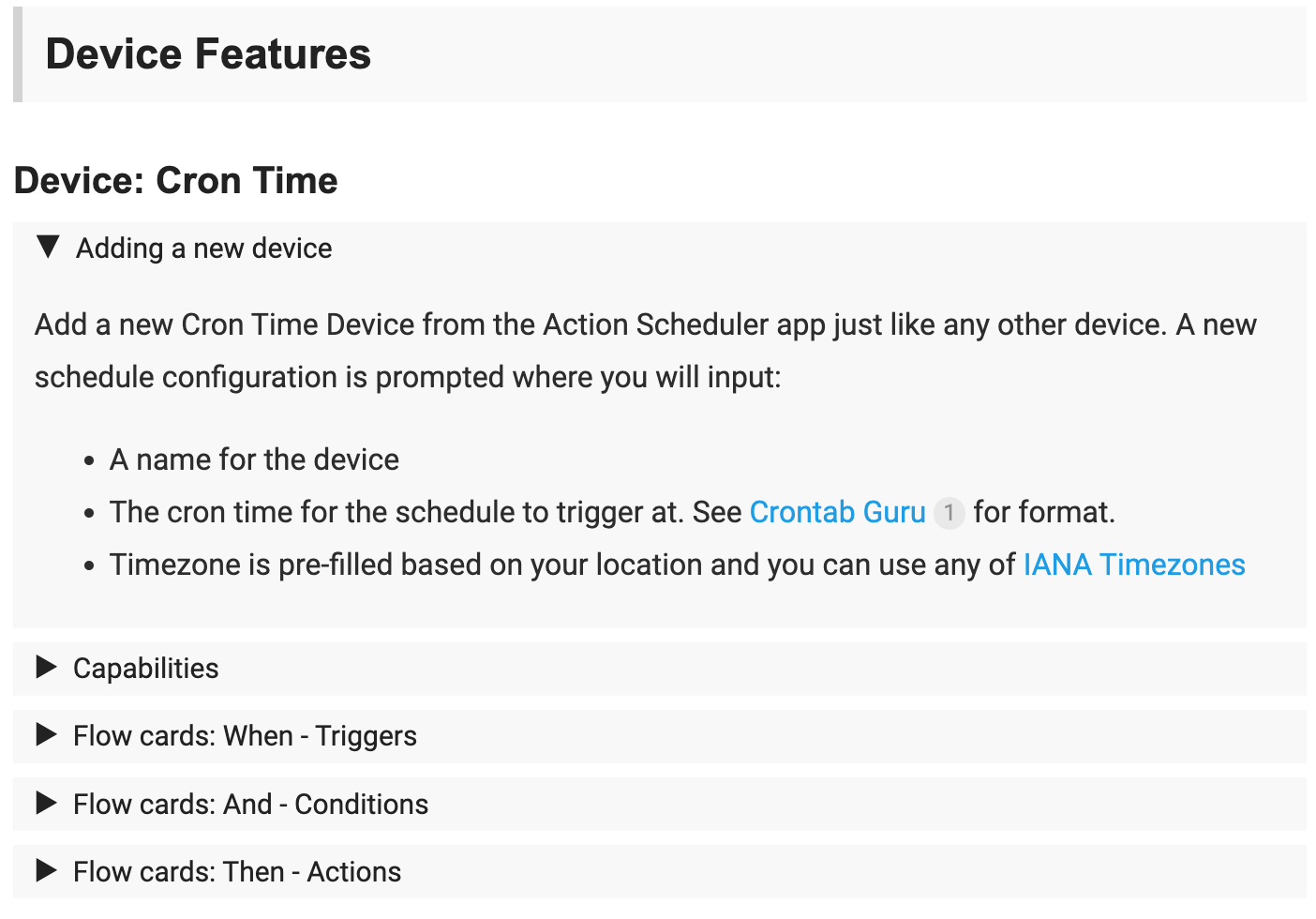
In the first post in this topic you will find instructions how to setup the Cron Time device and a list of the available flow cards.
And yes @Peter_Kawa , noticed also that there is a “new” app for Cron style things. Though that one doesnät include all the flexibility :).
If I want a Scheduler at 13:00 and every third day and use Cron time - 0 13 */3 * * - I get an error when saving. How do I do to get it to run every third day att 13:00? Use the Cron app.
OH2TH
April 1, 2024, 4:29pm
66
2.3.3 , Test: 2.3.4 )
Changes in test include
FIX : Tune the regex crontime verification on the Cron Time device.
@Christer_Sjostrom , try the test version. That should result in:
Your example 0 13 */3 * * = "At 13:00 on every 3rd day-of-month.” should result in:
next at 2024-04-04 13:00:00
OH2TH, I would like to start a trigger from the scheduler at 05:00 (in the morning) and 22:00 (in the evening). Is there a possibility to schedule this and which format should I use.
OH2TH
June 28, 2024, 1:45pm
68
Yes, you can use the Cron Scheduler where the time is set in the crontab format. For you it would be 0 5,22 * * * this translate to on the hour at 5 and 22 every day .
Great, many thanks for your quick response.
I tried it but get the following error.
It should work, probably the , confuses Javascript or such (in the app code)
OH2TH
June 28, 2024, 6:31pm
72
Indeed it should work. I will check that
Thank you for taking the time to investigate this. I also checked other combinations, but the , is not accepted.
Did you find the time to investigate this?
OH2TH
August 14, 2024, 4:13am
75
Sorry, was travelling.
I’m working on a possible solution to improve the input verification to allow more complex crontimes to be set.
There are some backend/frontend functional hickups (Pairing with custom views and using events to verify syntax of a cron string ) that needs to be solved before a release can be made.
OH2TH
August 14, 2024, 9:13am
76
2.3.4 , Test: 2.4.1 )
Changes in test include
FIX : Refactor the cron time verification in pairing and settings forms.FIX : Pairing form “Add Device” button.FIX : new CronJob syntax changes due to updating to v3 cron
The FIX applies to the test version only to get feedback before making it live.
@Roy_Derksen , if you can test the test version for your needs.
And a big thanks to @robertklep for finding the bug in the frontend code. I had become too blind to my code.
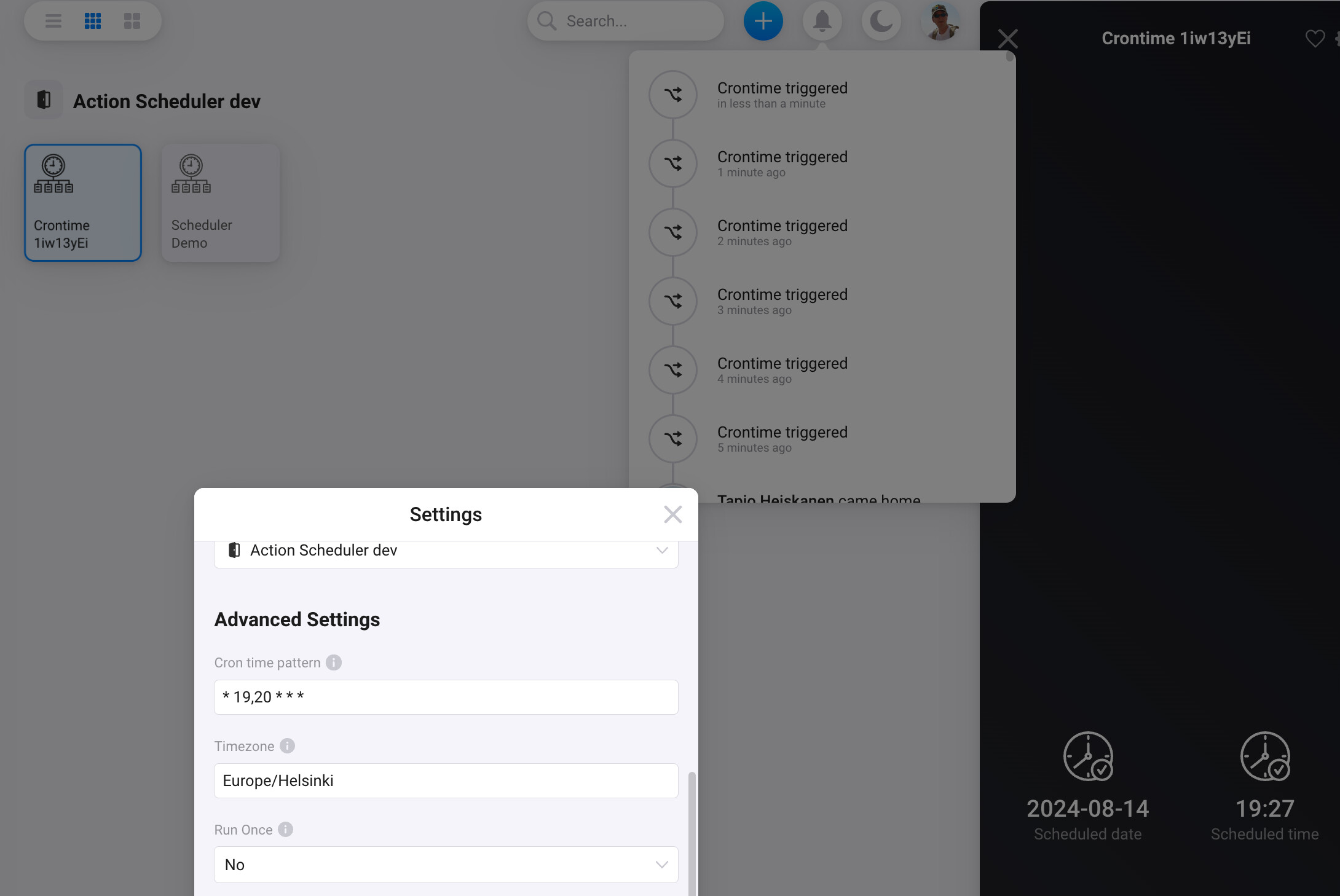
@OH2TH , I have tested version 2.4.1 and it is not working accordingly. I can now update the time, e.g. 0 15,16 * * * in the advanced settings. However, when the trigger is taken place with the card schedule triggered, the app is not responding and after roughly 1 min is back online but with the next scheduled date and time.
OH2TH
August 14, 2024, 2:36pm
78
On my HP 2019 and 2023 it works ok. I can’t seem to replicate any error.
Test flow is as:
And the setting and notifications are arriving as defined by the flow.
staeff
August 14, 2024, 5:01pm
79
You can try CronJob if all you want to do is run specific cron expressions. Just directly put it in the WHEN card.
I have done some more tests and it is working fine.
Thanks for your support.
OH2TH
August 15, 2024, 6:23am
81
Good to know. I will keep that in testing for a while as there has been some number of changes under the hood.
OH2TH
August 15, 2024, 7:31am
82
2.3.4 , Test: 2.4.2 )
Changes in test include
FIX : Refactor the cron time verification in pairing and settings forms.FIX : Pairing form “Add Device” button.FIX : new CronJob syntax changes due to updating to v3 cronFIX : Restore prettier formating
To test this version, please install from above test version link.
If you do not want to test this version anymore, you can return to the live version by installing it from the app store.