K_S
November 4, 2025, 9:24am
1
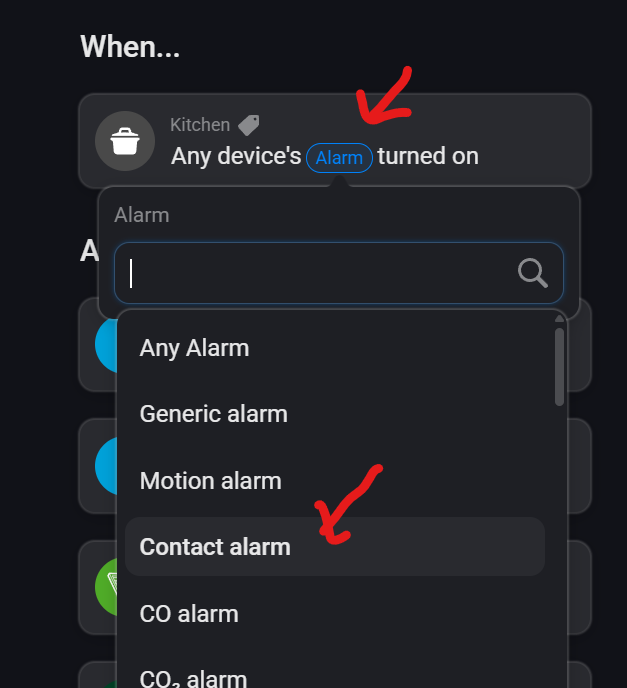
Does anybody know why this contact alarm card offers me smoke alarm tags?
When I add a card like this:
Then this:
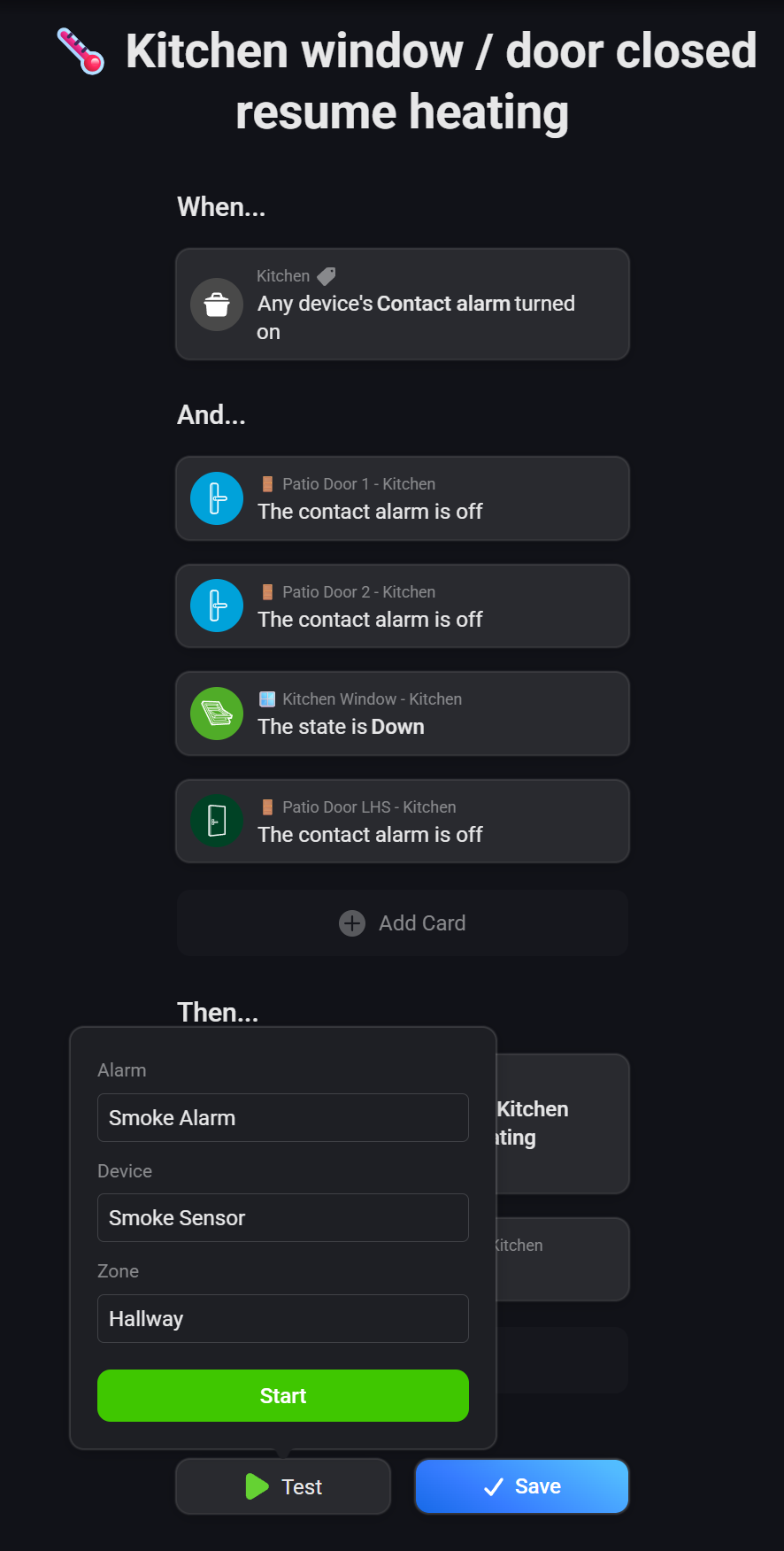
If I click on the tag, I get this:
which means when I try to test my flow, the test condition seems to be only for smoke alarm as a trigger.
What am I missing?
Since the card supports multiple alarm types, but only one example text per token for the entire card, Athom has apparently chosen “Smoke Alarm” (etc). It’s just poorly named.
"alarm_true": {
  "title": "Any device's alarm turned on",
  "titleFormatted": "Any device's [[capability]] turned on",
  "token": {
    "capabilityName": {
      "title": "Alarm",
      "example": "Smoke Alarm"
    },
    "deviceName": {
      "title": "Device",
      "example": "Smoke Sensor"
    },
    "deviceZone": {
      "title": "Zone",
      "example": "Hallway"
    }
  },
  "args": {
    "capability": {
      "title": "Alarm",
      "__any": "Any Alarm"
    }
  }
}
K_S
November 4, 2025, 1:47pm
3
Thanks Robert, does that have any effect on how I can test the flow?
I think you can select which alarm it should test with?
That looks like the last “Then” card (“Resume Smart Schedule”) is just failing, regardless of whether you’re running a test or not.
You’re supposed to use the tags provided by the trigger card in the notification card. It will dynamically report the actual contact alarm name + zone.
Select these tags:
Flow:
K_S
November 6, 2025, 2:49pm
8
Thanks for your replies.
I’ve added tags as I think you suggested @Peter_Kawa , but it still seems to just throw up Smoke alarm and the wrong zone
It doesn’t work when testing. Because you “impersonate” the trigger card.