Yep. I have a TIMMERFLOTTE as well and the new KAJPLATS 1521lm light bulb. At our local IKEA they also had two of the Matter remotes, the movement sensor, the window sensor, and I think the water leak sensor. Still no smart plug or air quality sensor.
I am a bit sad about the end of Zigbee at IKEA though. They were probably one of the largest Zigbee device manufacturers besides Signify and they were pretty good for the price. With them completely quitting Zigbee, the writing is probably on the wall longer-term.
Sadly, Thread + Matter will be a regression in some ways. Some Thread Border Routers (like Apple’s) have mandatory NAT64, which means that Thread devices can phone home, allowing companies to gather analytics from your devices. And since the Thread Border Router does the NAT64, it’s hard to separate the traffic from legitimate traffic (e.g. if you use an Apple TV) because the traffic will come from the border router. Some devices already require it for some features, like Nuki locks and Tado X devices, mostly for remote use. And Apple or Google have inserted themselves into every pairing flow.
Zigbee had the huge benefit that it had nothing to do with IP and was completely local.
Last time I was in Groningen (about a week ago), they also didn’t have the smart plug. Did that change? (Might be a good way to get some cheap extra Thread routers.)
You probably already have two. Neither Homey Pro nor Apple TV allow you to turn off their Thread Border Routers. The only way to get rid of them is to put them on a VLAN and not allowing mDNS broadcasts to cross VLANs (well, if you do that with the Apple TV, you probably need an mDNS proxy to filter, since you do want to pass Airplay-related broadcasts). They’ll still clutter up channels, but at least they are not discoverable as TBRs to the rest of the smart home ecosystem.
To make it more fun, Homey Pro cannot join the Apple Home Thread network, due to using a single radio for Zigbee and Thread.
At any rate, I think what happens in your case:
You paired the device with Apple Home. It gets added Apple’s Thread network and registered with the Apple Matter fabric.
Adding the device to the Apple TBR also exposes it as a mDNS-discoverable device on your local IPv6 network.
Turning on pairing-mode in Apple Home uses multi-admin and generates a new pairing code.
When you scan the pairing code in Homey, since it is already using the Apple TBR, I think (not 100% certain), Homey Pro will just connect to the device as it is exposed on the local network kinda like as if it were a Matter over WiFi device. So it will not use the TBR of the Homey Pro (the device would have to support multiple simultaneous channels, etc.).
Why they go offline is a bit less clear. It could stem from general networking issues, networking issues on the Homey Pro, issues with mDNS broadcasts (Homey needs to discover the IPv6 address of the devices after all).
Somewhat unrelated to this issue: if you use Homey Pro with Zigbee, it’s probably good to check it doesn’t use the same channel as Apple’s Thread network (25).
I got Link to work on the My Homey web app eventually - the phone app and ipad app were having none of it. Always throwing a blank screen and crashing the app
I got most devices over first try but kept getting timeout issues. Took a few attempts to get all
Over.
Control is instant and now ive set up SHS to look like my main Homey Hub so its all how it should be.
Cant believe i have to select each item individually to move them to another room. Really need the option to multi select and also import devices to a room.
Just wish it was all on one merged page.
@Doekse any chance this may happen?
Multiple hubs, one home, one page. No need for the link app. All devices default to one page and the only time you need to select which hub is when onboarding? Like ST and Aqara have theirs.
Any chance of changing the way devices are managed - ability to move in batches?
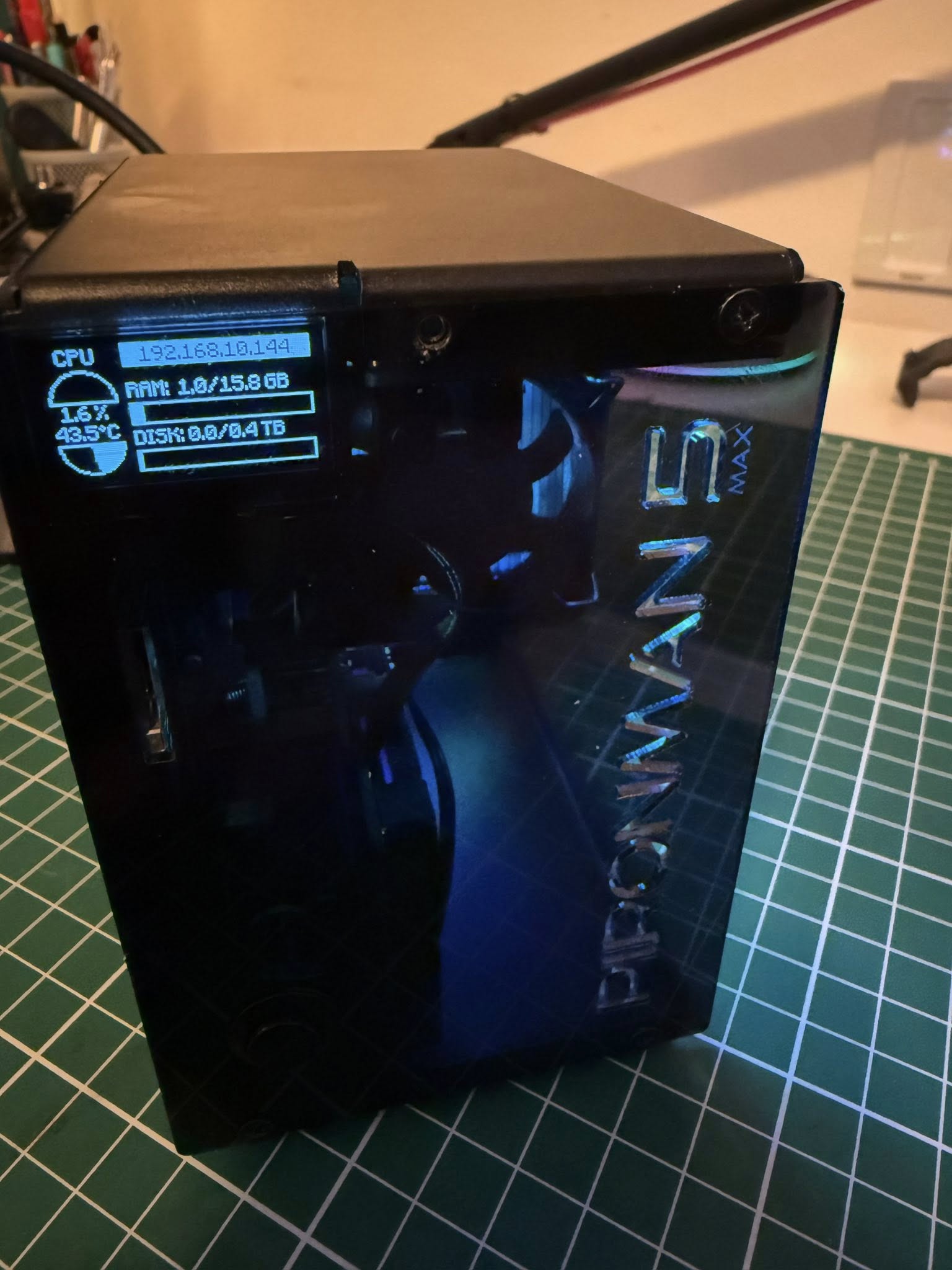
Today I built my new Homey using a Raspberry Pi 5 with 16 GB of RAM and a 500 GB SSD, with expansion options for an extra SSD. The case is a Piroman 5 case. It has two RGB fans and a heatsink with an active cooler, so my Homey won’t get hot anytime soon. My Homey now runs insanely fast
Next step: see if I can add my own Zigbee antenna using Zigbee2MQTT.