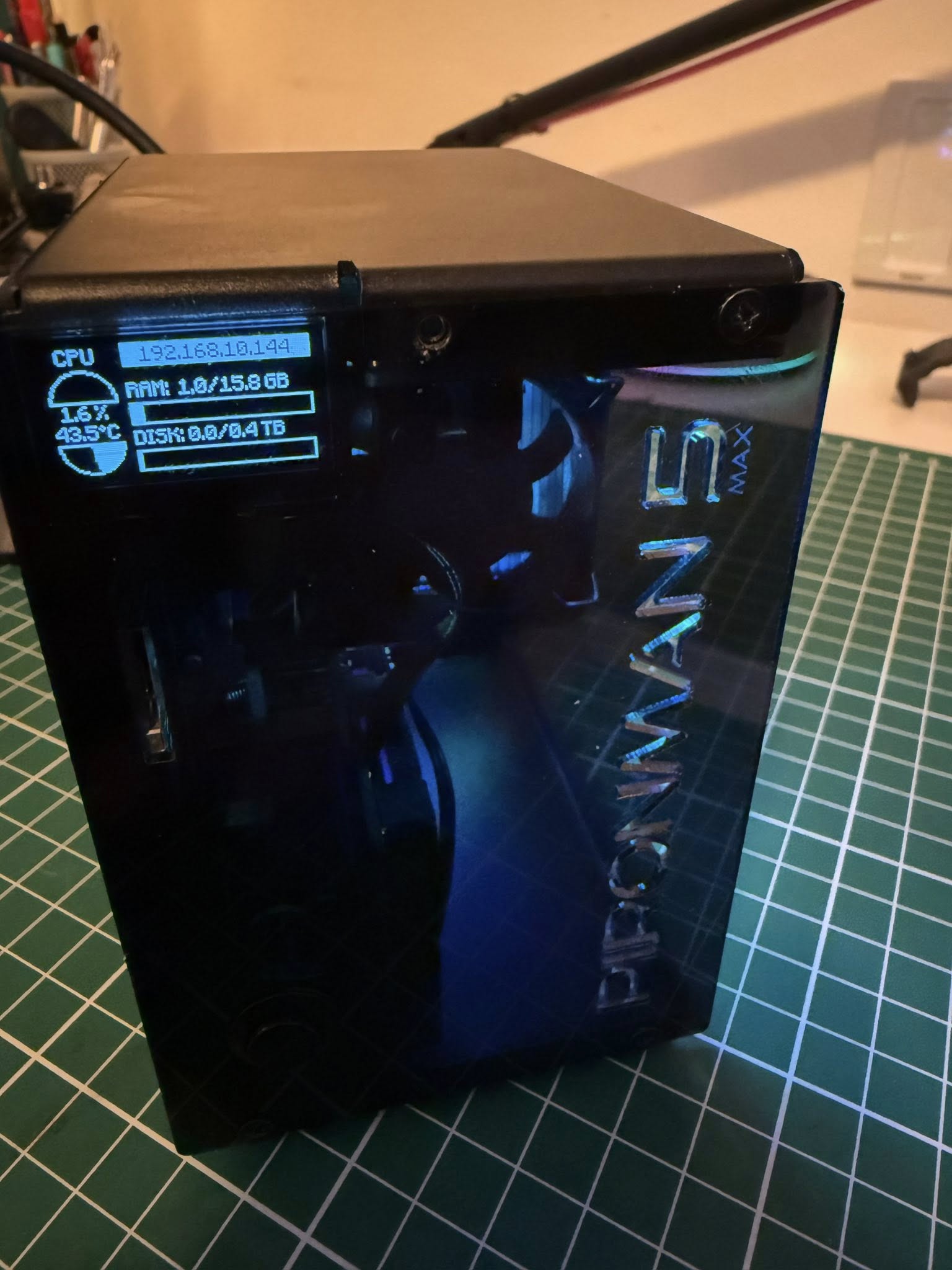
Today I built my new Homey using a Raspberry Pi 5 with 16 GB of RAM and a 500 GB SSD, with expansion options for an extra SSD. The case is a Piroman 5 case. It has two RGB fans and a heatsink with an active cooler, so my Homey won’t get hot anytime soon. My Homey now runs insanely fast
Next step: see if I can add my own Zigbee antenna using Zigbee2MQTT.
I’ve just installed Homey on my old Intel Mac Mini (2019) turned Unraid server. This Homey instance will serve as my development Homey, so I no longer have to deal with a bunch of ‘test’ devices in my actual home. My Wife will be relieved
And as you can see I still have a bunch of Ethernet cables to pull through the house, I’ve just been lazy and relying on WiFi for the most part
Here is my GMKTEC G2 Plus, it runs Home Assistent and Homey SHS as an addon.
HA has Zigbee and Thread (with Zigbee2MQTT and Matter Server/Openthread Border Router) and passing the devices (72 in total) through with the HA Community app on the Homey part. Mainly using Homey SHS for the so much easier way to automate things. The only other Homey app i’m using currently is Chronograph for timers at the moment.
Of course it works
Install zigbee2mqtt on some device with a USB port, buy a zigbee dongle (f.e. Sonoff P or E) and plug it in, next pair your zigbee devices
Next, add the zigbee2mqtt zigbee devices @ Homey by using the Homey zigbee2mqtt community app:
(You can’t use a USB dongle directly with Homey SHS)
After watching Homey from distance for long, with SHS it now finally found its way into my smart home. (The real trigger, however, was the new Hue Pro Bridge, which works very poorly with Apple Home.)
Now there is this very unimpressive setup.
RaspberryPi 5, 8GB, 256 GB High endurance SD
It’s running SO FAST, quiet, energy-saving – I am very, very satisfied!
So, the most impressive thing about this setup is simply the fact that, despite its very early stage of SHS’ development, it is running productively with 200 smart home devices from 5 platforms.
Running on an oldish Intel NUC 3217 with 4GB memory. WiFi connected (I have a USB→Ethernet dongle waiting to be installed)
VMWare 25H2 is the VM. Networking set to Bridged. Next time I turn it off I will configure the VM for USB peripherals so that I vcan backup my .homey-shs directory.
The white box is a Unifi Express. Therre is a Unifi AC Pro on the ceiling elsewhere in the house.
Devices are a mixture of Tuya and Tasmota bulbs and plugs. I use a ESP32S3 flashed with tasmota as a Matter bridge to the Tasmota devices.
It’s been about a year and a half since I had Homey Pro up and running - a lot has changed. I installed SHS on my MacBook Pro (daily driver) with a Bridge present. It was tough to get up and running for some reason. When I was about to abandon things, it all just started working - no idea why.
I’ve been able to add several devices (existing in HA) and a few directly using the Bridge. So far, impressed but I think the plan is to order a new Homey Pro 2026 and start fresh from there, migrate everything over to Homey Pro from HA, no bridges, no other hubs. (I have a LOT of devices and sensors; over 100).
I have an incredibly complex Shade automation Policy in HA and was able to migrate it to Homey using HomeyScript. The policy manages the shades based on numerous environment variables like; is the window open, is it colder than -18 outside, outdoor lux values, time of day, etc. The test was a success and I can now return to Homey!
I’d post my SHS setup but it would just be a picture of a MacBook Pro
It is utilizing 4GB of Ram: “Virtual Machine Service for Homey Self-Hosted Server”