I’m trying to submit a request for a new device and the website is requiring me to log in. Once I provide my credentials it takes me to a screen which says you must verify your email first in very small type. Can’t figure out how to verify my email.
Please, we can’t read your mind (yet)
Maybe you got an e-mail from the website in your mailbox (or spam folder) that includes a confirmation link you need to click in order for you to be able to login.
It appears to be about request-a-brand.homey.app;
As answered to your other similar post:
Hi SunBeech,
Thanks for getting back to me. I’ve looked in my Junk email folder to no avail. Others appear to be confused about where this message is coming from. There are help articles that show you how to verify your email with Homey, but the directions in those articles don’t match the app that I’m looking at. Perhaps those are instructions for a prior incarnation of the software? In any case, most systems that require verification of email have some way of re-sending the invitation - I just can’t find it, and no-one here has suggested to me where I can find it?
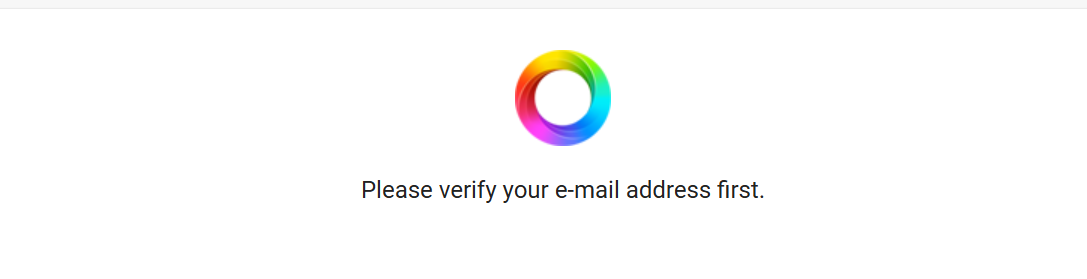
I think you should report this to Athom support if you didn’t already.
This is what Homey bot suggests:
"It sounds like your Homey account email hasn’t been verified yet, which blocks access to the Request-a-Brand portal.

Quick steps to resolve
1. Find the verification email:
  * Search your inbox (and spam/junk) for subject: “Verify your Homey account”.
  * Open it and click the verification link.
2. Didn’t receive it?
  * Go to [https://accounts.homey.app](https://accounts.homey.app/) and sign in.
  * If prompted, choose to resend the verification email.
  * Check spam/junk again after a few minutes.
3. Wrong email on the account?
  * You can change it here: https://homey.app/account (Your e‑mail → Change your e‑mail address), then verify the new address.
4. Forgotten which email you used?
  * Search your mailbox for “Verify your Homey account” to see which address received it.

Once verified, you should be able to log into the Request a Brand page:

* https://request-a-brand.homey.app/boards/request-a-brand

If you’ve verified the email but still see the message, please tell me:

* The approximate time you verified it
* The browser you’re using and whether you tried an incognito window
* Your region I can then escalate or create a support ticket to investigate"
Hi Peter,
Thanks for getting back to me. How does one contact Homey support? The ‘Support’ page provides no contact information - only a series of links to help articles.
When I follow the links provided above, I’m able to log in, but I get to the following page:
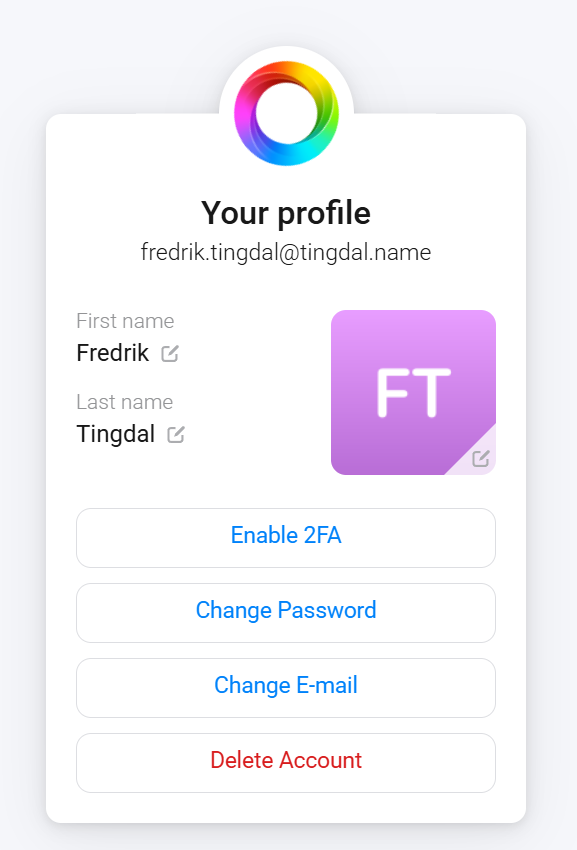
Still no option to verify my email there, and I did not get prompted to send a verification email before going to this page.
Sorry Peter, I left off the details that you requested.
I tried it just now which is 9:10 AM Eastern Standard Time
I’m using Microsoft Edge, and I’m not in incognito mode.
I’m located in Massachusetts, USA.
Hope that helps.
You can contact them via Support | Homey.
At https://accounts.homey.app you’d hit “Change email” and just enter your email address.
To test, I entered my actual account’s email address, and it returned:
“Your email is now confirmed”
Hope this solves it.
That did the trick. Thank for your help. I was finally able to use that page.
Cool! I didn’t expect entering my existing email address to be accepted. But it did.
Some follow up questions from support (to try to fix this bug) , if you would be so kind to answer the following (also fine by PM/DM):
1.Exact Windows and Edge versions
2.Whether the Homey account was newly created or previously verified
3.If the issue reproduces in a different browser/incognito
Oh, and please mark my earlier post as solution, thx.
This fixed it, it also fixed problems with by backups via the cloud subscription I just bought.
Thank you!
