Thanks @Dick_J !
Seems this combined effort is moving along a bit. How can I help?
Hi James, I’m still working on it, a lot of copying/ learning from others and trial and error, since this is my first Javascript project.
I’ve placed my code on Github https://github.com/Dickje/Homey-APsystems.
What I am currently working on is for adding an installation, entering the API key and secret and pass these values to the pairing process.
Suggestions and improvements on my code (that needs to be cleaned when it’s working) is appreciated.
any progress so for? unfortunately my HA integration of the APsystem broke down today, and cant seem to get it back to work…
I’ve got something working with visual studio code. Unfortunately the library there seems different from the real environment, so a test version didn’t work. Had no time to dive into this,
The API from APsystems is very limited in possibilities. Maybe also because of my ECU? I can get the power generated, but not the momentary power. What possibilies did HA have?
after a lot of trial and error I got it to work through the new one in HA.
I use to have: GitHub - ksheumaker/homeassistant-apsystems_ecur: Home Assistant custom component for local querying of APSystems ECU-R Solar System , but that has been stopped, so went with:
GitHub - HAEdwin/homeassistant-apsystems_ecu_reader: A Home Assistant custom integration for local querying APsystems ECU's.
Working well for now.
Depending on what version you have you can also turn on/off the panels, next to fully reading out the power levels (which I use in many different flows). you apparently can also set 1 or 3 phase charging and the power with which comfort will fill the car.
I have used the information from HA, to create something for Homey. It is much better than using the web API. From the API, only a limited amount of requests is possible.
You can try if you want, but I still have to implement error catching and do some codecleaning.
The current version can be installed by this: APsystems Solar Panels | Homey
Install went smoothly, and system is showing correct amount of power
VERY WELL DONE!!!


super cool!
what I do notice is that it has already crashed 2x today while retrieving data (it doesn’t refresh anything) after restarting the app everything works again for a while
I’ve received an email about the crash, but it’s odd. On my system it runs since yesterday without an issue.
for the prerequisites.
I know. Homey prescribed the line thicknesses, but I haven’t been able yet to modify the drawing.
The lines are now too small, hence the poor visibility.
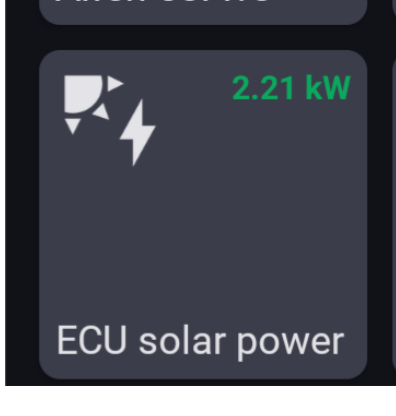


Yes that is the HA integration. Challenge is that the HA one loses connection every so often, so looking forwards to seeing this one perform better 
Peter, can you tell something about your solar installation? Is it the ecu-r, what converters do you have and how many?
You did follow the instructions from the HA community I assume.
Hi Dick yes I can, I’ve 9 x DS3 micro inverters and 1 x ECU-R number 216000089742
And I don’t know wat you want because I don’t have Home Assistant here, do I need that to get it working.
Thanks and
Best regards Peter
Hi Peter, you don’t need Home assistant. The reason why you don’t receive any data is maybe because I had a fixed amount of inverters in the program (8). I’ve just released new test version, can you try that one?
What you do need is to set up the wifi as explained on the Home Automation community (see my earlier post with the link to Github)
Best regards, Dick
Hi Dick thanks for your quick reply, my ECU-R is connected with a LAN RJ45 cable so I understand that I have to connect it through WiFi.
I’m going to try that and I’ll let you know if that works.
Thanks again, best regards Peter.
