Yes, you can scroll sideways!
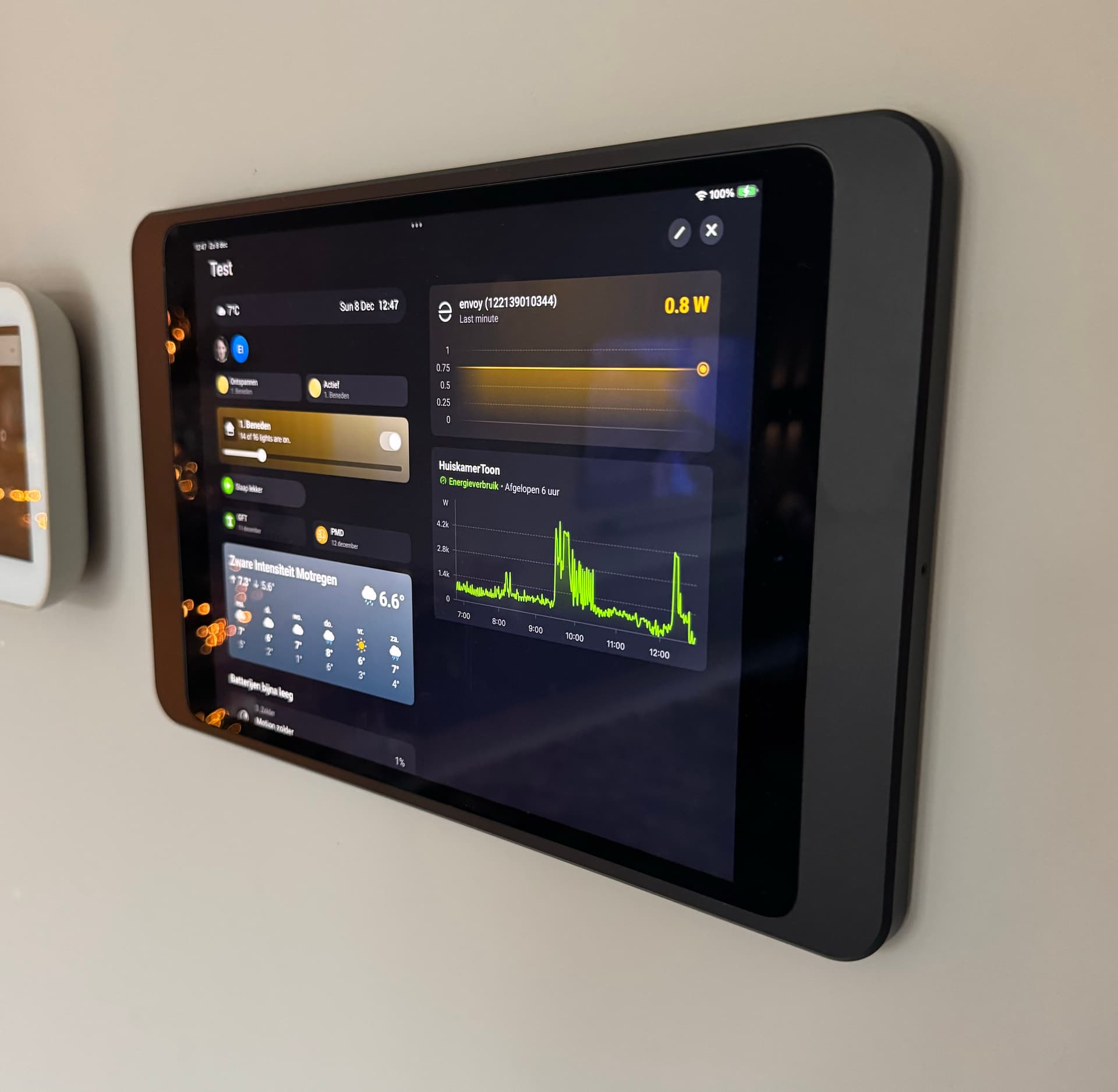
This is my dashboard currently.
Spend the weekend to migrate everything from home assistant over to Homey.
While HA is way more flexible and can do almost anything.
I feel that homey removes a lot of friction. Still a lot of things to find out en improve and this dashboard is not nearly finished.
Biggest issue I have with the dashboard is that I actually want my widgets to be smaller so we can fit more on one page and have 3 columns.
Which wall mount are you using? Looks very sleek  .
.
But why, HA dashboards are lightyears ahead?
Not as in “better”, but in all kinds of ways, especially flexibility.
Decrease tablet’s font size and object size.
Homey and the dashboard have become one of my biggest hobbies. 
Xiaomi Red Me Pad in milled oak with power supply.
Controlled via kiosk mode and motion detector for automatic switching on and off.
What I miss:
-
Visualization of the PV system as in Homeassistent
(Power Flow Card Plus) -
Control AppleTV
-
Blinds controllable via zones such as lighting
Otherwise very satisfied with the dashboard.


I would like to have some text-field where I can add info for my family.
Widgey has a sticky note, thats all I have found so far.
Or create a web-page…
Did you set the font size to the smallest setting?
No idea, how to do that 
Go to Settings > Display & Brightness, then select the smallest text size.
Omg you mean on iPad settings, not in Homey app  .
.
It works! Thanks.
It’s possible with the Enhanced Device Widget:


Generate the layout and message with a flowcard. Endless possibilities. Red warning, green OK, yellow note, fixed colors for family members, and so forth.
HTML coding possible:
Do use the same widget ID in the flowcard; I used 01A for the yellow card for example:

Well yes and no.
The UI looks in basis horrible and you need a lot of code to get it working. For me as programmer not an issue. but things keep breaking due to their many changes and getting it somewhat decent is like hundreds of hours of work.
I Think Homey only does 10% of what HA can. But at least it looks amazing and just plain works out of the box. There for more focus on actual automation instead of a programming hobby project.
I’m interested in everyone’s dashboards
How did you categorise eea (homescreen, lighting and so on)
Hi Matthias ! Which model Of redmi Pad are you using ? When you say kiosk you mean an app? Thanks in advance
I use the XIAOMI Redmi Pad SE, Tablet, 128 GB, 11 inch, Graphite Gray
Sometimes a bit slow, then you already notice the price. But perfectly for this use.
The app is called Fully Kiosk

Ha Rogier, mag ik vragen hoe jij die radio en tv stations hebt toegevoegd?
Hi @Henny_Housekeeping Henny.
10 flows gemaakt voor de tv zenders m.b.v. de Ziggo app en de dan kaart ‘zet het kanaal op…’

En
10 flows gemaakt voor de radio zenders m.b.v. de Chromecast app en de dan kaart ‘cast TuneIn Station…’

De flows zo gemaakt dat de tv uitgaat wanneer je een radio zender op de Google nest hub kiest en de Google nest hub stopt met afspelen wanneer je een tv zender kiest.
Vervolgens via flow widget alle 20 flows toegevoegd in één enkele widget aan mijn dashboard.

Ik kan morgen een screenshot maken van de tv flow en de radio flow als dat wilt?
Rogier
Aah bedankt voor de duidelijke uitleg. Ik denk dat het niet nodig is, toch bedankt. Ik heb geen ziggo, ik heb Kpn en dat werkt zover ik weet nog niet met Homey. Chromecast gebruik ik alleen boven. Dus voor nu niet heel relevant. Het ziet er wel prachtig uit!
